
Take payment: cash, card and more
Take payment on the Tavolify POS: cash with change, card on a terminal, gift cards and delivery apps, then print or send the receipt.
1 min readUpdated November 13, 2026
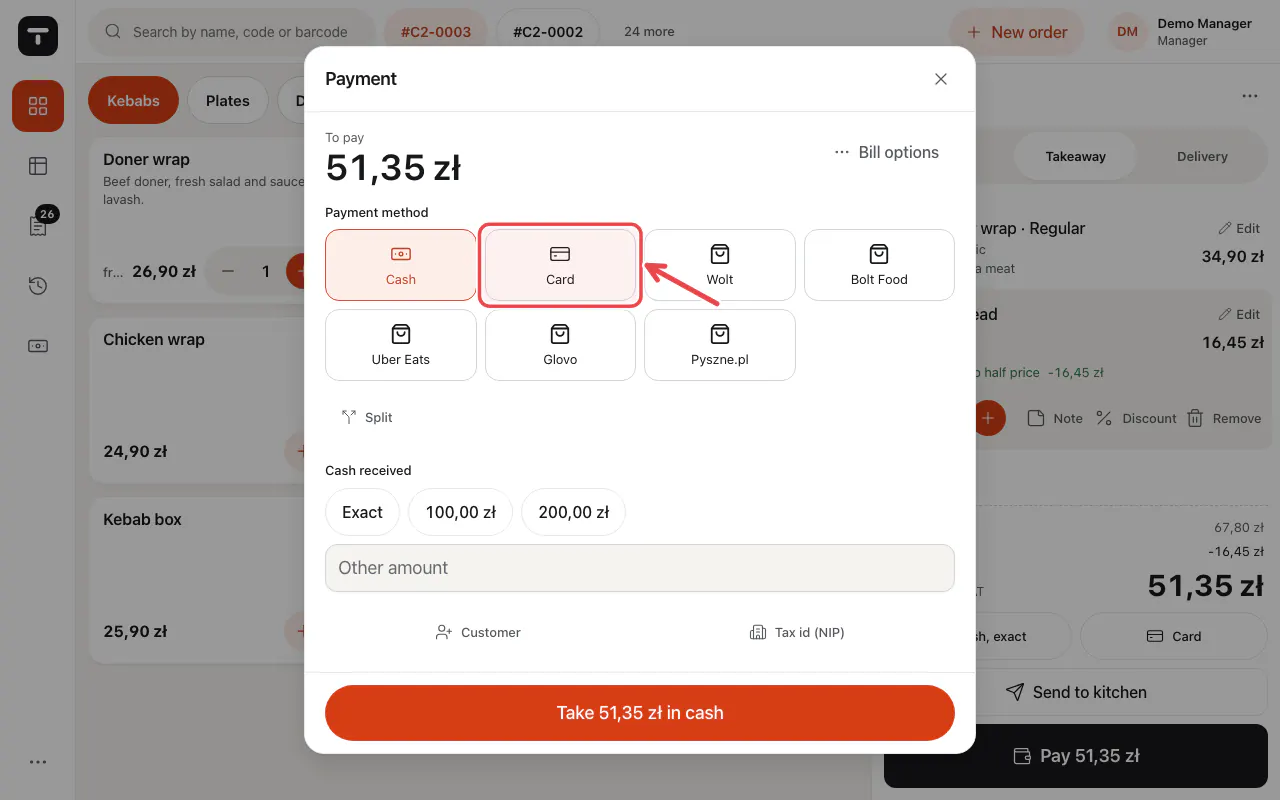
The payment window shows the amount to pay and every payment method of your till.
Steps
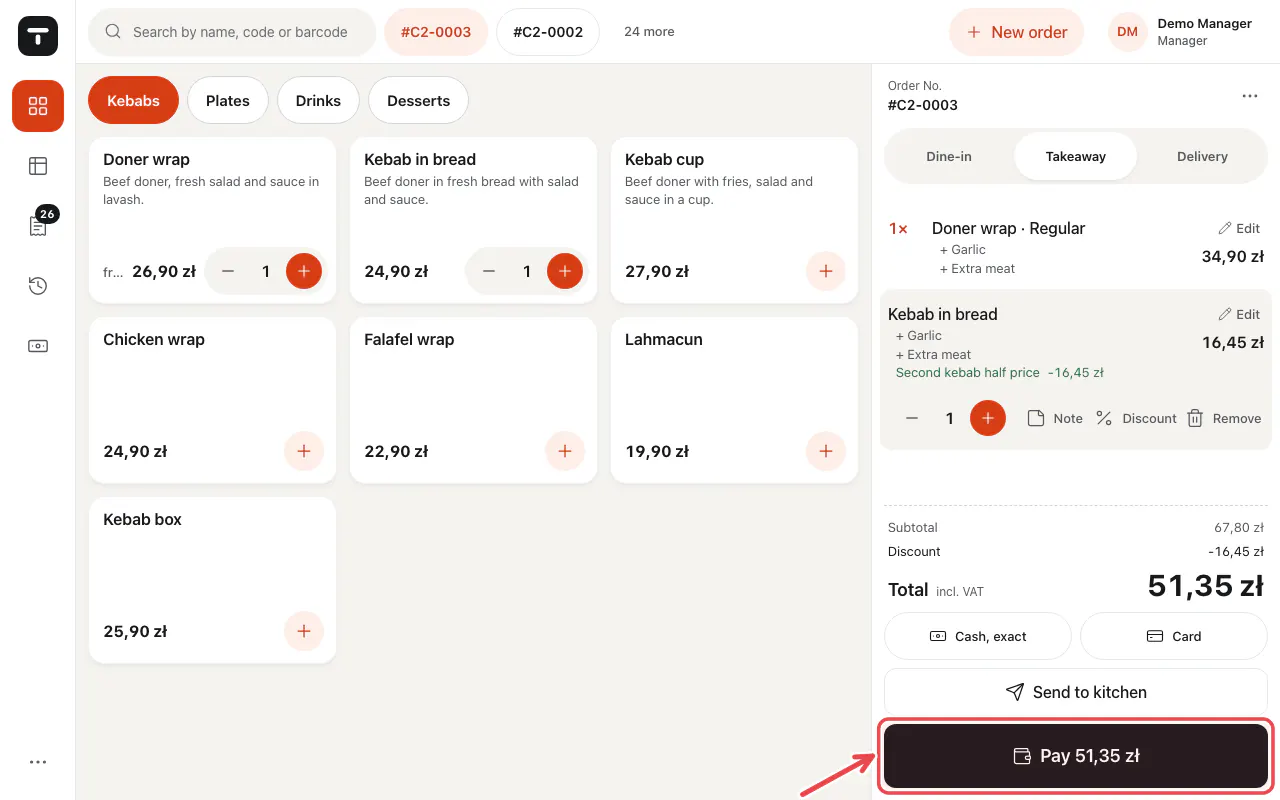
Tap Pay … on the ticket.
Choose the Payment method: Cash, Card or another one.
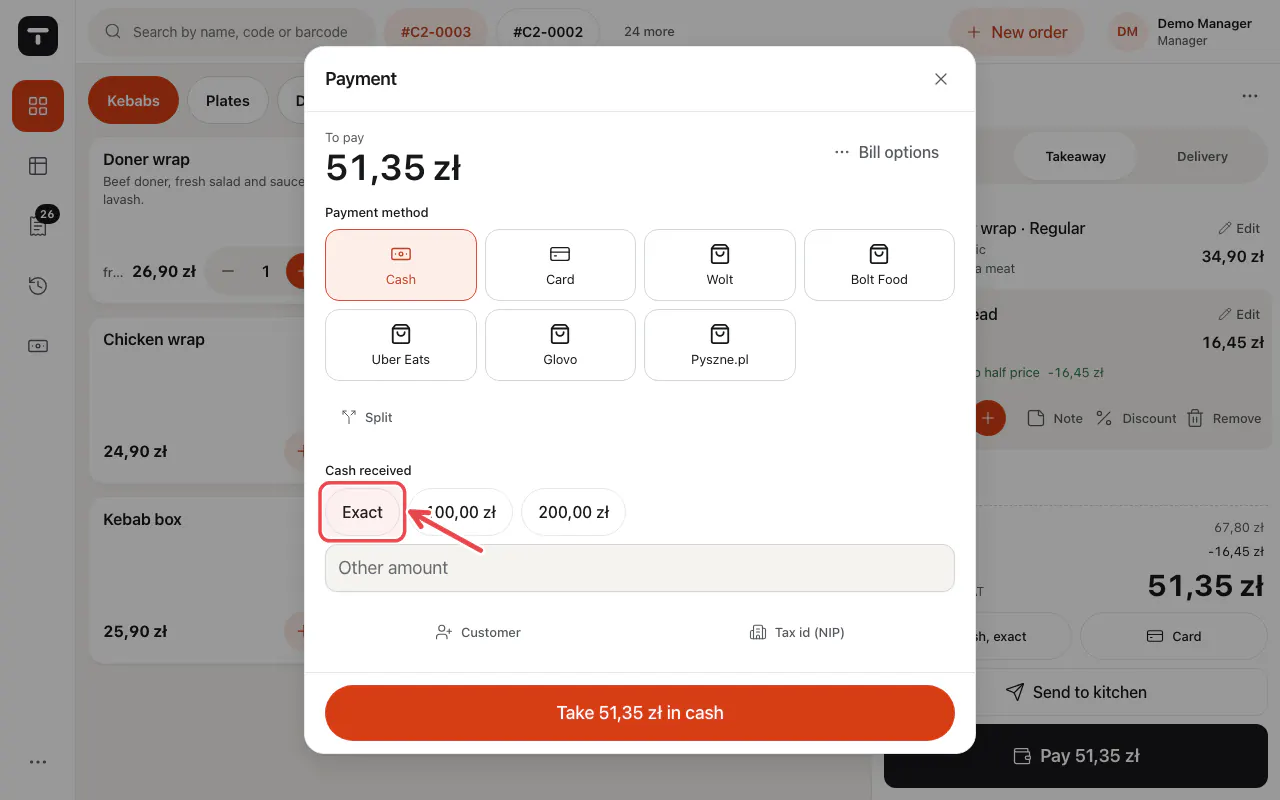
For cash, tap Exact or a note, or type the amount under Other amount. The change is shown.
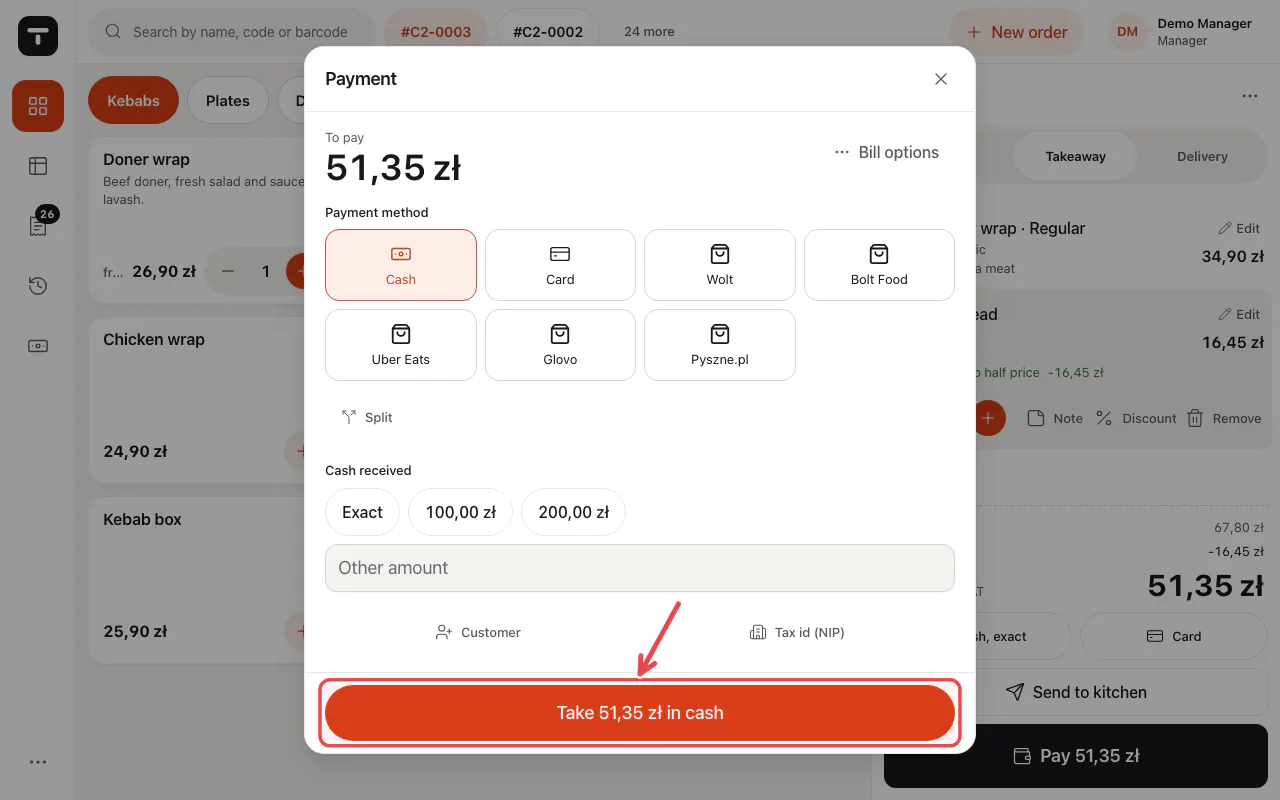
Tap the big button to confirm, for example Take … in cash.
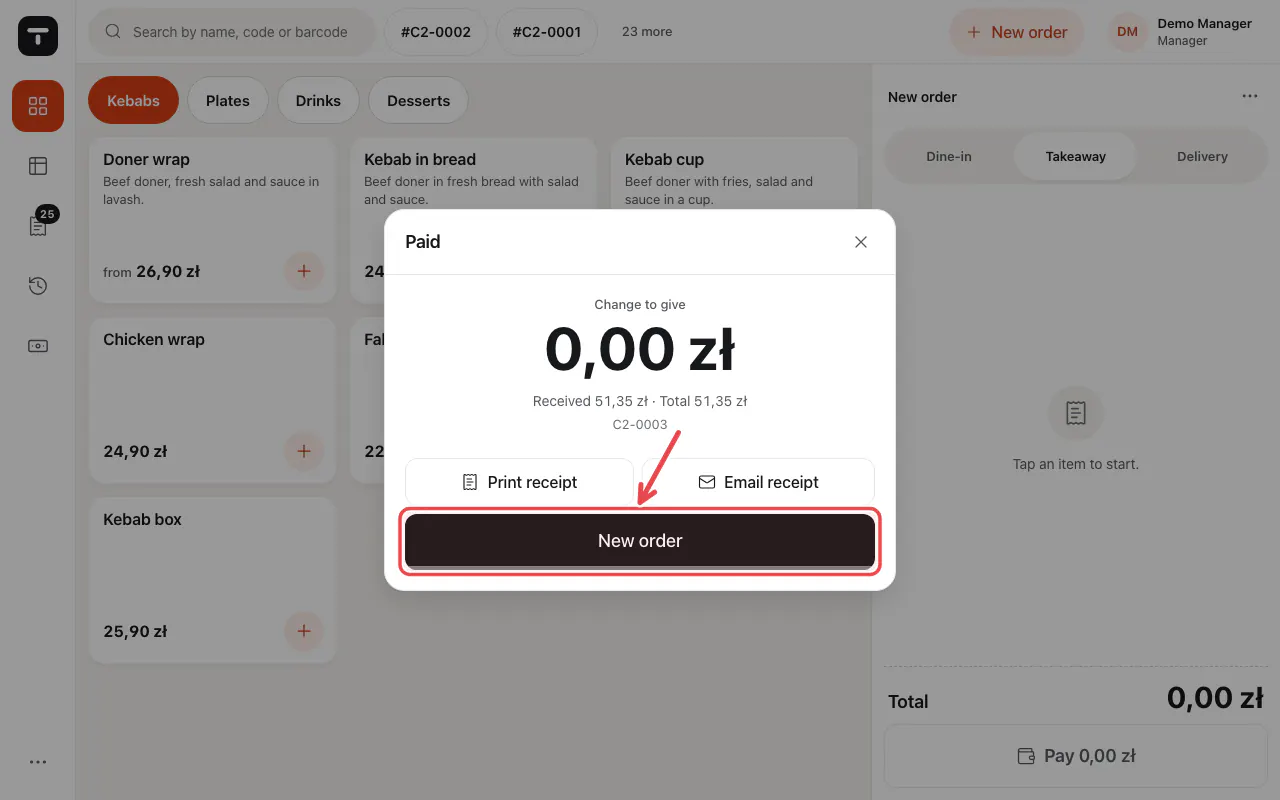
The bill is paid. The receipt prints and New order starts the next one.
Tip: With a card terminal connected, Card sends the amount to the terminal and waits for its answer.
Related articles
- Split a bill
- Connect a card terminal (Standard ECR)
- Refund a bill
- Delivery apps
Did this answer your question?
Still need help?Our team is happy to answer.
Send us a message