
Discounts on an item or the whole bill
Give a discount on one item or the whole bill on the Tavolify POS, in percent or as an amount, with an optional reason.
1 min readUpdated November 13, 2026
Discounts are recorded with your name. The owner decides how big a discount each person may give.
Steps
Tap the line on the ticket, then Discount.
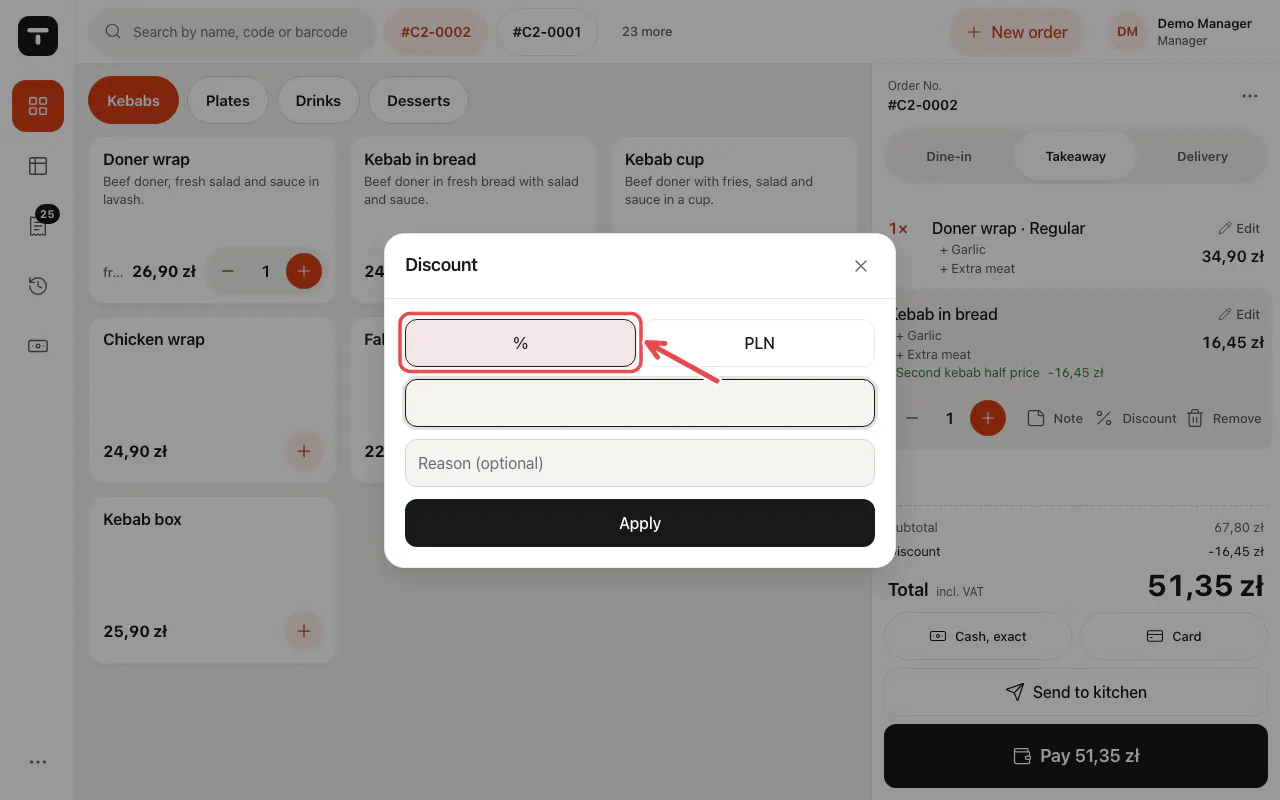
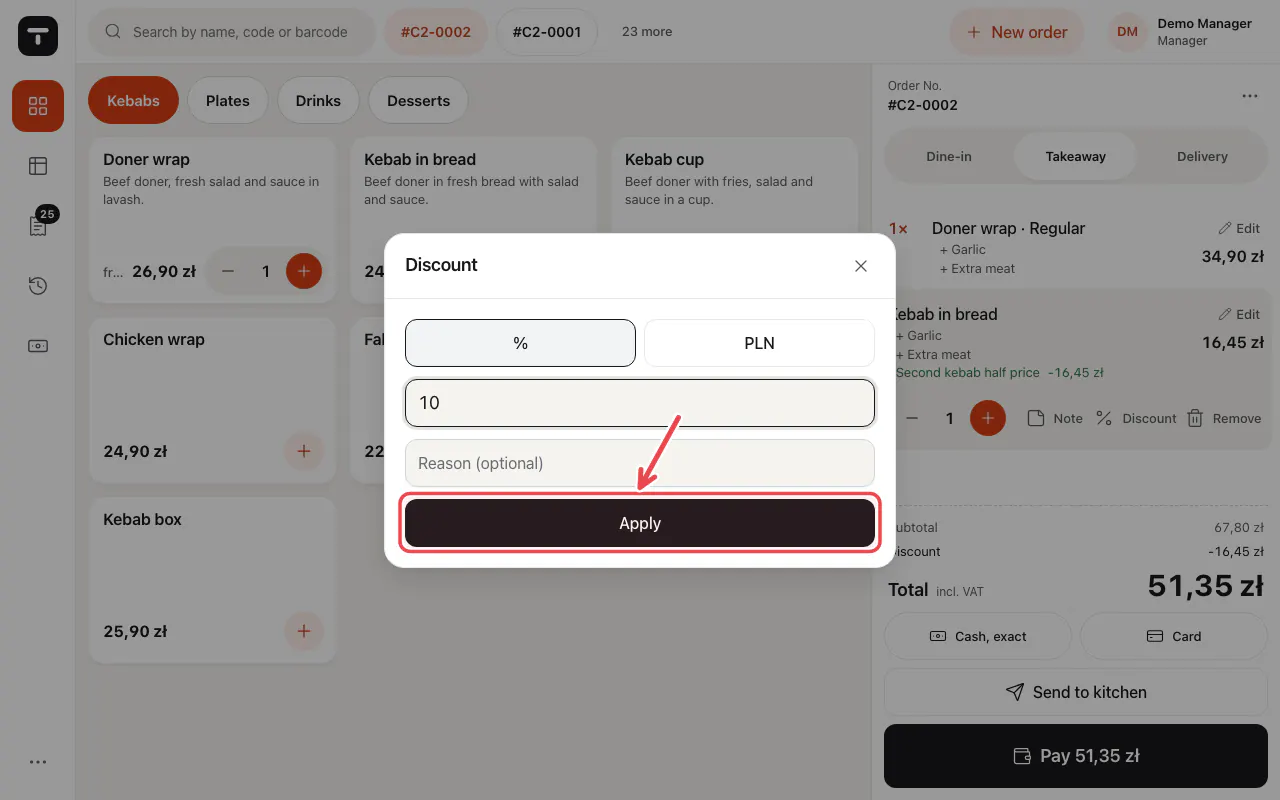
Choose % or the amount, type the value and tap Apply. The reason is optional unless the owner made it required.
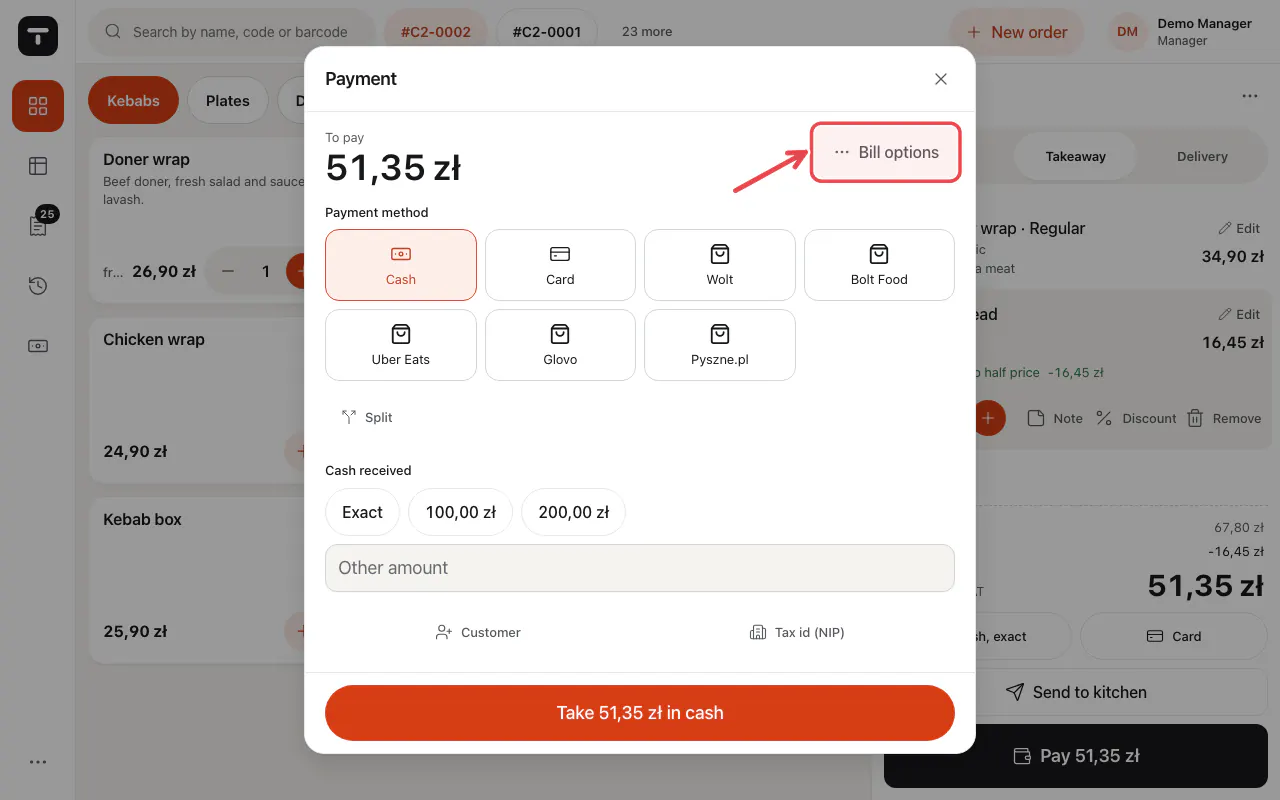
For the whole bill, tap Pay … and then Bill options.
Tip: Automatic offers belong in promotions; they apply by themselves.
Related articles
- Promotions and happy hours
- Take payment: cash, card and more
- Roles and permissions
Did this answer your question?
Still need help?Our team is happy to answer.
Send us a message