
Open the shift and use the cash drawer
Open the shift on the Tavolify POS with an opening float, record cash pay-ins and pay-outs and open the drawer without a sale.
1 min readUpdated November 13, 2026
The till counts cash against the float you start with. Every cash movement is recorded.
Steps
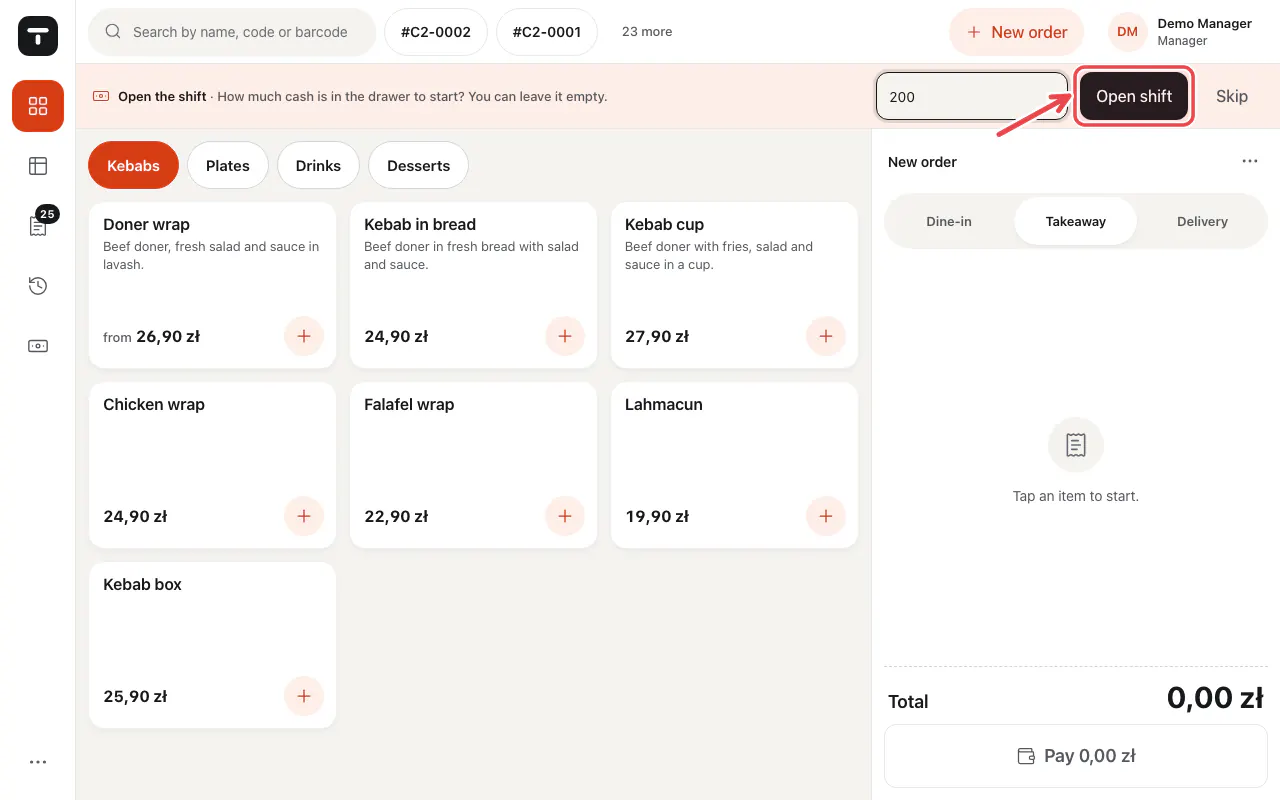
At the start of the shift type the cash in the drawer under Opening float and tap Open shift.
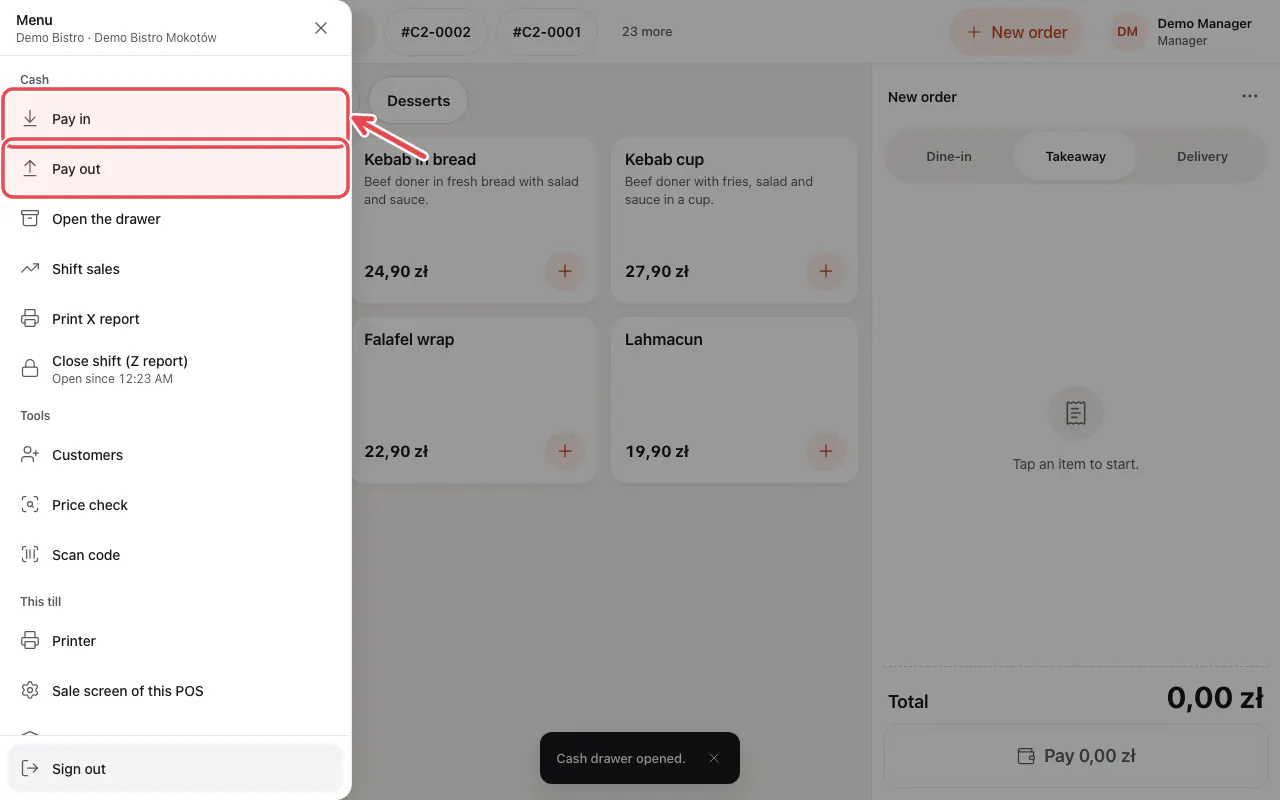
Open the menu (☰) at the bottom left. Under Cash you find Pay in, Pay out and Open the drawer.
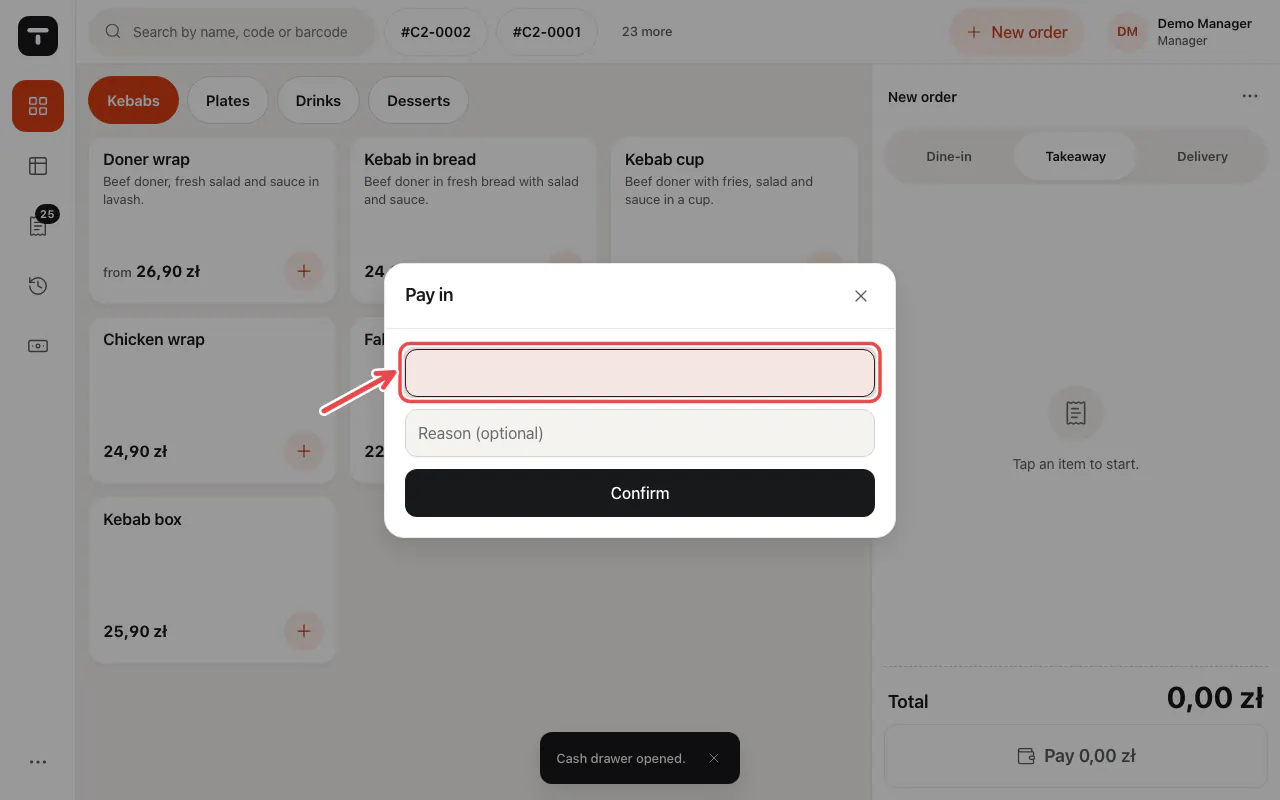
Type the amount and, if you like, a reason. Confirm.
Tip: Opening the drawer without a sale is always recorded with your name.
Related articles
- Close the shift and the Z report
- Take payment: cash, card and more
- Sales reports
Did this answer your question?
Still need help?Our team is happy to answer.
Send us a message