
Split a bill
Split a bill on the Tavolify POS into equal parts or by items, and take each part with cash, card or another method.
1 min readUpdated November 13, 2026
Guests often pay separately. The POS splits the bill without retyping anything.
Steps
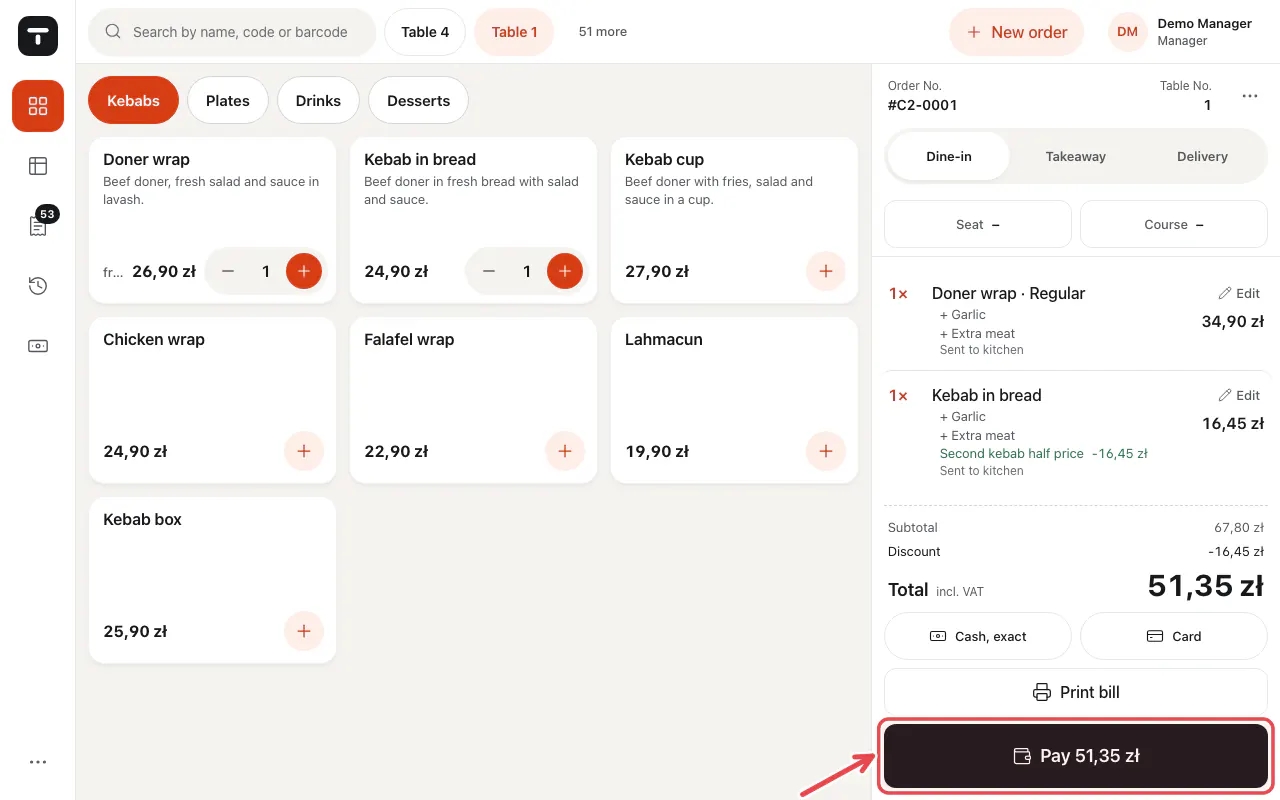
Open the table or bill and tap Pay ….
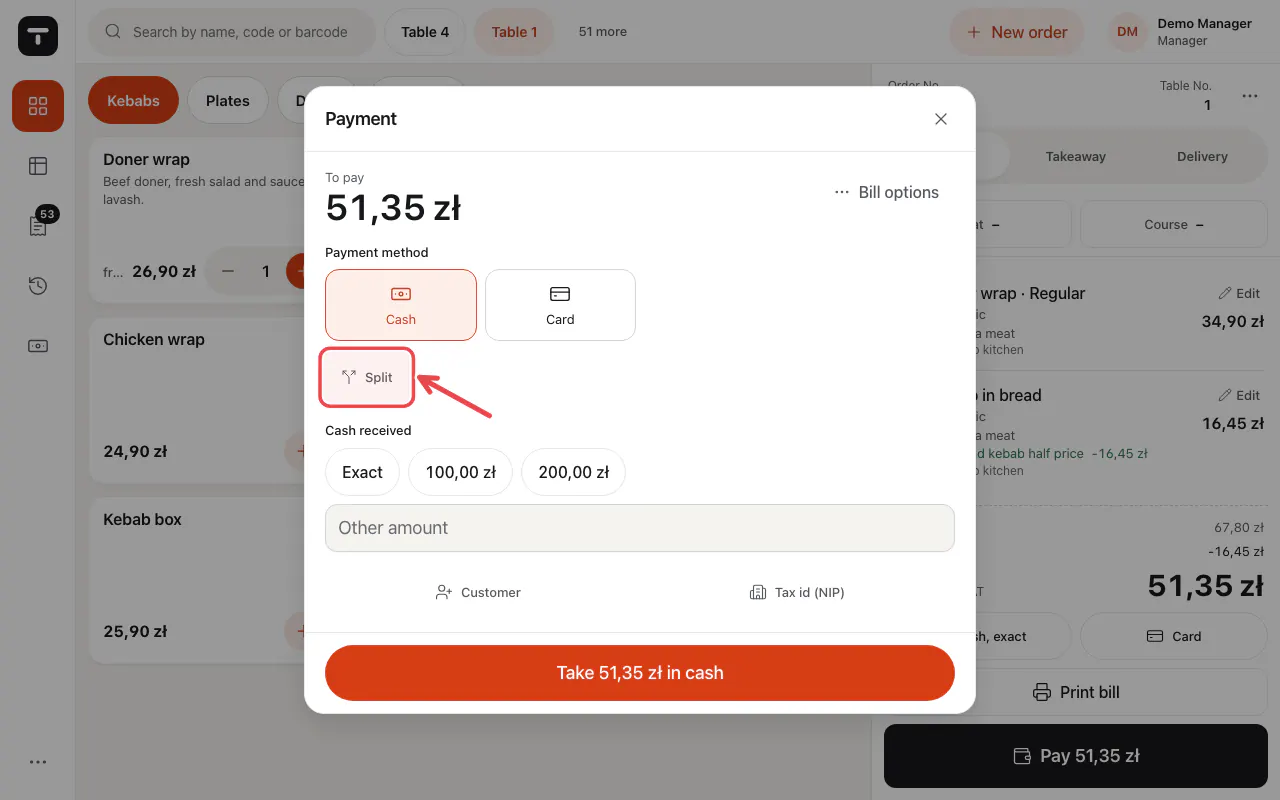
Tap Split.
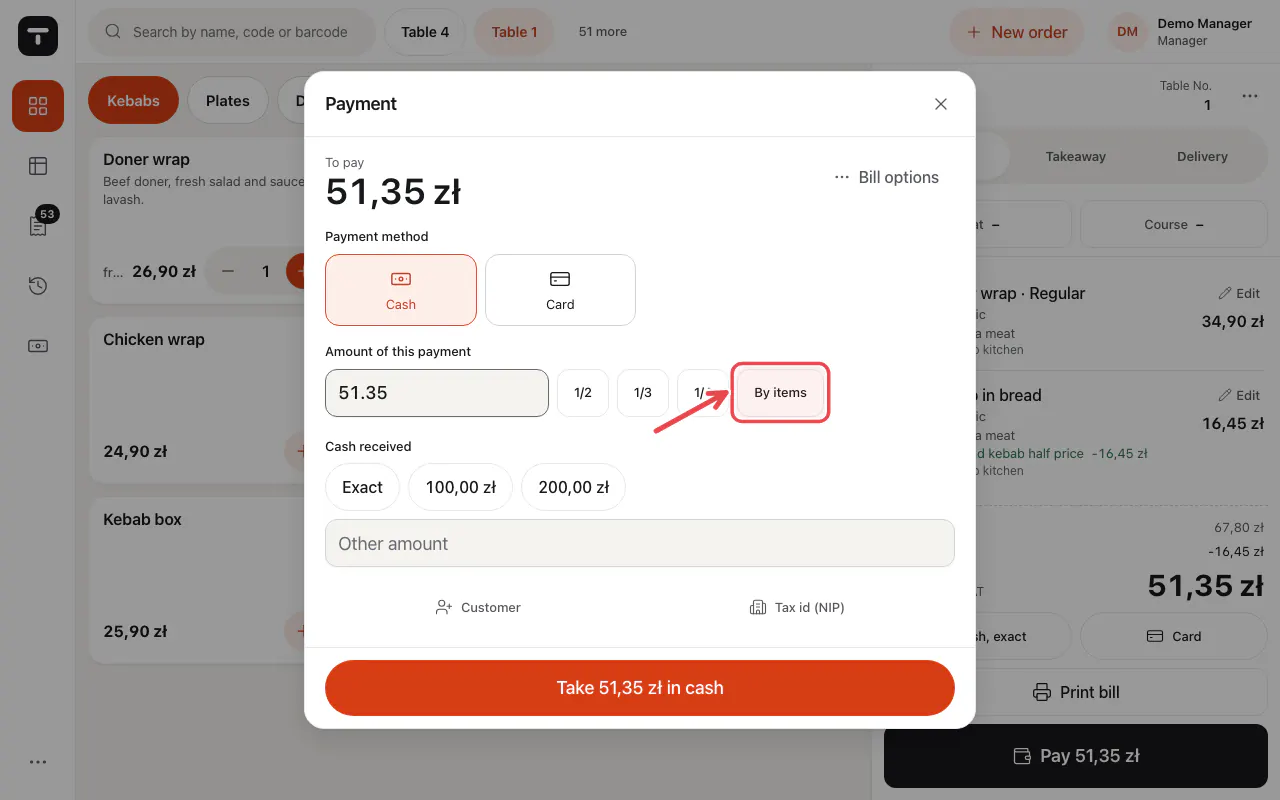
Choose equal parts (1/2, 1/3 …) or By items and pick what this guest pays. Take the payment, then the next part.
Related articles
- Take payment: cash, card and more
- Tables and the floor plan
- Discounts on an item or the whole bill
Did this answer your question?
Still need help?Our team is happy to answer.
Send us a message