
Refund a bill
Refund a paid bill on the Tavolify POS: the whole bill or an amount, with the fiscal return slip and card refunds on the terminal.
1 min readUpdated November 13, 2026
Refunds are made from the history of paid bills.
Steps
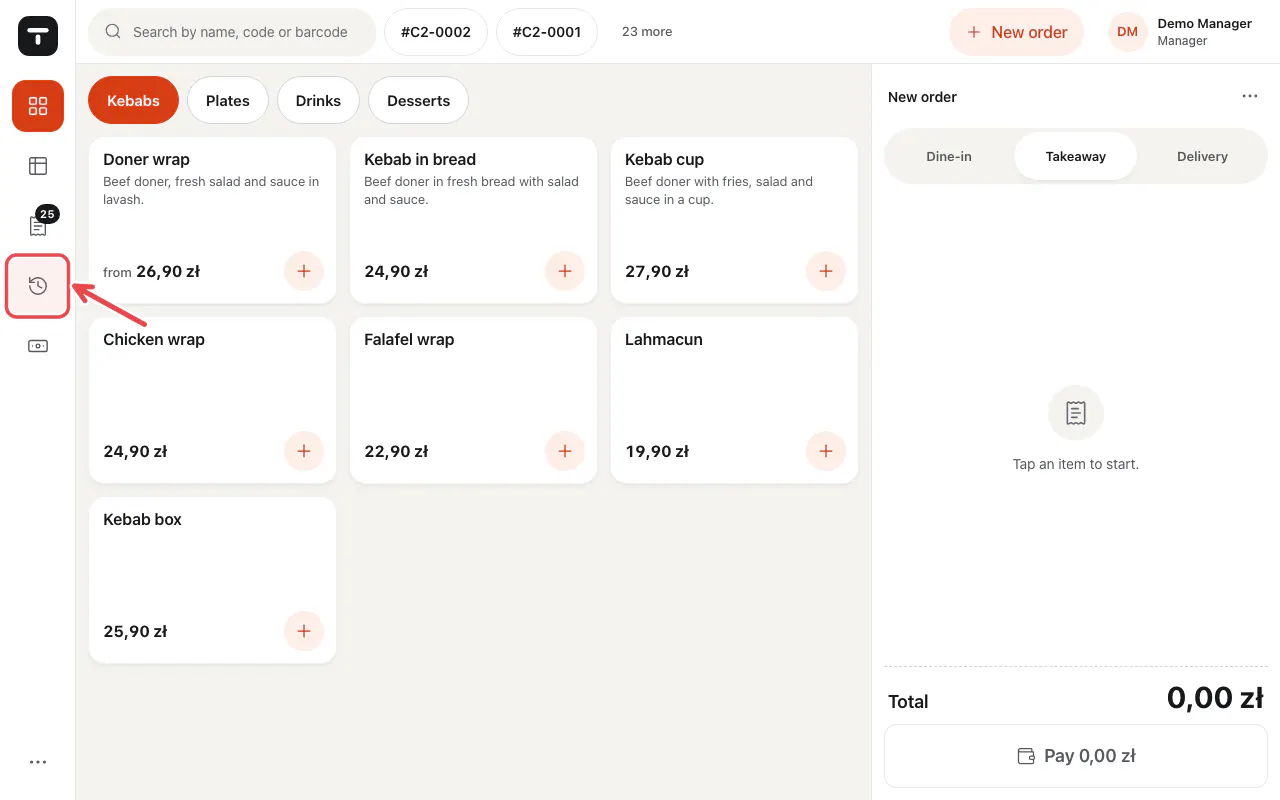
Tap History in the left bar.
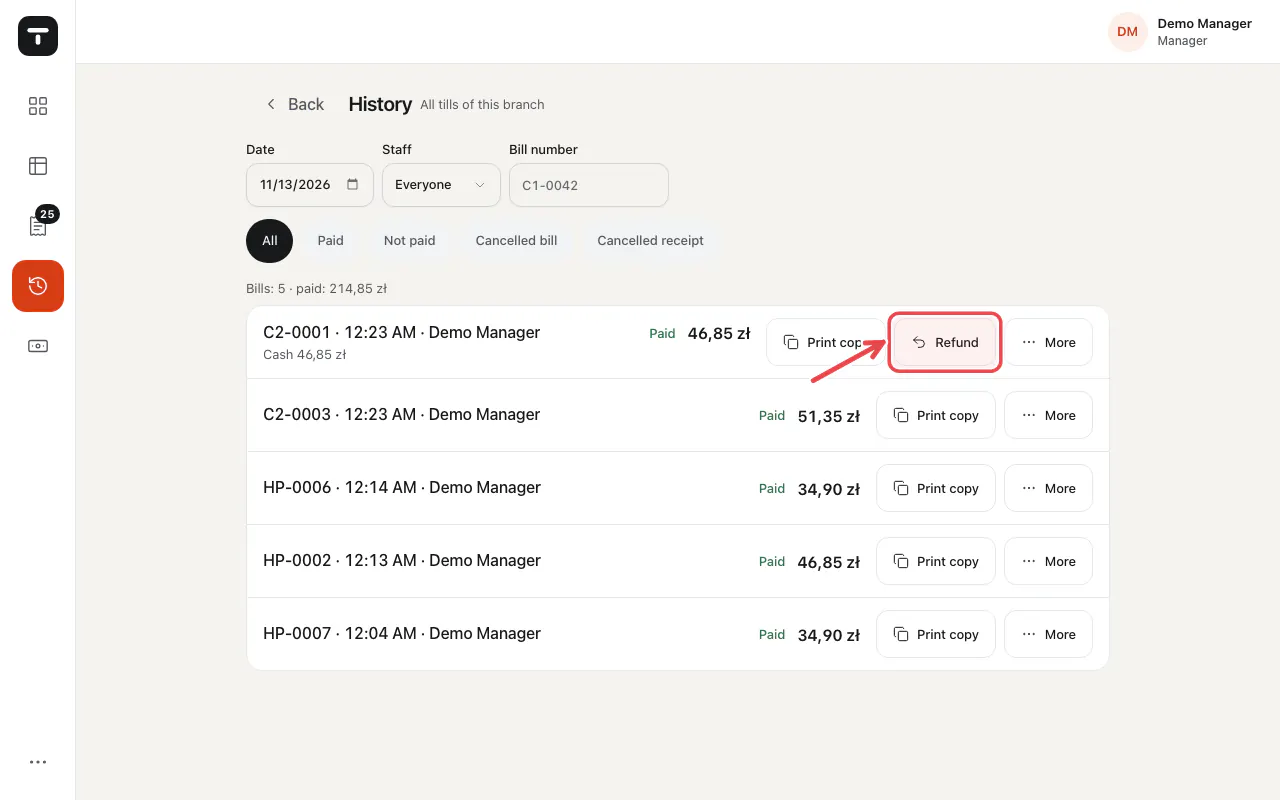
Find the bill (by date, staff or bill number) and tap Refund.
Choose Refund the whole bill · … or Refund a part (amount).
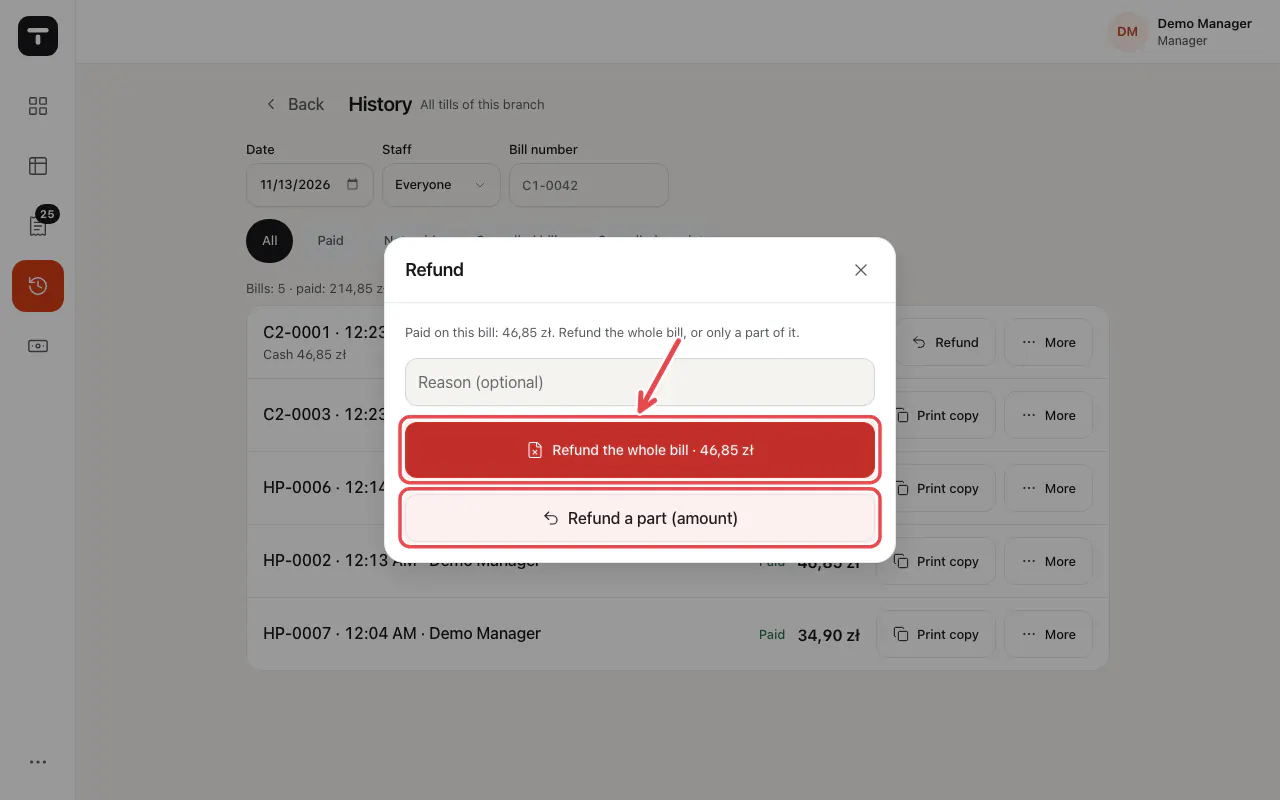
Important: In Poland a fiscal receipt cannot be cancelled on the printer. The refund is written to the return register; keep the guest's receipt.
Related articles
- Take payment: cash, card and more
- Our receipt before the fiscal receipt
- Roles and permissions
Did this answer your question?
Still need help?Our team is happy to answer.
Send us a message