
Promotions and happy hours
Create promotions in Tavolify: percentage off, happy-hour prices, second item cheaper or buy X get Y, by time, day and channel.
1 min readUpdated November 13, 2026
Promotions change prices by themselves at the till, the kiosk and online, when the rules match.
Steps
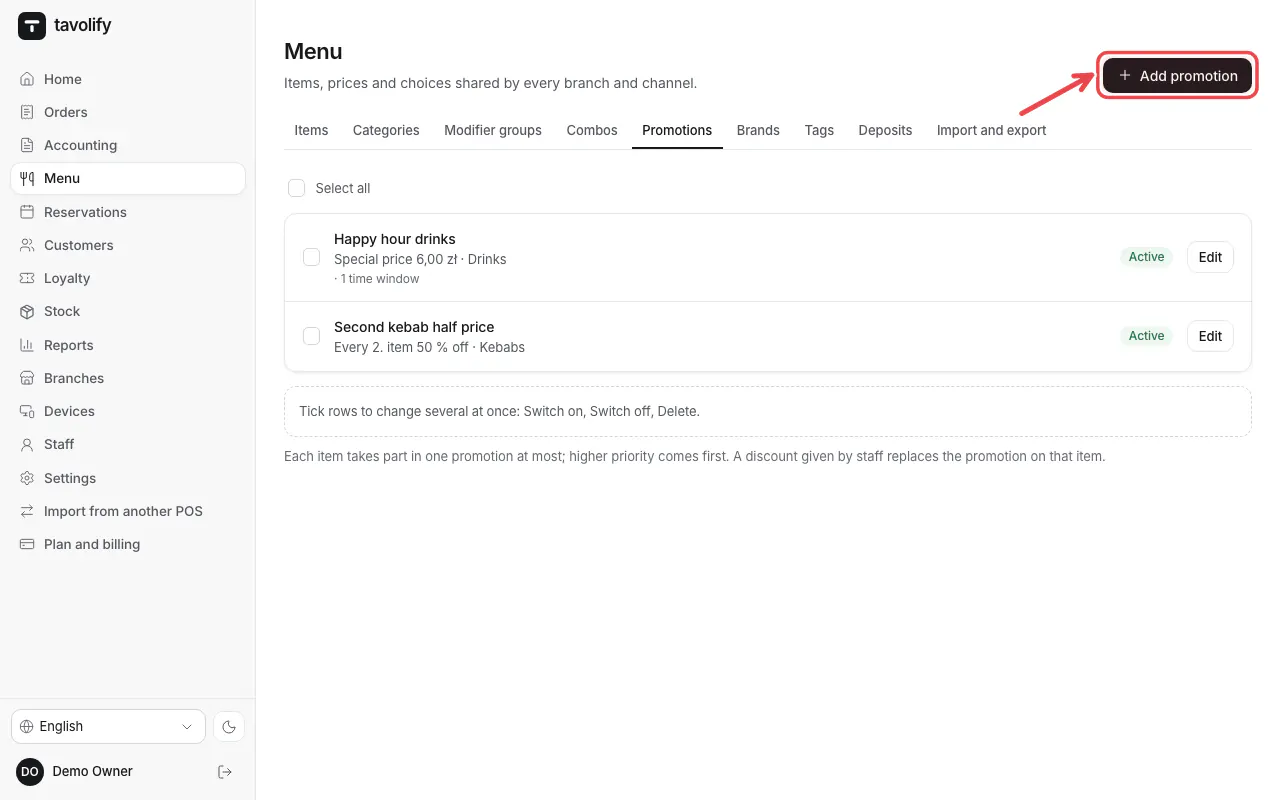
Open Menu → Promotions and tap Add promotion.
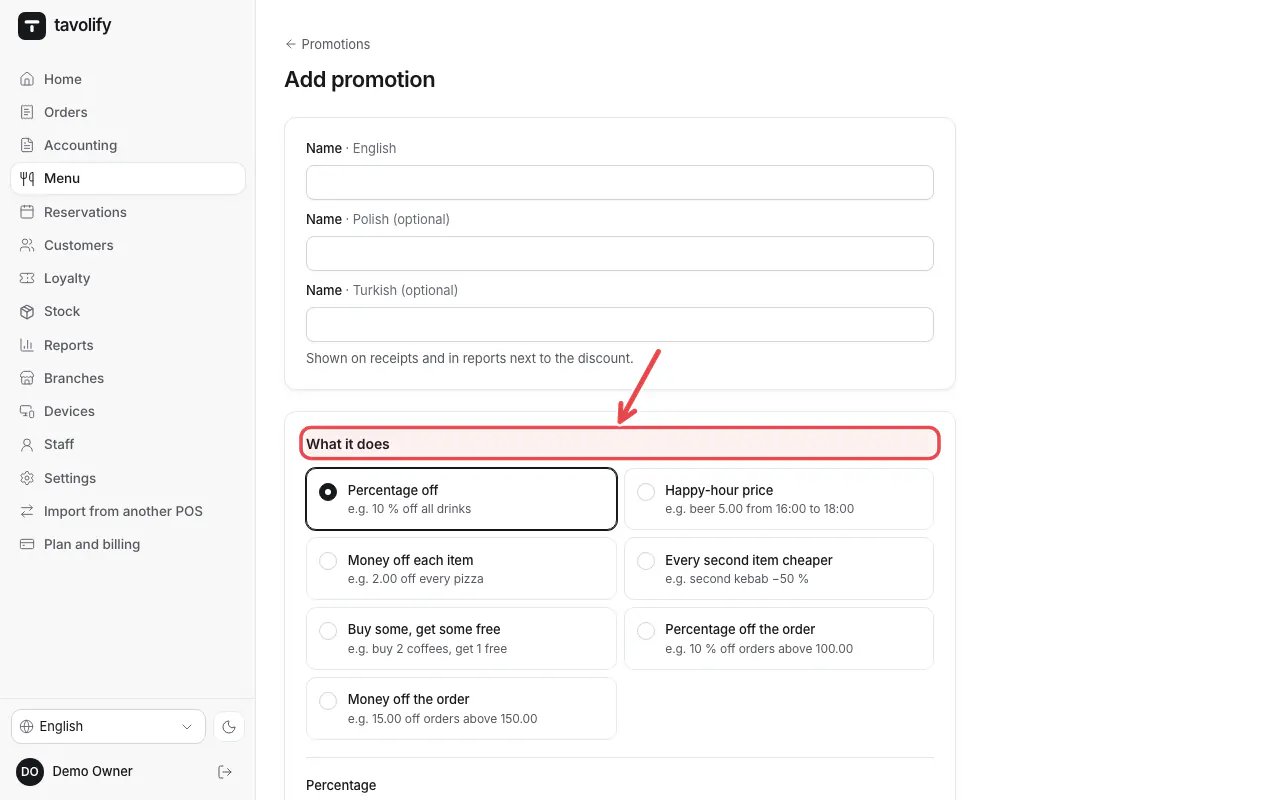
Under What it does choose the type, for example Every second item cheaper, and the value. Choose what it applies to.
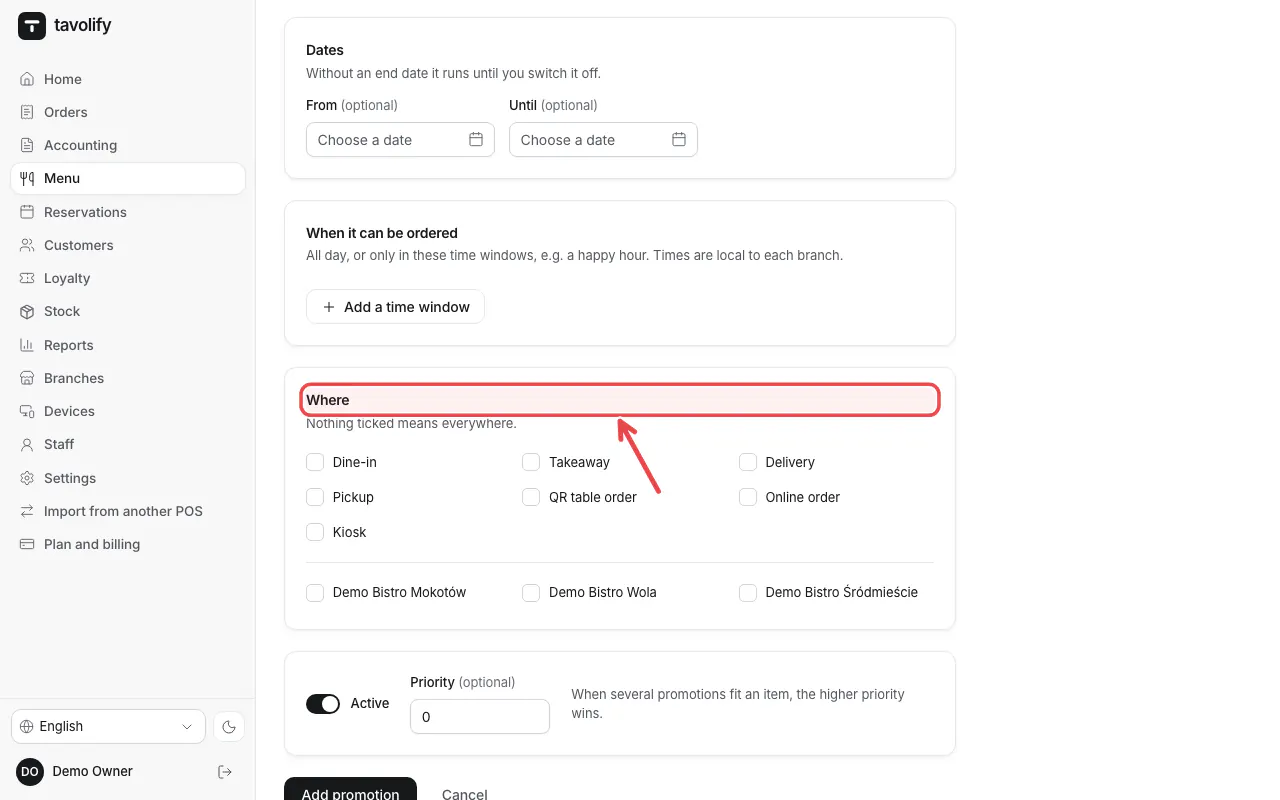
Set the dates, the hours under When it can be ordered and under Where the order types and branches. Then save.
Related articles
- Combos and meal deals
- Discounts on an item or the whole bill
- Different prices per order type and branch
Did this answer your question?
Still need help?Our team is happy to answer.
Send us a message