
Modifier groups: sauces, extras and options
Create modifier groups in Tavolify for sauces, extras or options, set how many can be picked and add extra prices.
1 min readUpdated November 13, 2026
A modifier group is a list of choices, such as a sauce or extras. One group can be used by many items.
Steps
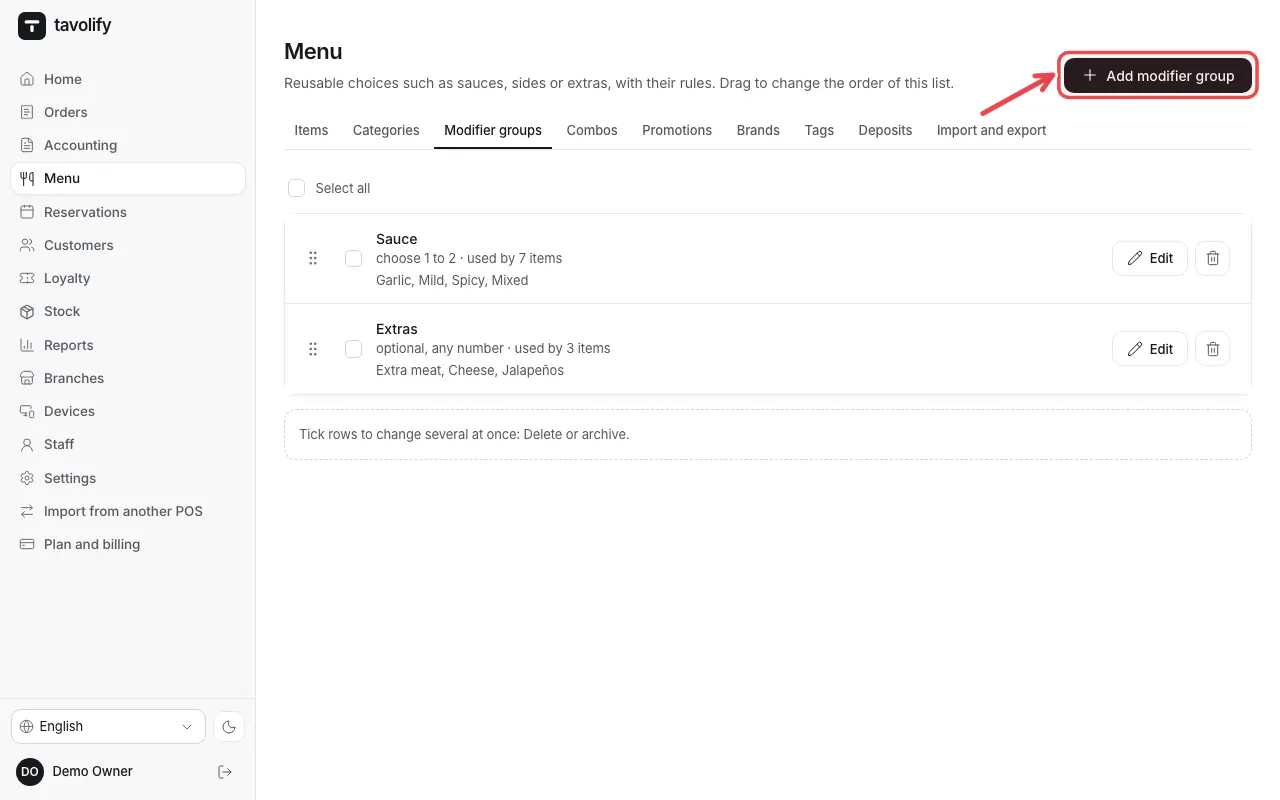
Open Menu → Modifier groups and tap Add modifier group.
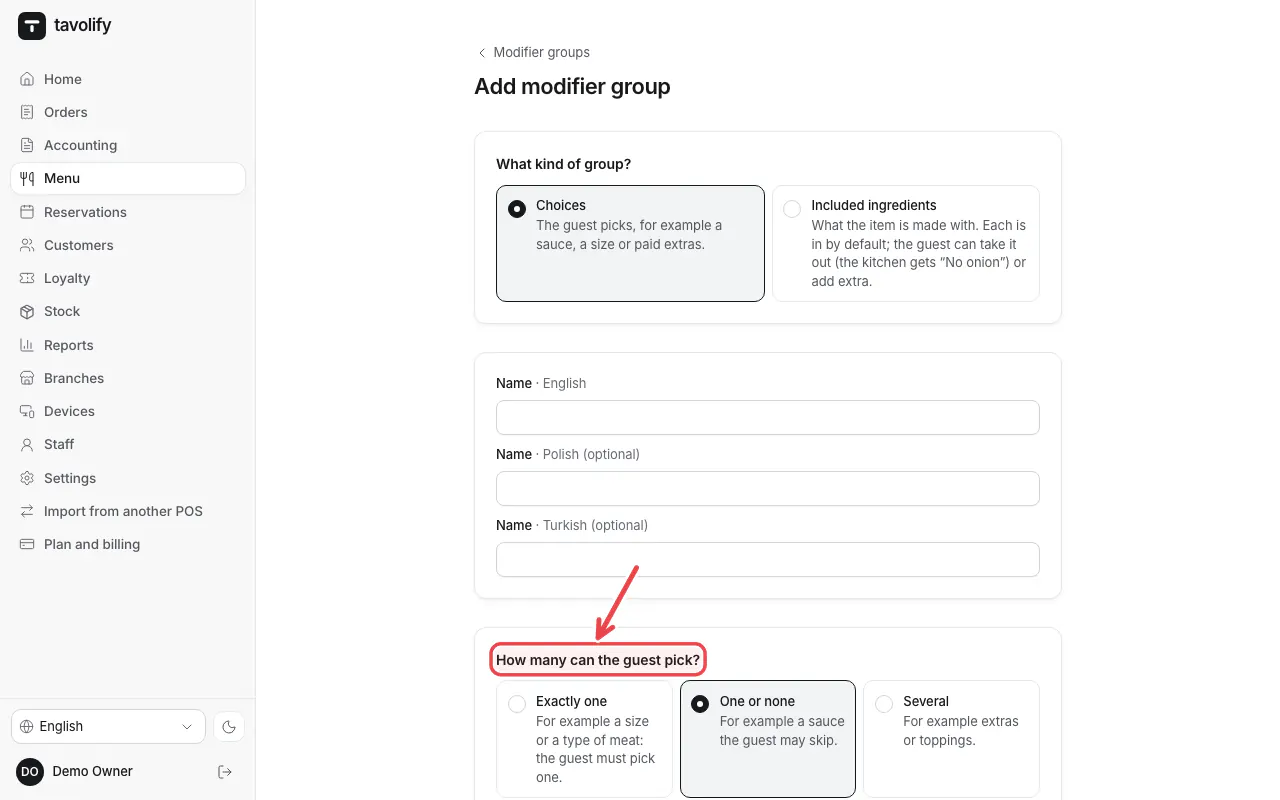
Choose the kind of group and How many can the guest pick?: Exactly one, One or none or Several.
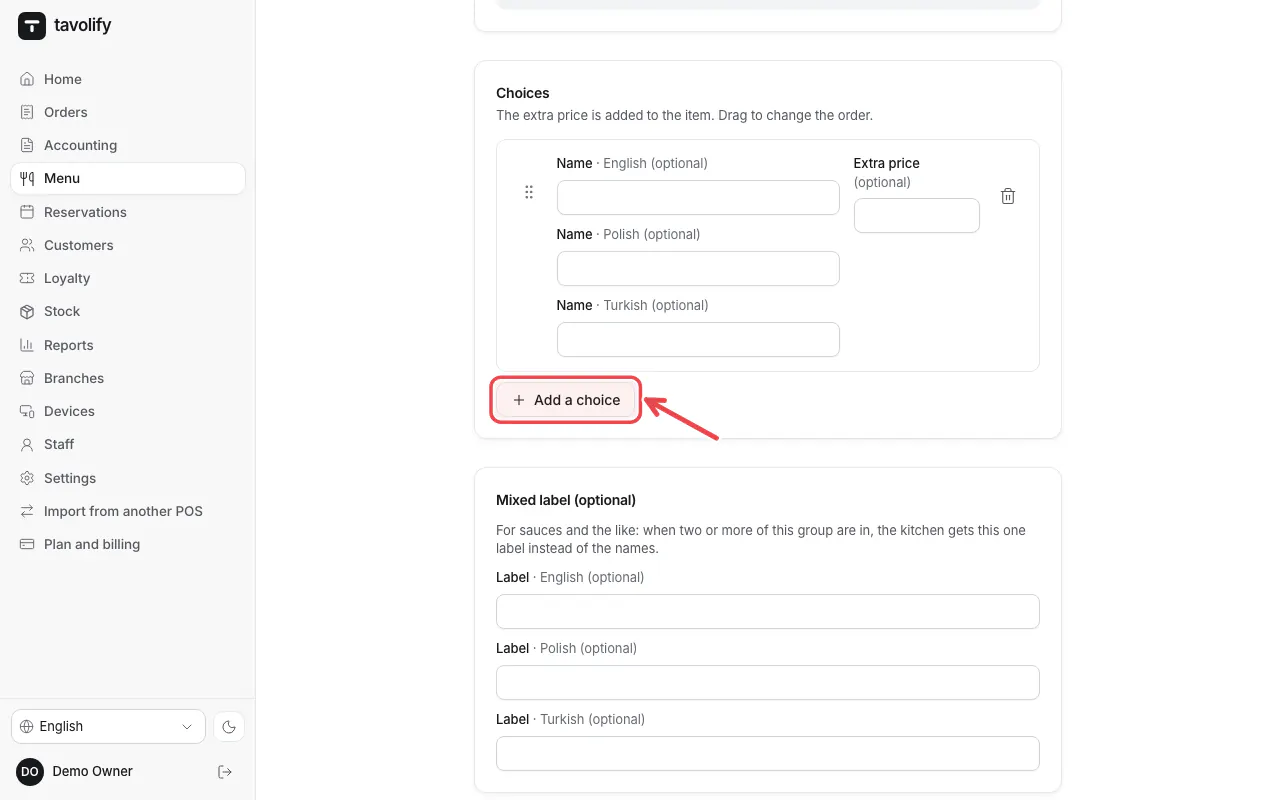
Add the choices with Add a choice. Leave the price empty for a free choice.
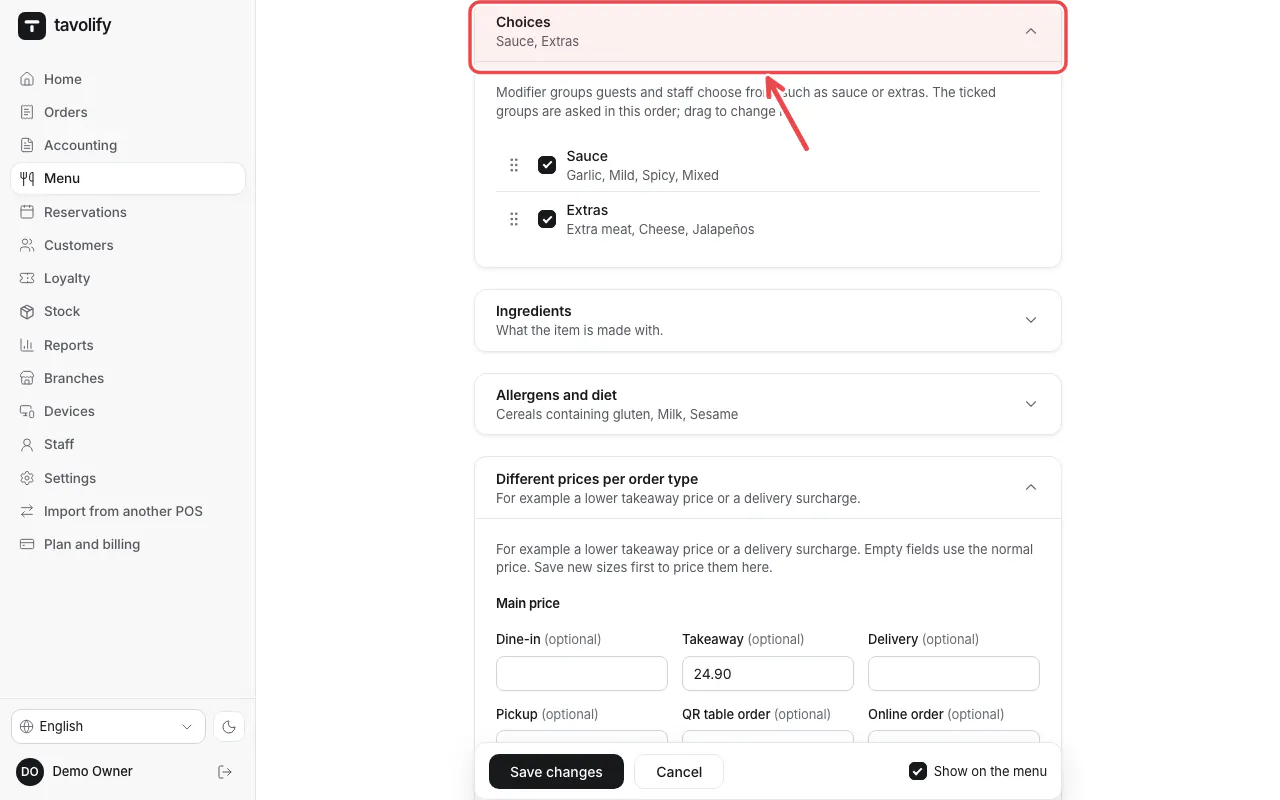
Open an item and tick the group under Choices.
Tip: Sort groups by dragging. The POS shows them in the same order.
Related articles
- Add a menu item
- Sizes and variants
- Allergens and diet labels
Did this answer your question?
Still need help?Our team is happy to answer.
Send us a message