
Allergens and diet labels
Mark allergens and diet labels on Tavolify menu items. They show on the QR menu, kiosk and online, and print on kitchen tickets.
1 min readUpdated November 13, 2026
Allergens are shown to guests and printed on kitchen tickets. Check them carefully.
Steps
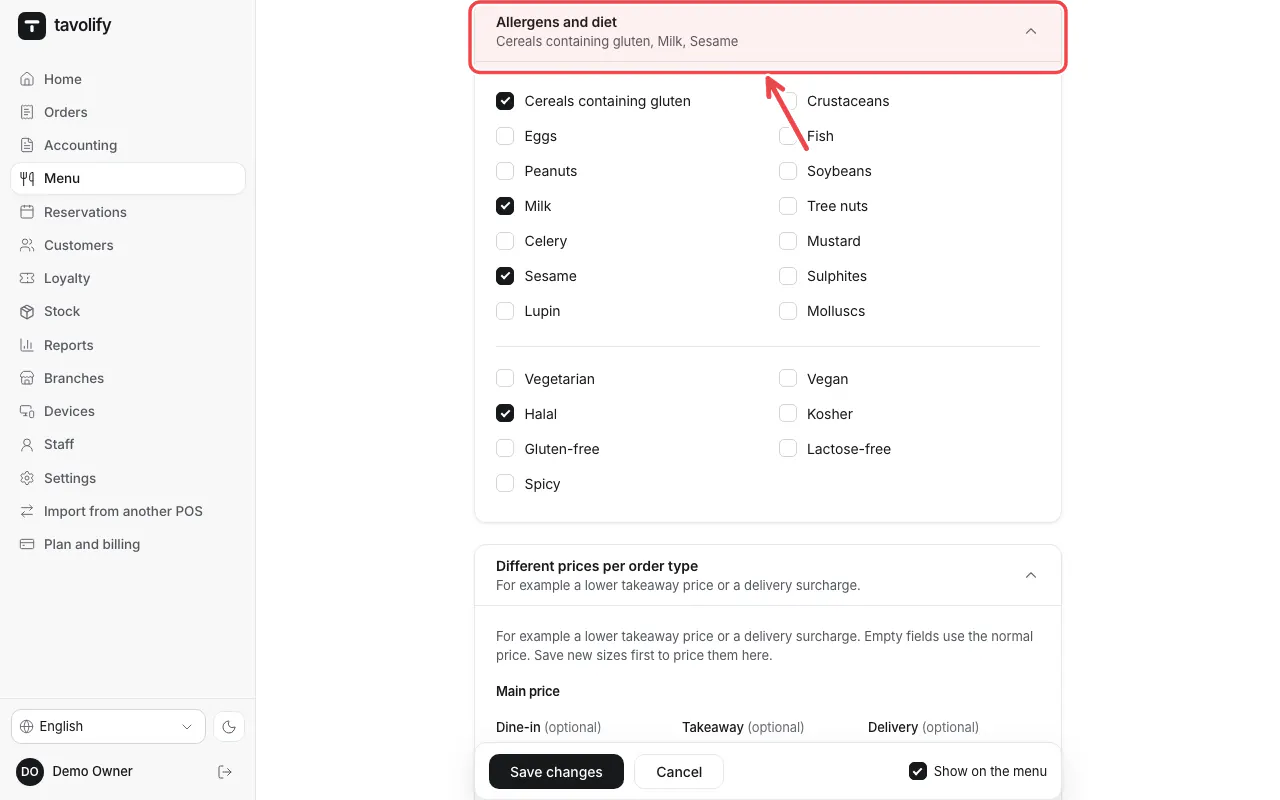
Open the item and fold open Allergens and diet.
Tick every allergen the item contains, then save.
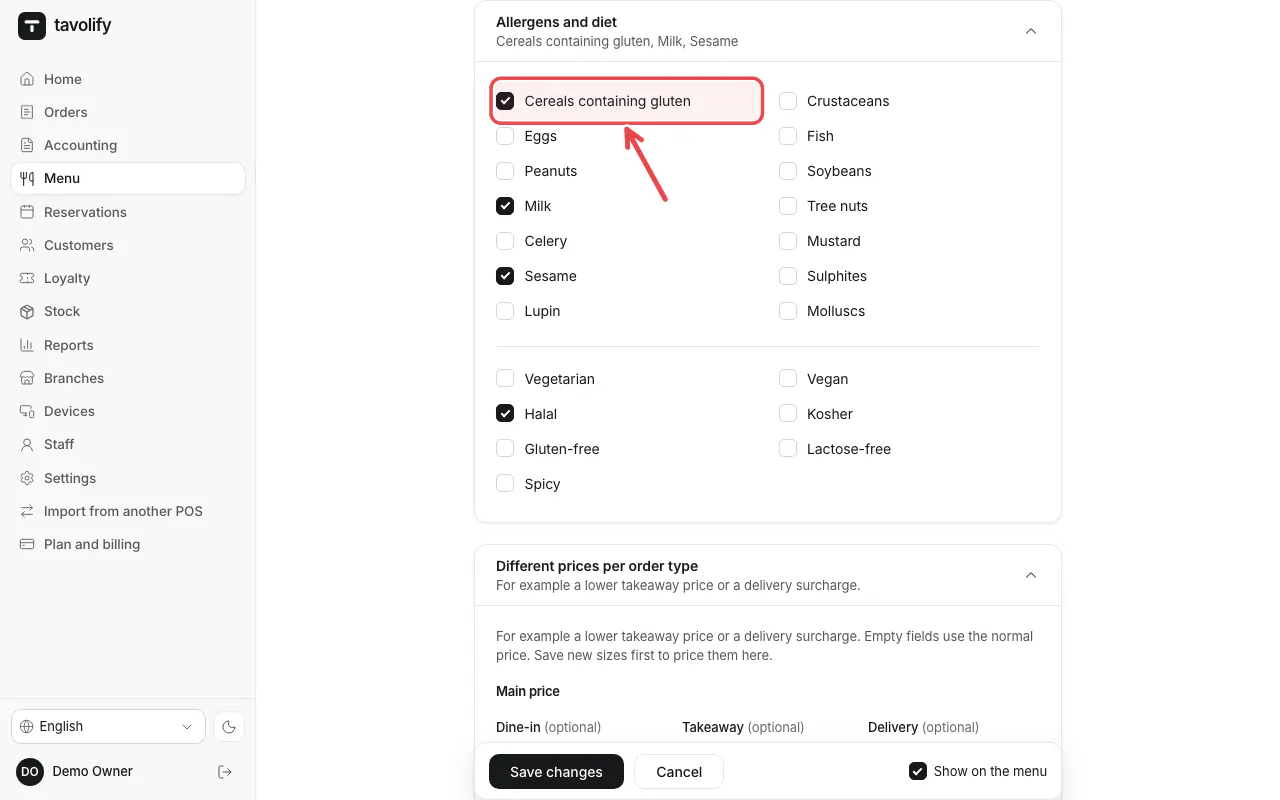
Important: You are responsible for the allergen information. Check it each time a recipe changes.
Related articles
- Add a menu item
- Set up the kitchen display
- QR codes on the tables
Did this answer your question?
Still need help?Our team is happy to answer.
Send us a message