
Our receipt before the fiscal receipt
Print Tavolify's own receipt with order number, customer and loyalty card right before the fiscal receipt, with or without items.
1 min readUpdated November 13, 2026
Guests need the order number. The fiscal receipt cannot print it big, so the till prints its own receipt first.
Steps
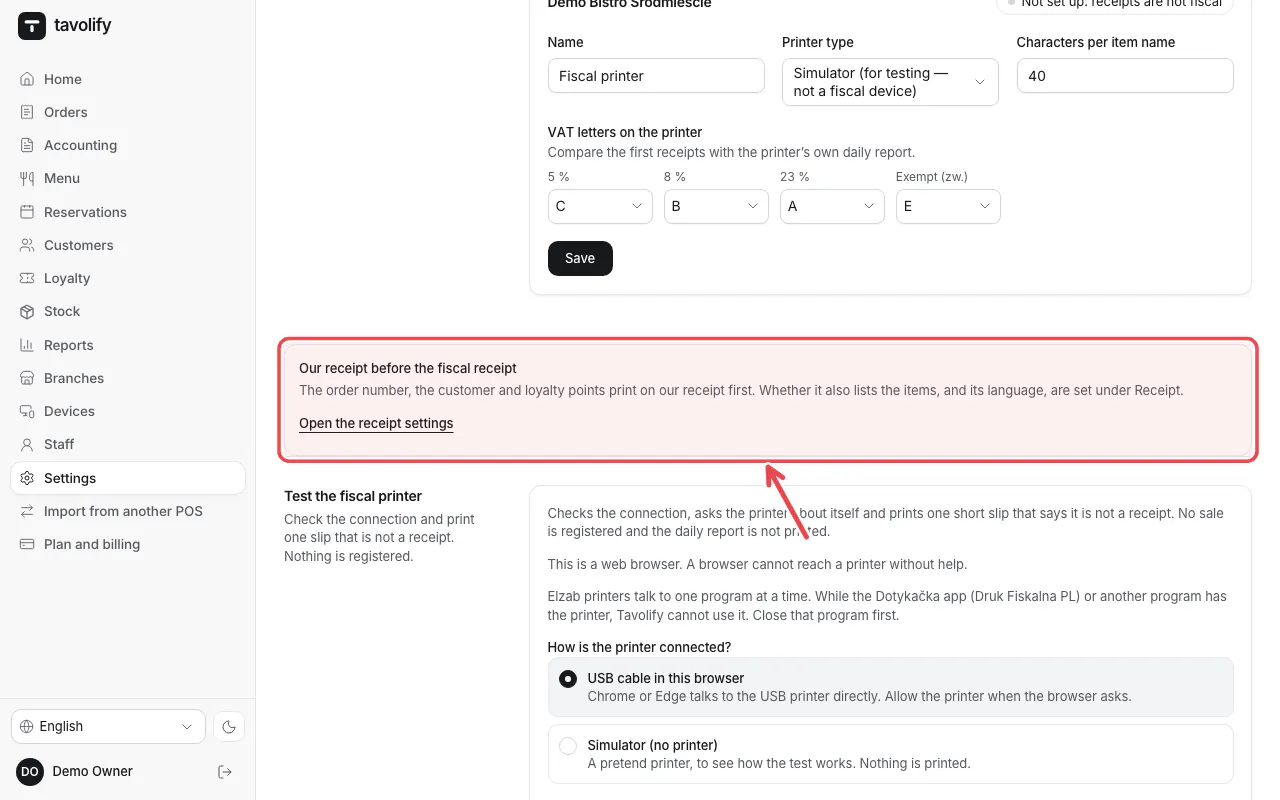
When the till has a fiscal printer, our receipt (order number, customer, loyalty) prints by itself right before the fiscal receipt. Settings → Fiscal explains it under Our receipt before the fiscal receipt. Tap Open the receipt settings.
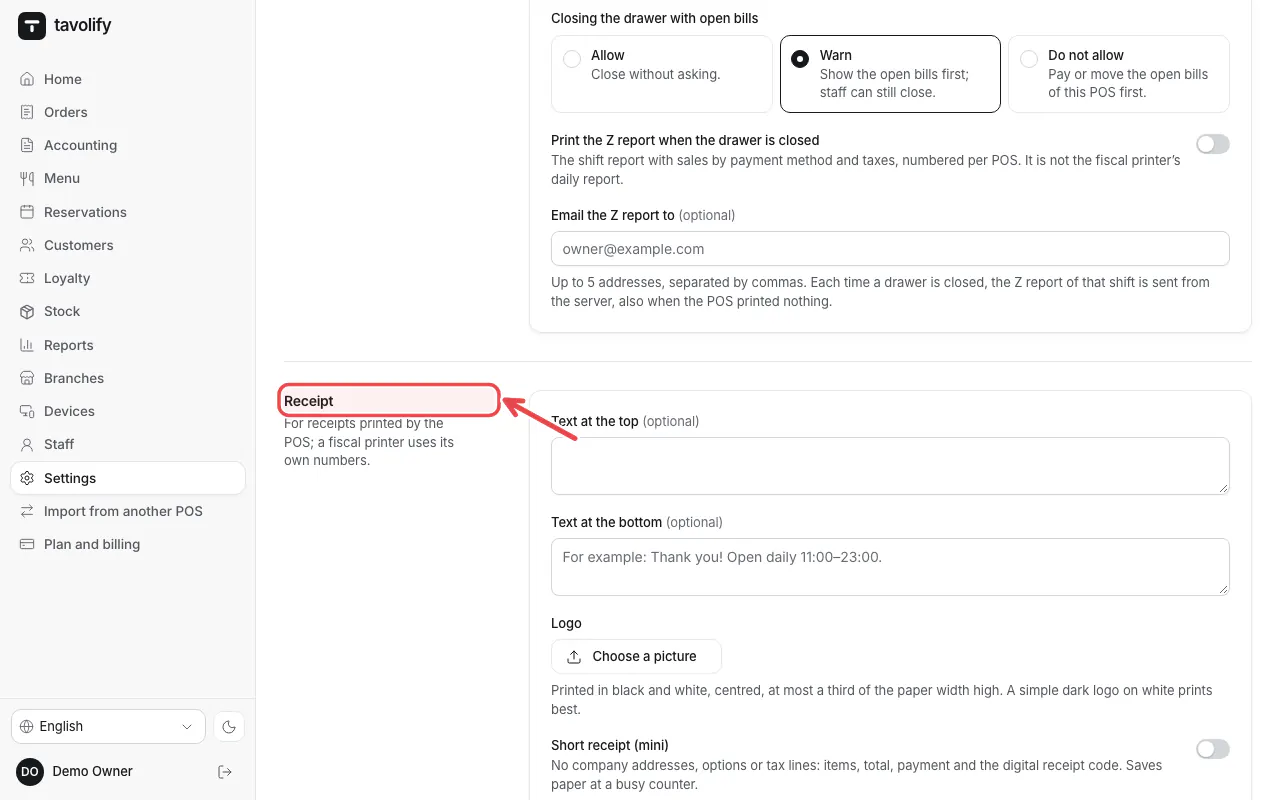
You are now in Settings → POS at Receipt.
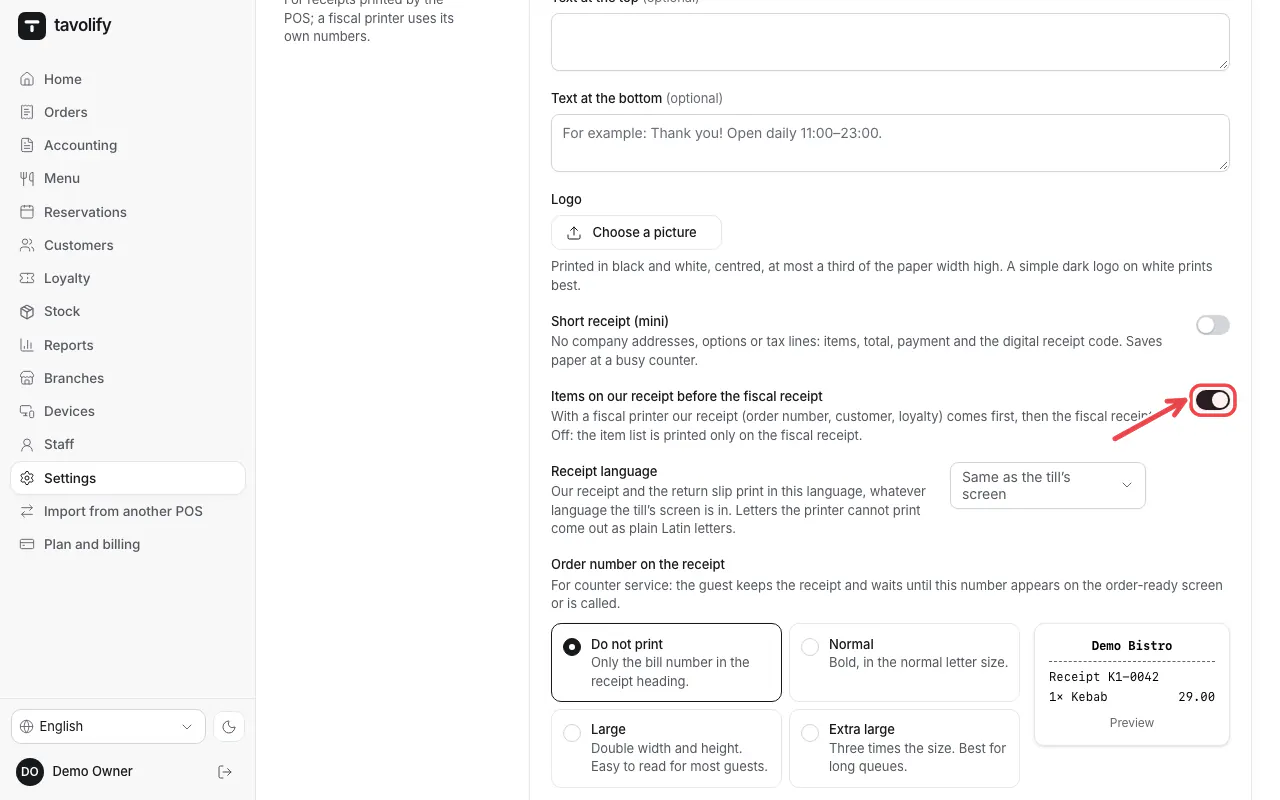
Choose whether it lists the items: Items on our receipt before the fiscal receipt. Off leaves the items to the fiscal receipt. Tap Save POS settings.
Related articles
- Connect a fiscal printer (Elzab, Posnet, Novitus)
- Receipt language
- Refund a bill
Did this answer your question?
Still need help?Our team is happy to answer.
Send us a message