
The printer does not print
Fix a printer that does not print in Tavolify: check the till printer setting, make a test print and test the fiscal printer.
1 min readUpdated November 13, 2026
Most printing problems are a wrong printer setting on the till, a printer that is off, or another program using it.
Steps
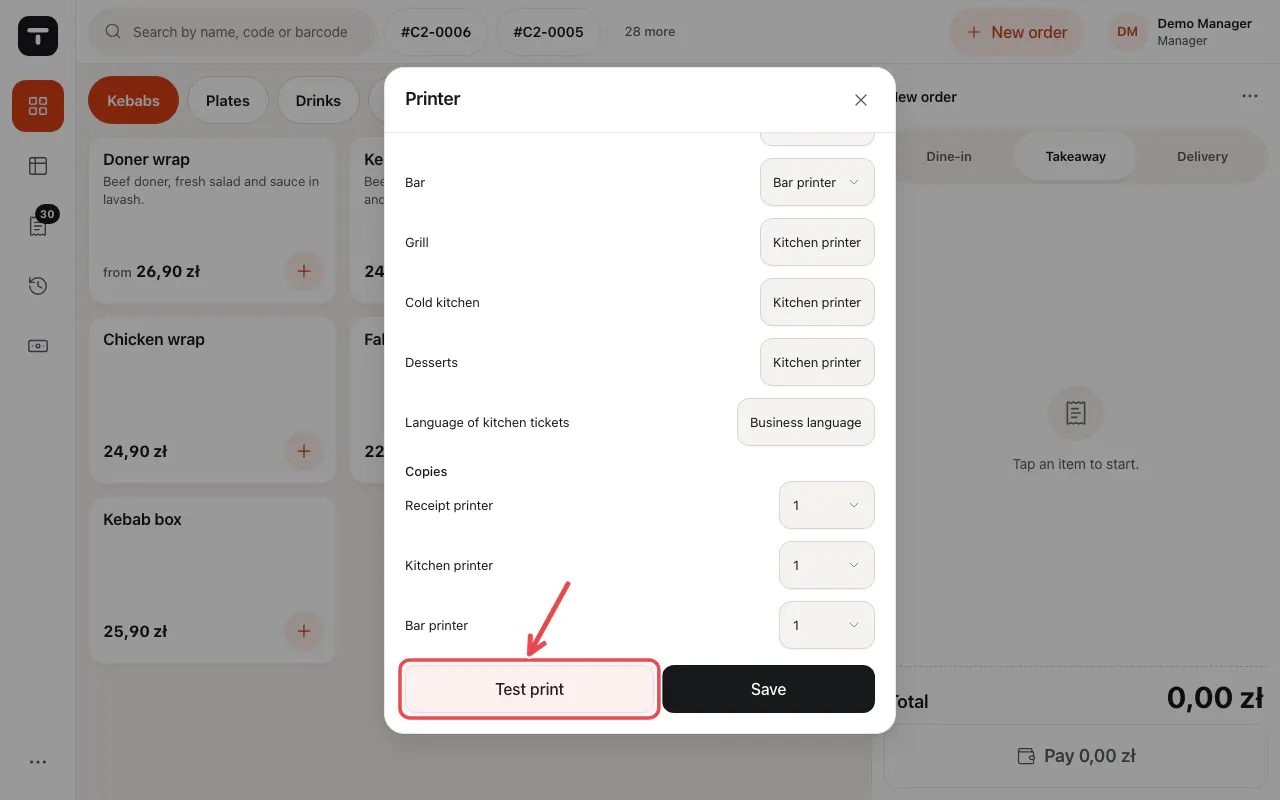
On the POS open ☰ → Printer, check How to print and tap Test print.
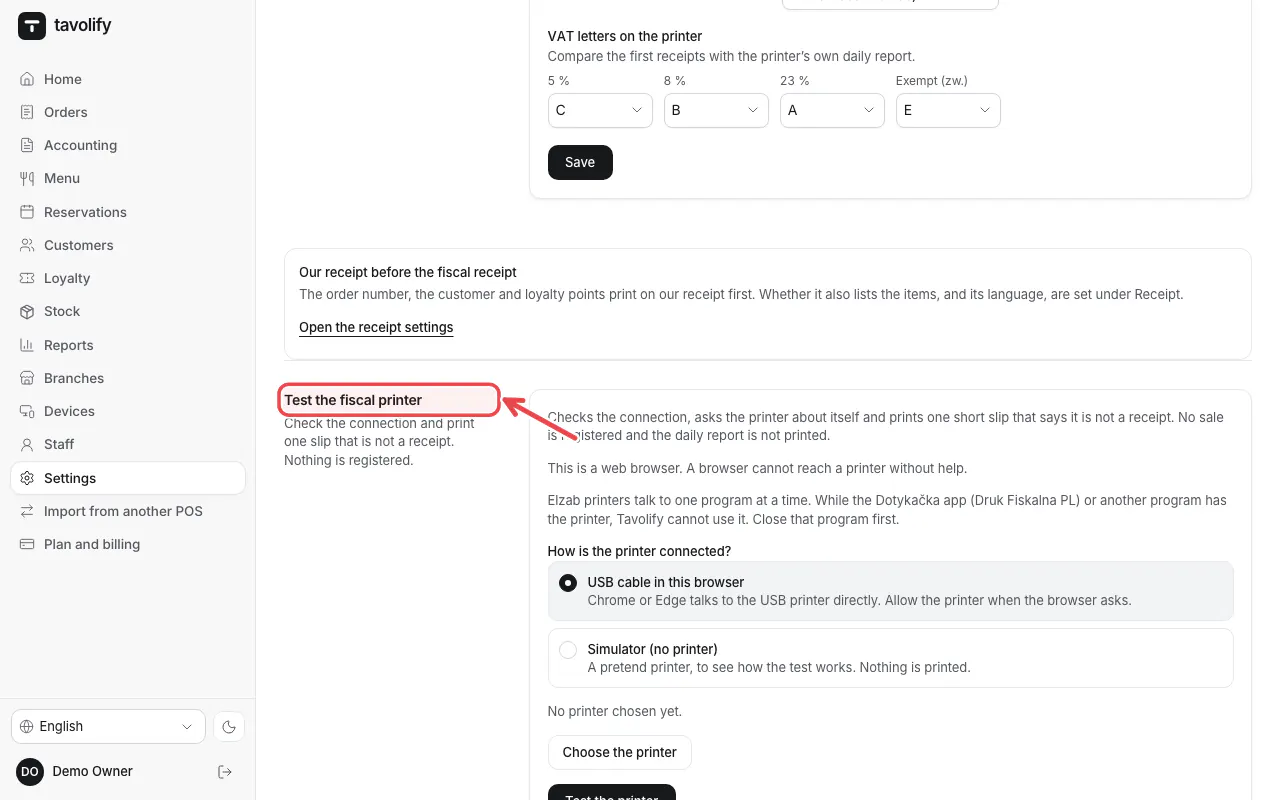
For the fiscal printer use Test the fiscal printer in Settings → Fiscal.
Tip: Check paper, power and cable or network. Restart the printer and try again.
Tip: A fiscal printer can be used by one program at a time. Close any other till app.
Related articles
- Receipt printer and kitchen tickets
- Connect a fiscal printer (Elzab, Posnet, Novitus)
- Install and update the Android app
Did this answer your question?
Still need help?Our team is happy to answer.
Send us a message