
The card terminal does not answer
Fix a card terminal that does not answer in Tavolify: check the connection, the IP and port, and send Details for support.
1 min readUpdated November 13, 2026
When a card payment fails, the till tells you why and keeps a log for support.
Steps
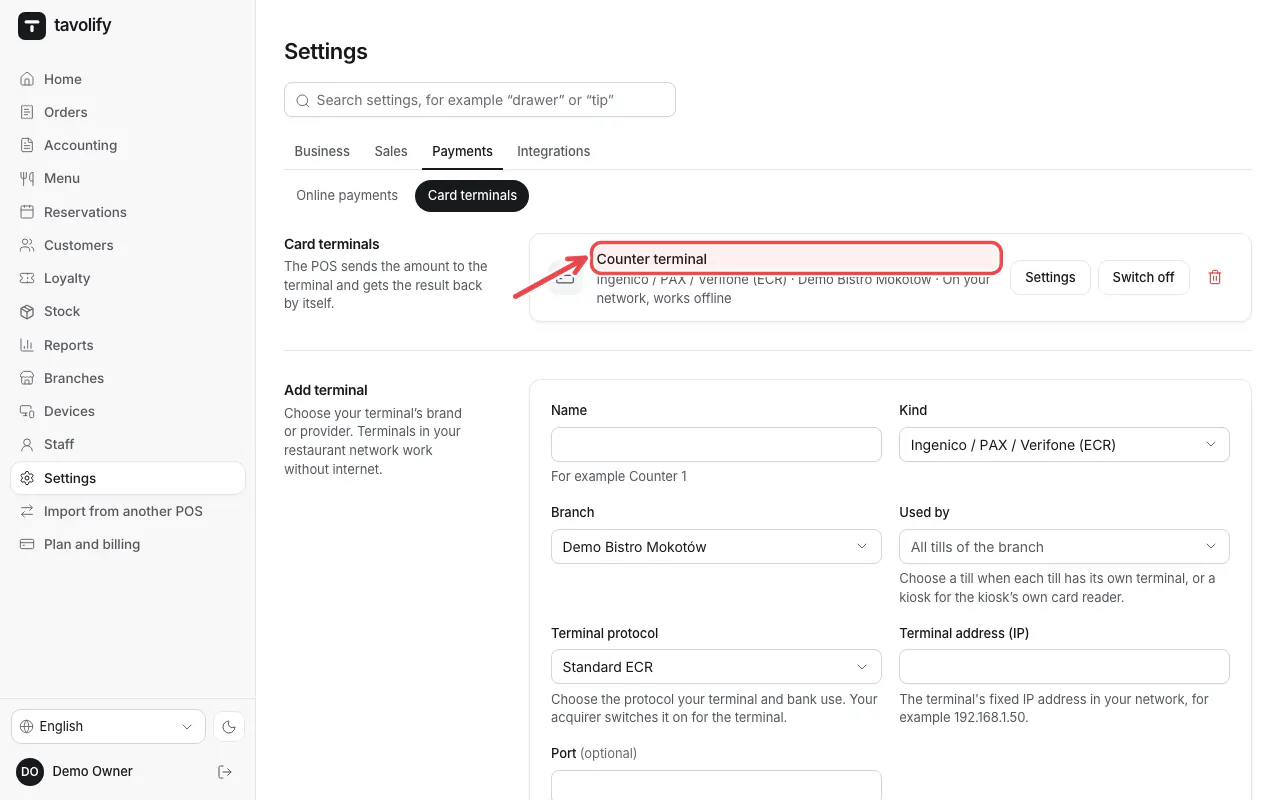
In Settings → Card terminals find the terminal and tap Settings next to it. Check the Terminal address (IP) and the Port.
When a card payment fails, the POS says why. Tap Check the connection: the till tries the usual ports of the terminal. If it still fails, open Details for support and send a photo of it to support.
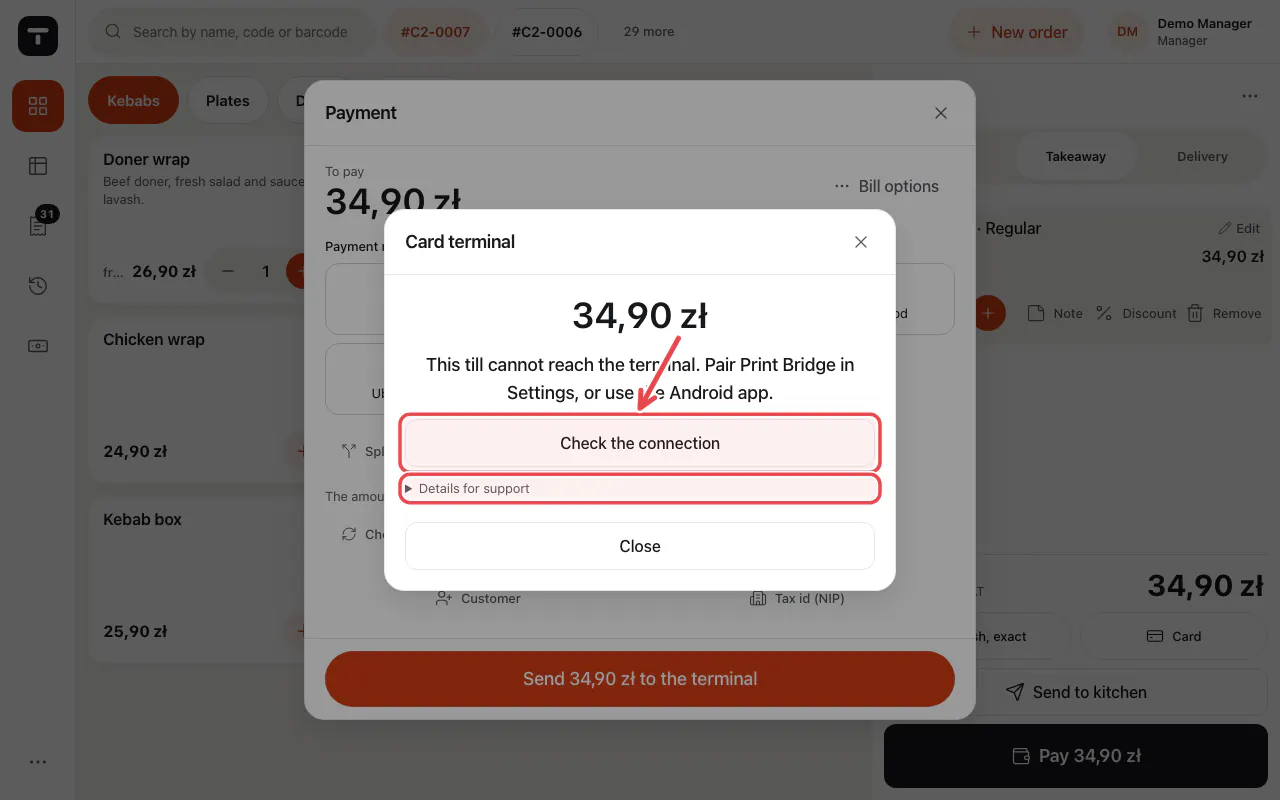
Tip: Check that the terminal is on, in the same network, and that the IP address has not changed.
Related articles
- Connect a card terminal (Standard ECR)
- A card terminal for the kiosk
- Take payment: cash, card and more
Did this answer your question?
Still need help?Our team is happy to answer.
Send us a message