
Create your Tavolify account
Sign up for Tavolify in two minutes: pick a plan, name your restaurant and start a free 30-day trial without a card.
1 min readUpdated November 13, 2026
Your Tavolify account holds your restaurant: the menu, the POS, the staff and the reports. The trial is free for 30 days and needs no card.
Steps
Open tavolify.com/signup. Under Plan pick the plan you want to try. You can change it later.
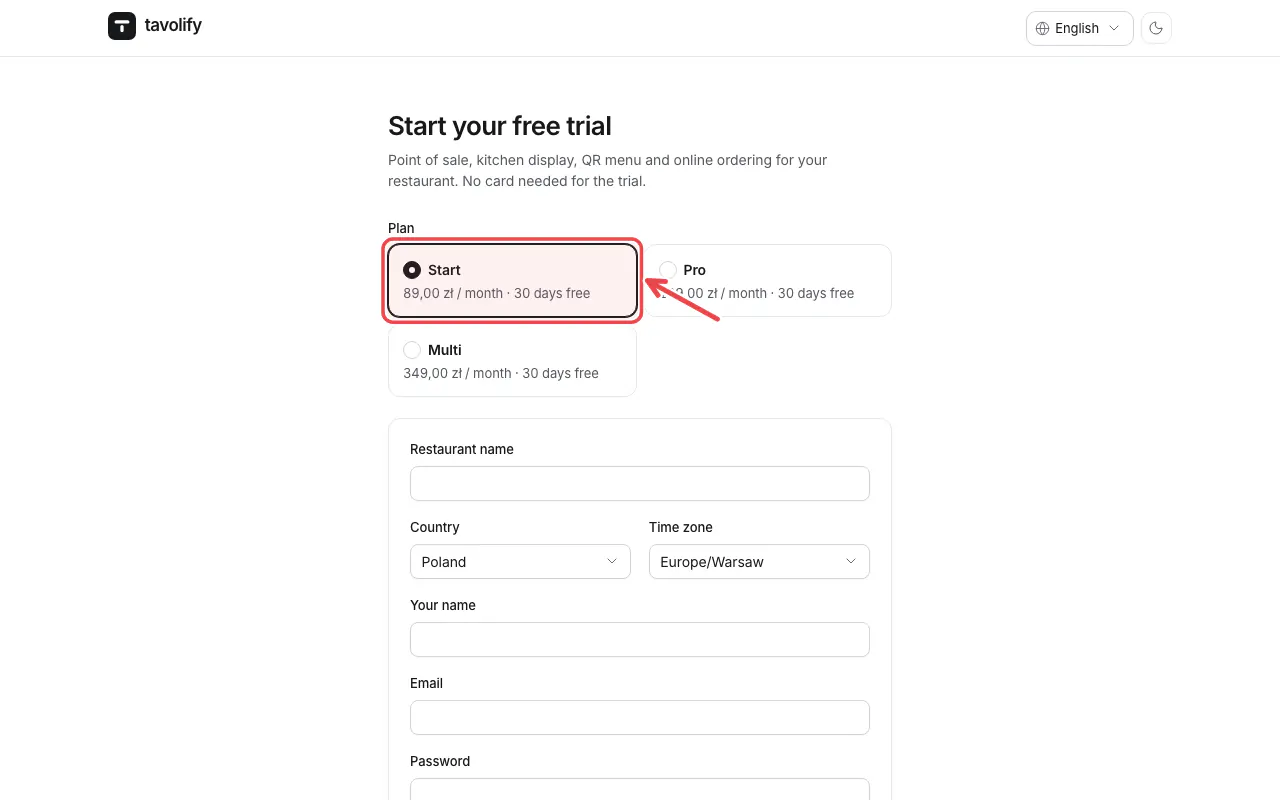
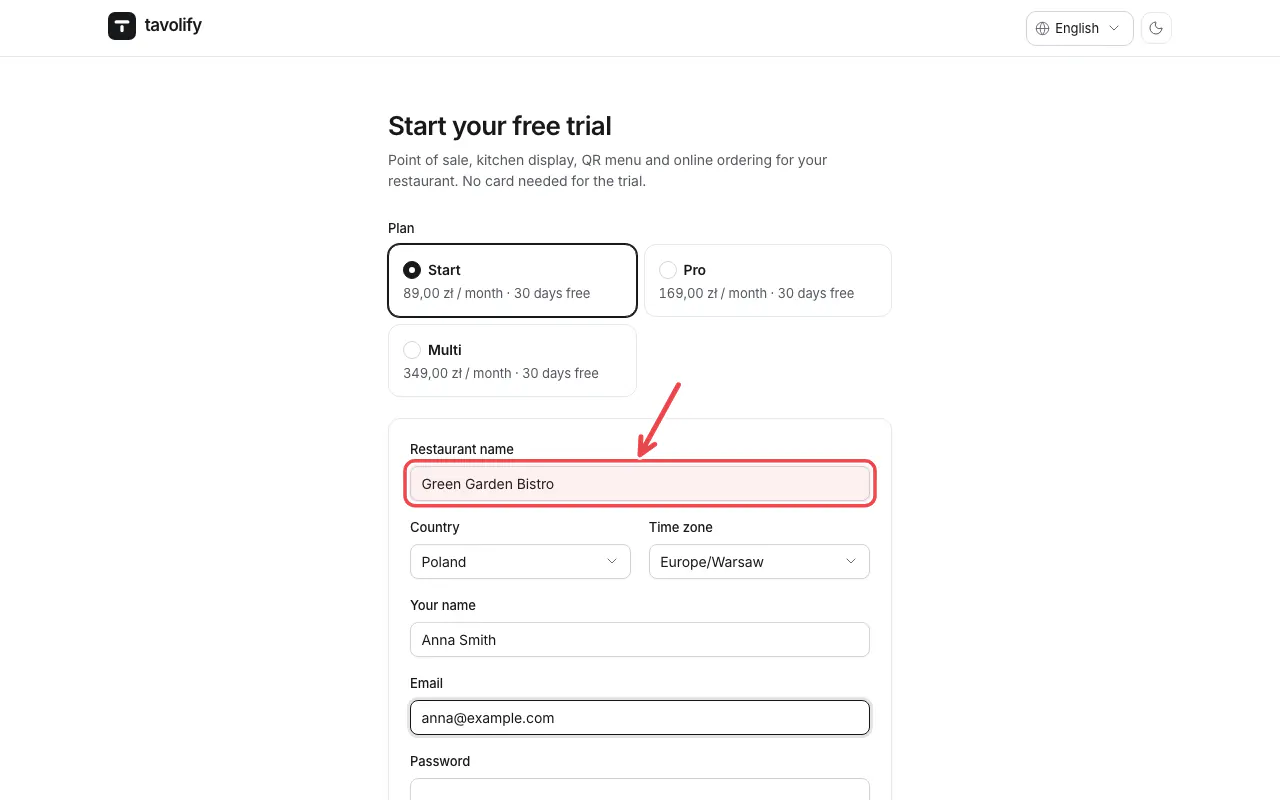
Fill in Restaurant name, Country, Time zone, Your name, Email and Password (at least 10 characters).
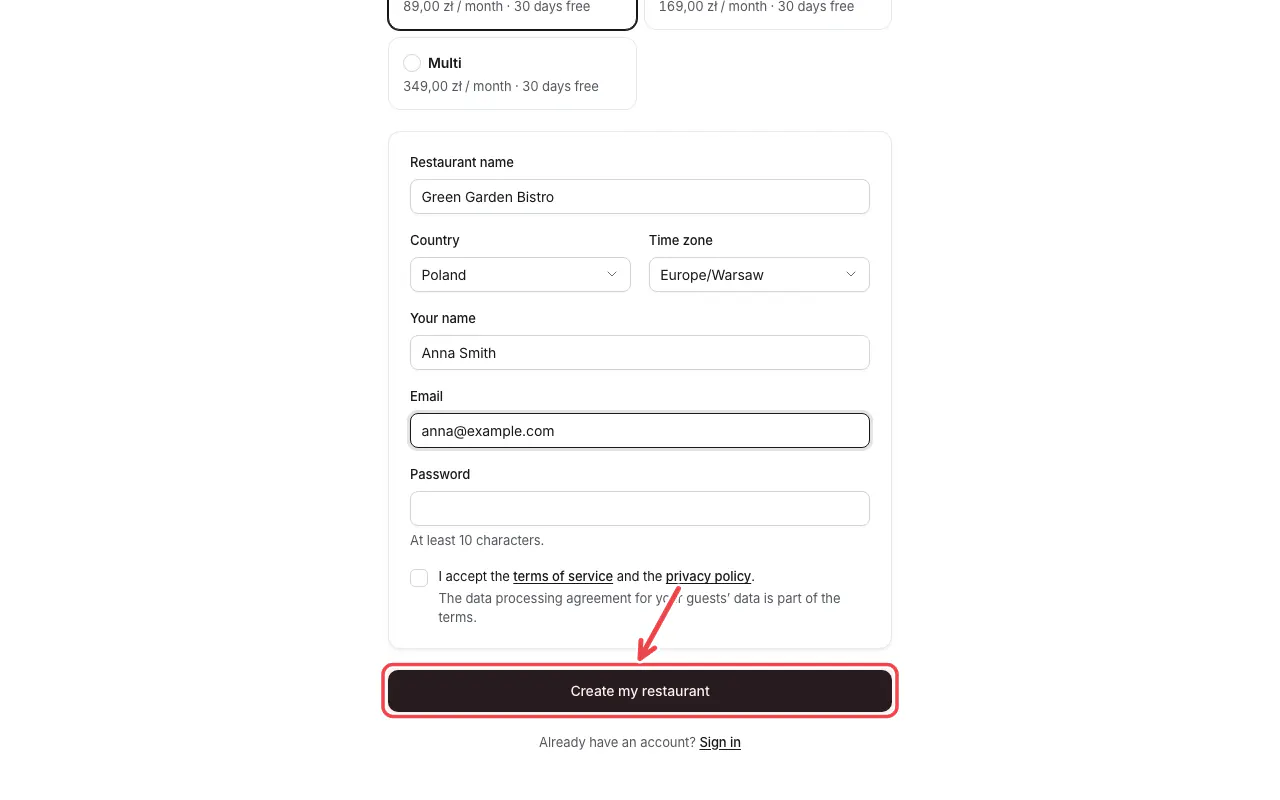
Tick that you accept the terms and tap Create my restaurant. Tavolify opens the setup guide.
Tip: Use an e-mail address you read every day. Receipts, invoices and password resets go there.
Related articles
- Finish the setup guide
- Choose a plan and see your invoices
- Business name, language, currency and time zone
Did this answer your question?
Still need help?Our team is happy to answer.
Send us a message