
Business name, language, currency and time zone
Change the business name, country, currency, time zone, business language and menu languages of your restaurant in Tavolify.
1 min readUpdated November 13, 2026
The general settings decide the currency, the time on receipts and reports, and the languages you write your menu in.
Steps
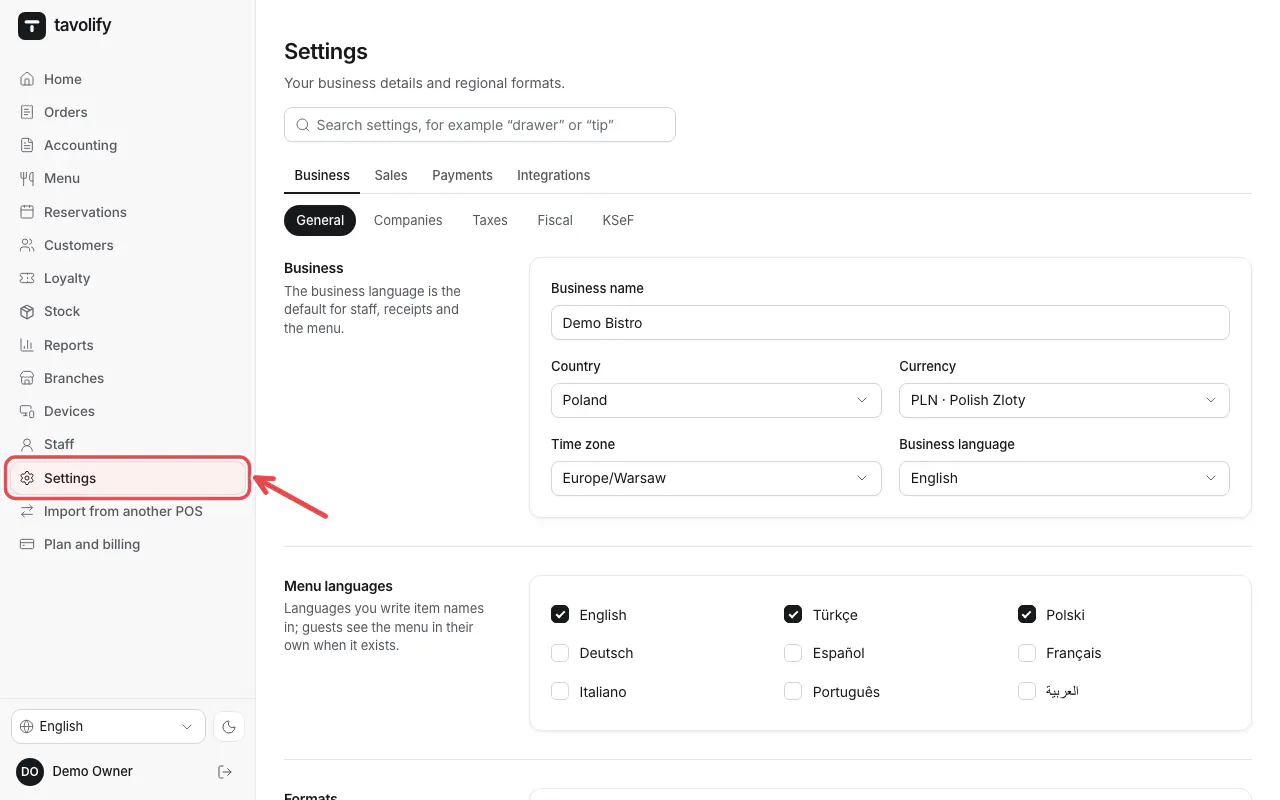
Open Settings in the left menu. General opens first.
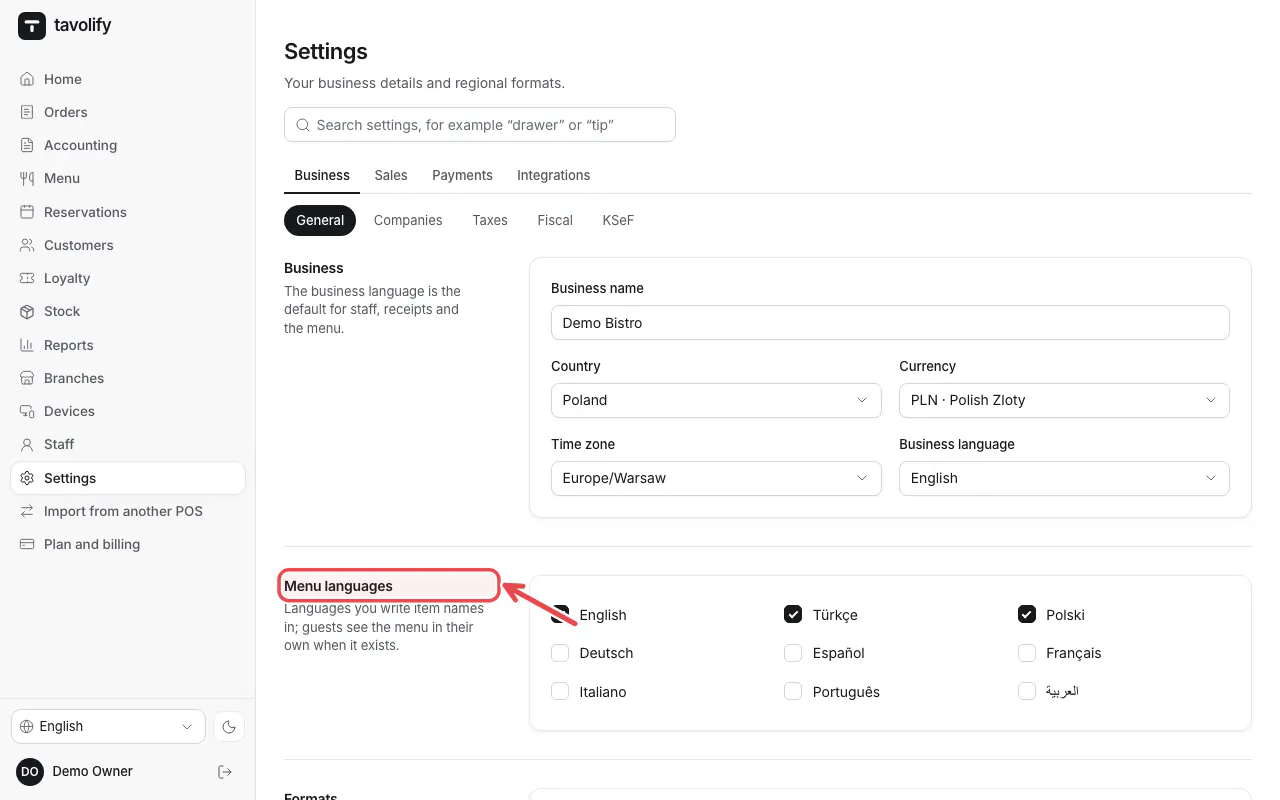
Check Business name, Country, Currency, Time zone and Business language. Under Menu languages tick every language you write item names in.
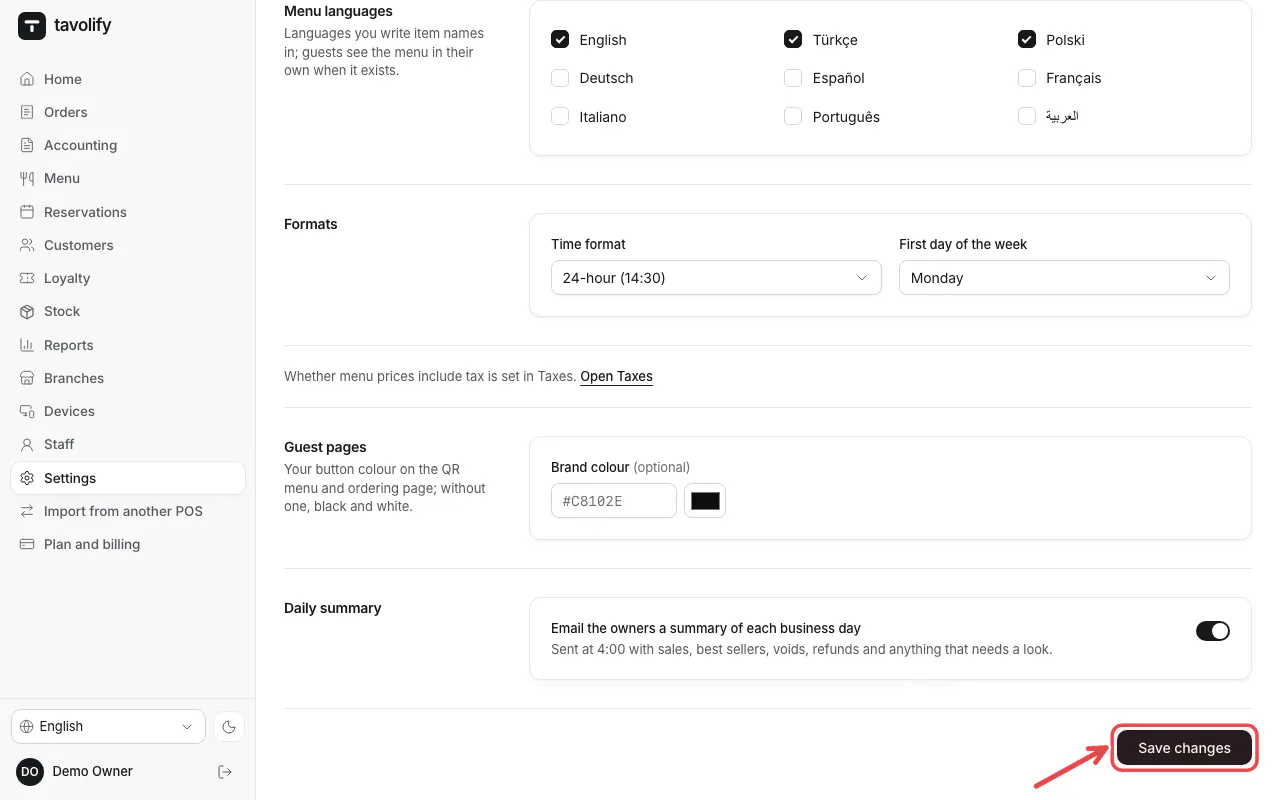
Tap Save changes.
Tip: Guests see the menu in their own language when a translation exists, otherwise in the business language.
Related articles
- Finish the setup guide
- VAT rates and tax rules
- Several companies (tax numbers) in one restaurant
Did this answer your question?
Still need help?Our team is happy to answer.
Send us a message