
VAT rates and tax rules
Set up VAT in Tavolify: prices with VAT, your VAT rates, and the rate for food and drinks eaten here or taken away.
1 min readUpdated November 13, 2026
Taxes are set once for the business. In Poland food eaten in and taken away can have different rates.
Steps
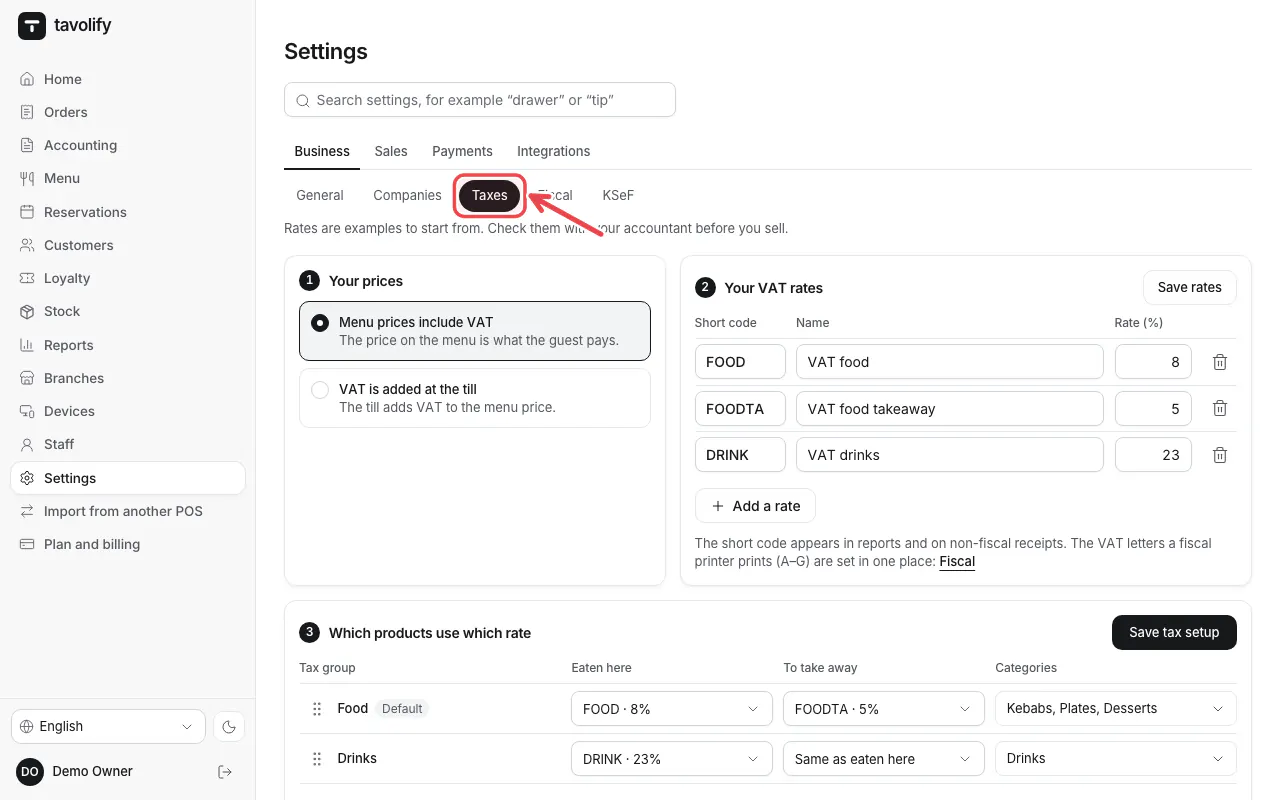
Open Settings → Taxes.
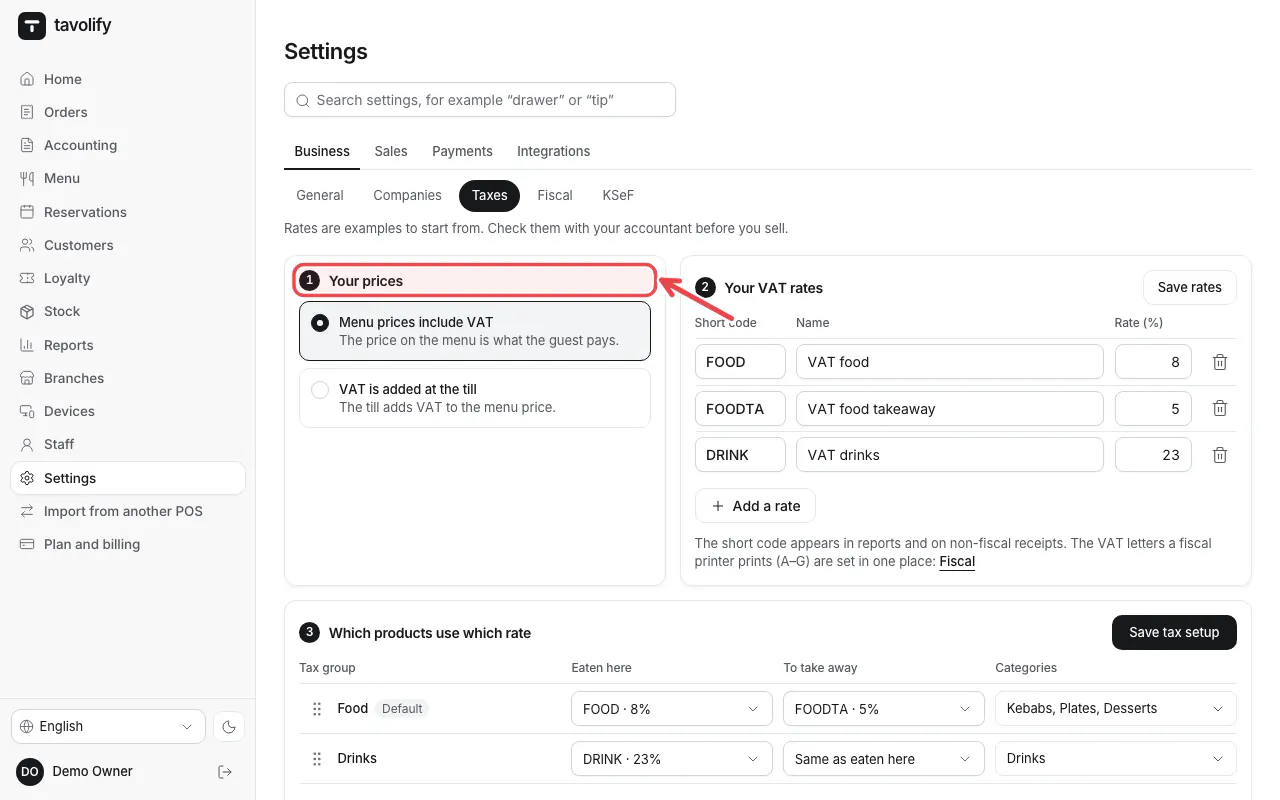
Under Your prices choose Menu prices include VAT (usual in Europe) or that VAT is added at the till.
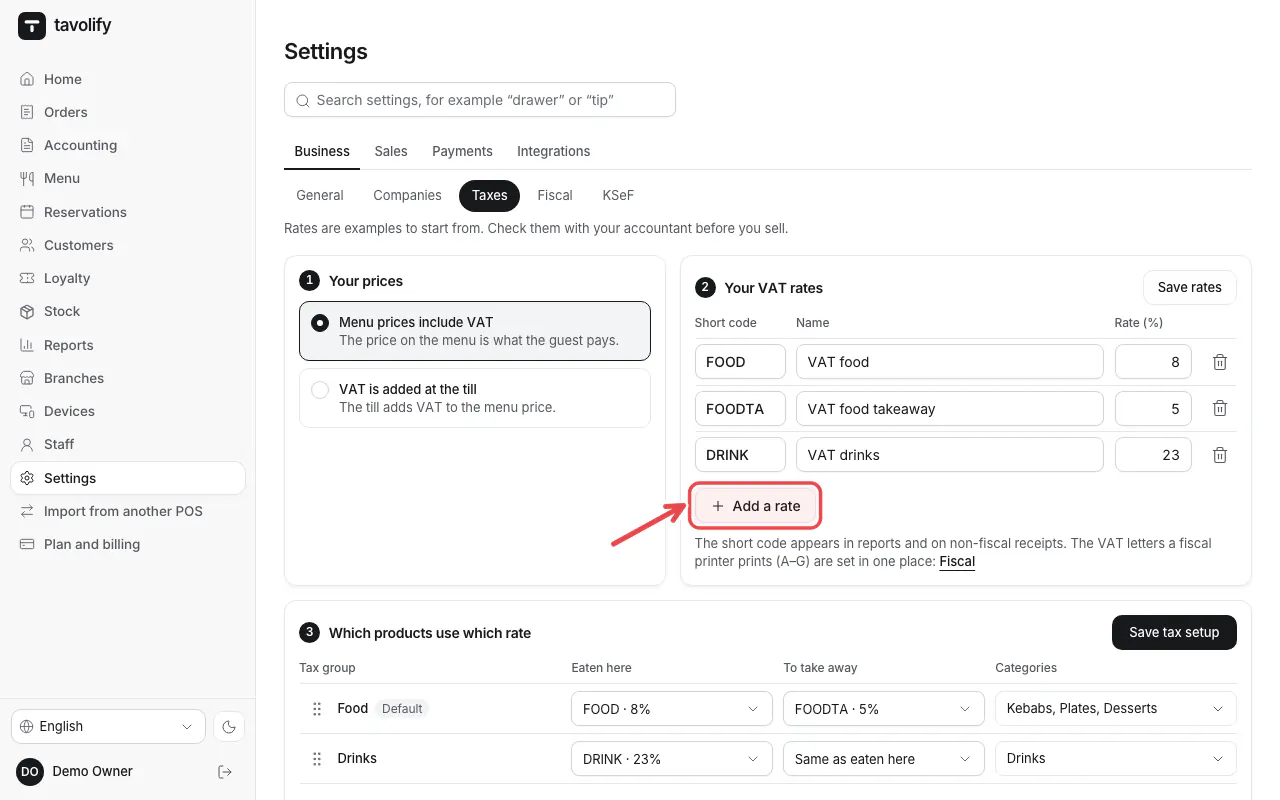
Under Your VAT rates check the rates. Add a rate adds one; then tap Save rates.
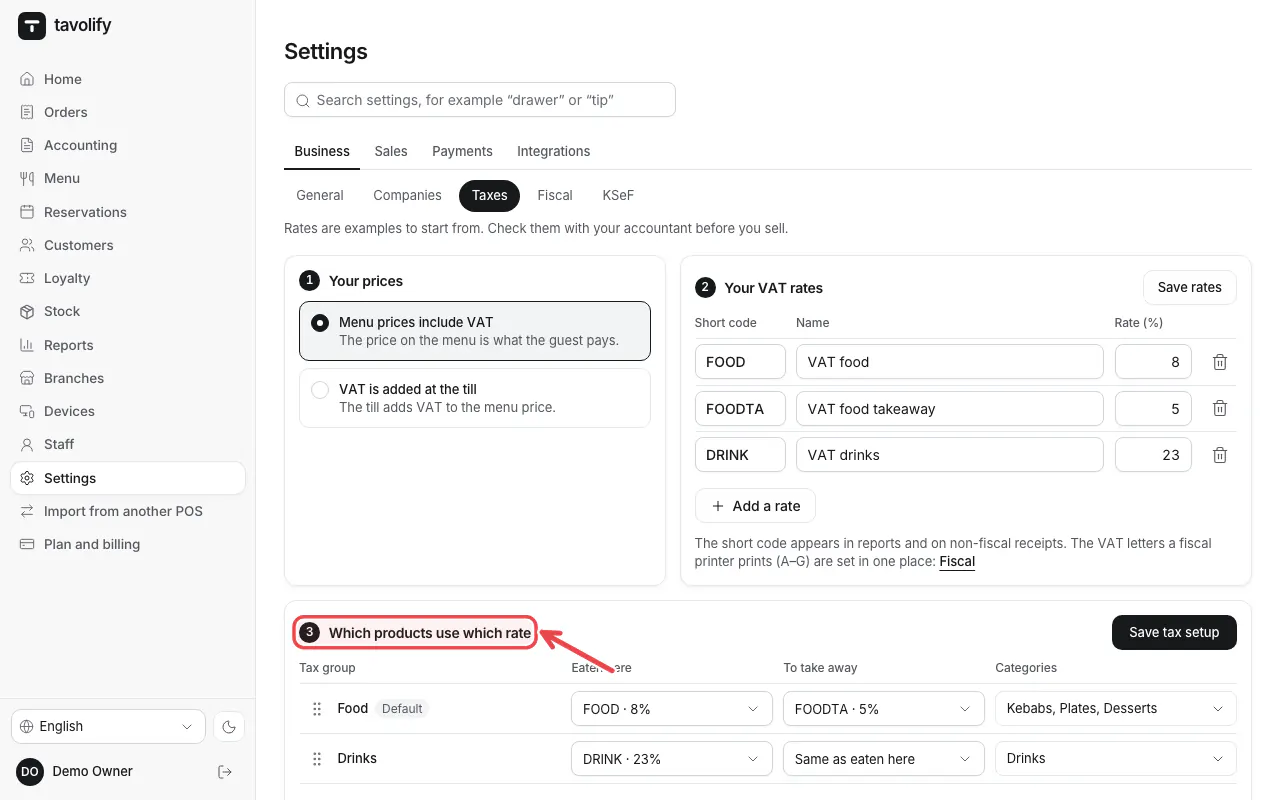
Under Which products use which rate set the rate for Eaten here and To take away for each product group. Tap Save tax setup.
Important: Ask your accountant which rates apply to you. Each rate must also have a letter on the fiscal printer.
Related articles
- Several companies (tax numbers) in one restaurant
- Connect a fiscal printer (Elzab, Posnet, Novitus)
- Add a menu item
Did this answer your question?
Still need help?Our team is happy to answer.
Send us a message