
Several companies (tax numbers) in one restaurant
Add several companies with their own tax numbers in Tavolify, set invoice number formats and choose which company sells each category.
1 min readUpdated November 13, 2026
One restaurant can sell for several companies. Each company has its own tax number, invoices and reports.
Steps
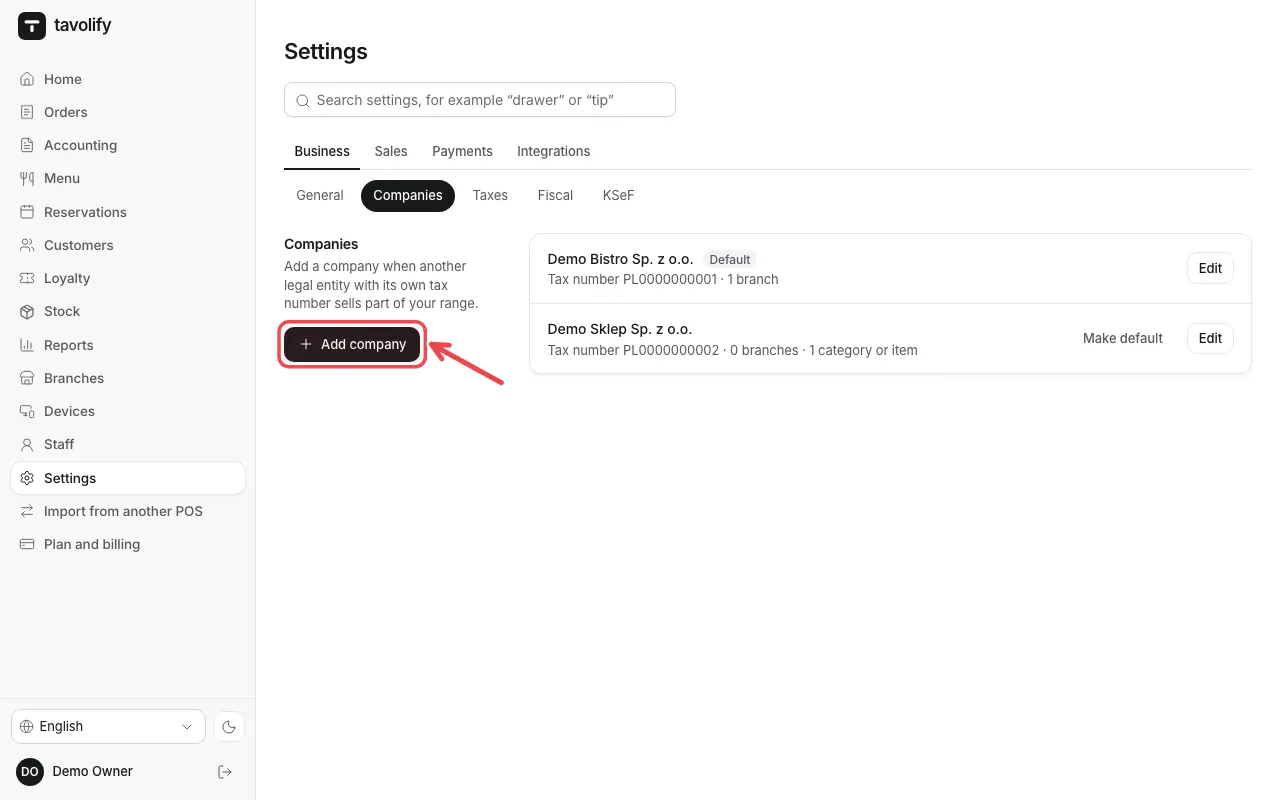
Open Settings → Companies and tap Add company.
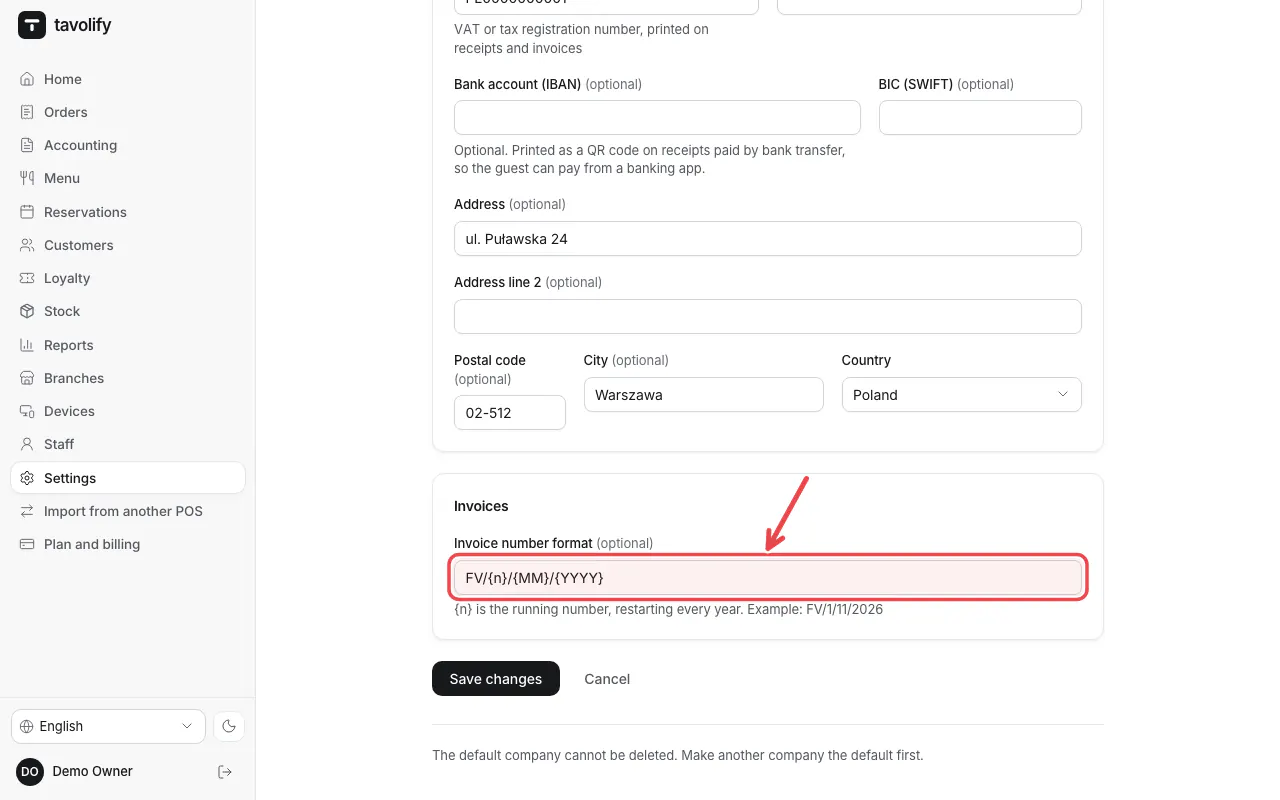
Enter Registered name, Tax number, the address and the bank account. Invoice number format sets how invoice numbers look.
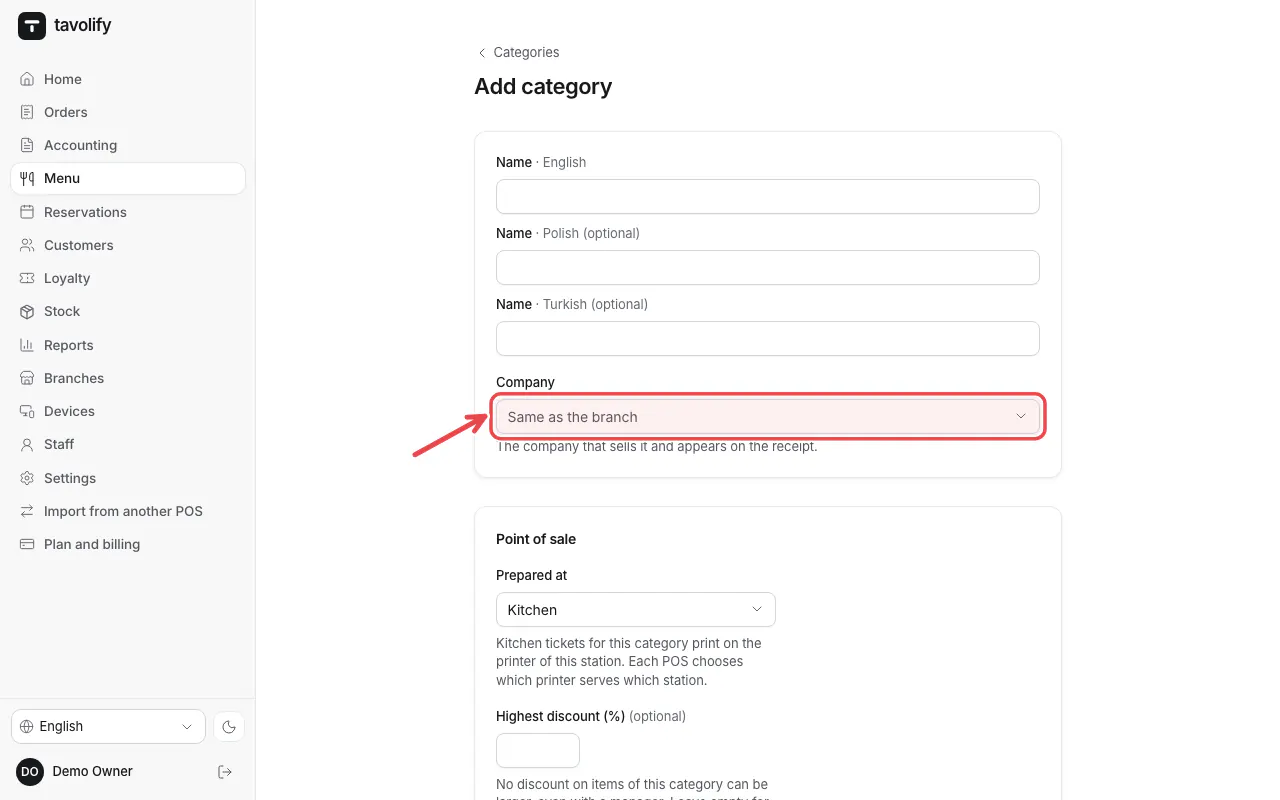
In each category choose the Company that sells it.
Related articles
- VAT rates and tax rules
- Issue a VAT invoice
- Connect KSeF
Did this answer your question?
Still need help?Our team is happy to answer.
Send us a message