
Stock: receive goods and count stock
Keep stock in Tavolify: receive deliveries, count stock, correct levels and manage suppliers.
1 min readUpdated November 13, 2026
Stock levels go down with every sale and up with every delivery.
Steps
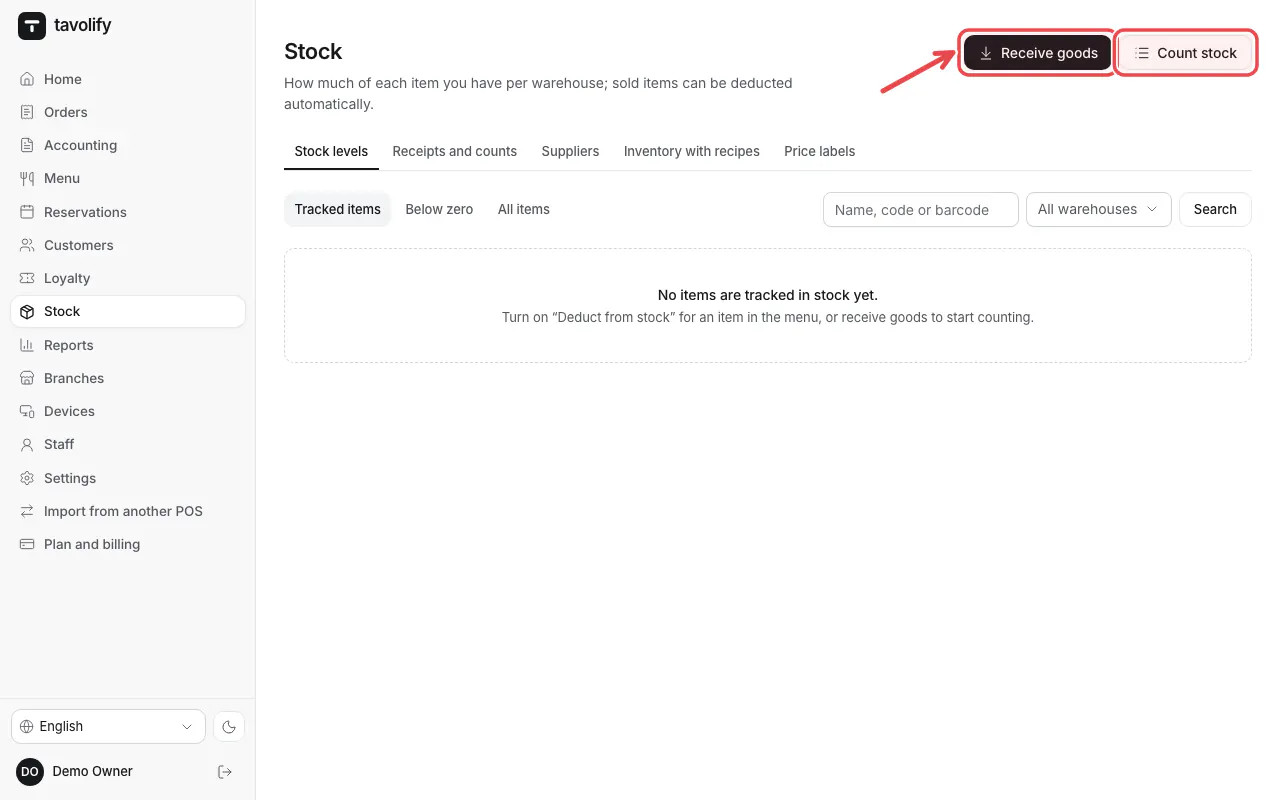
Open Stock. Use Receive goods for a delivery and Count stock for a stocktake.
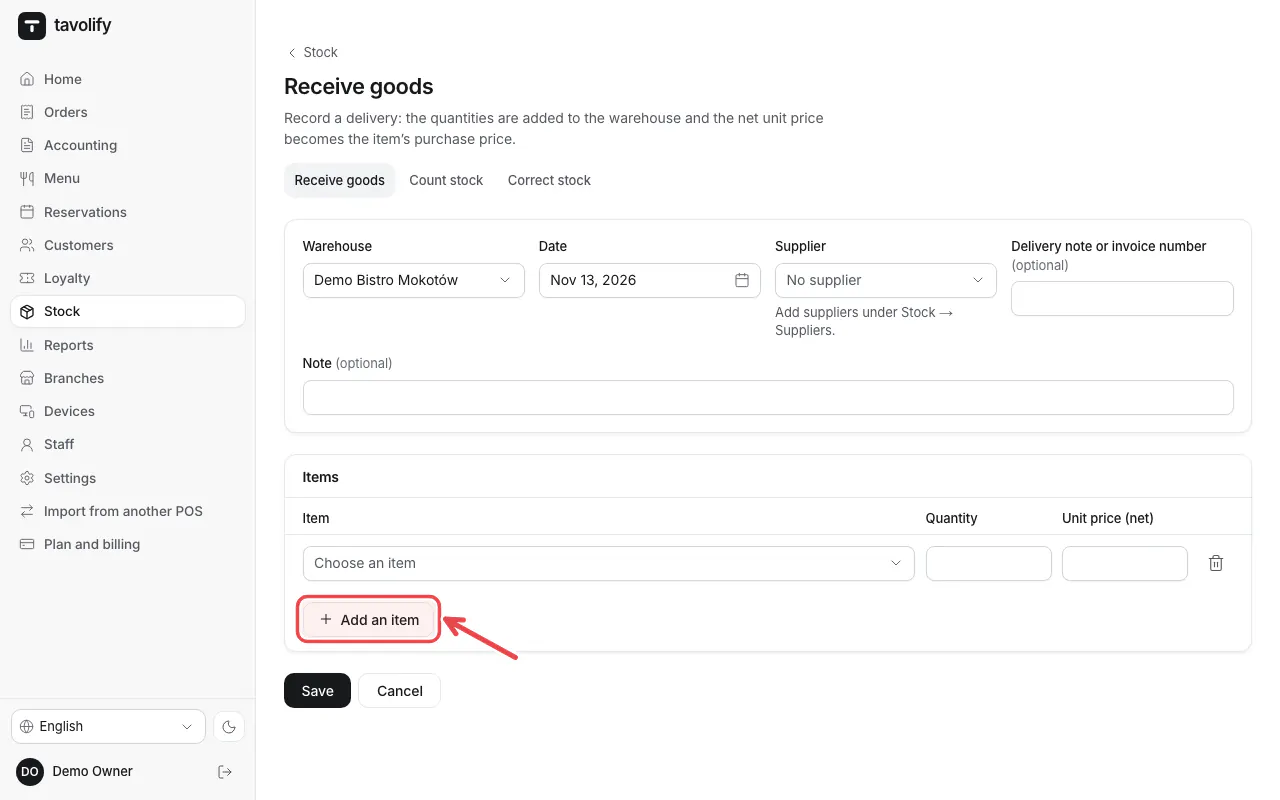
In Receive goods choose the supplier, add each item with Add an item, the quantity and price, then save.
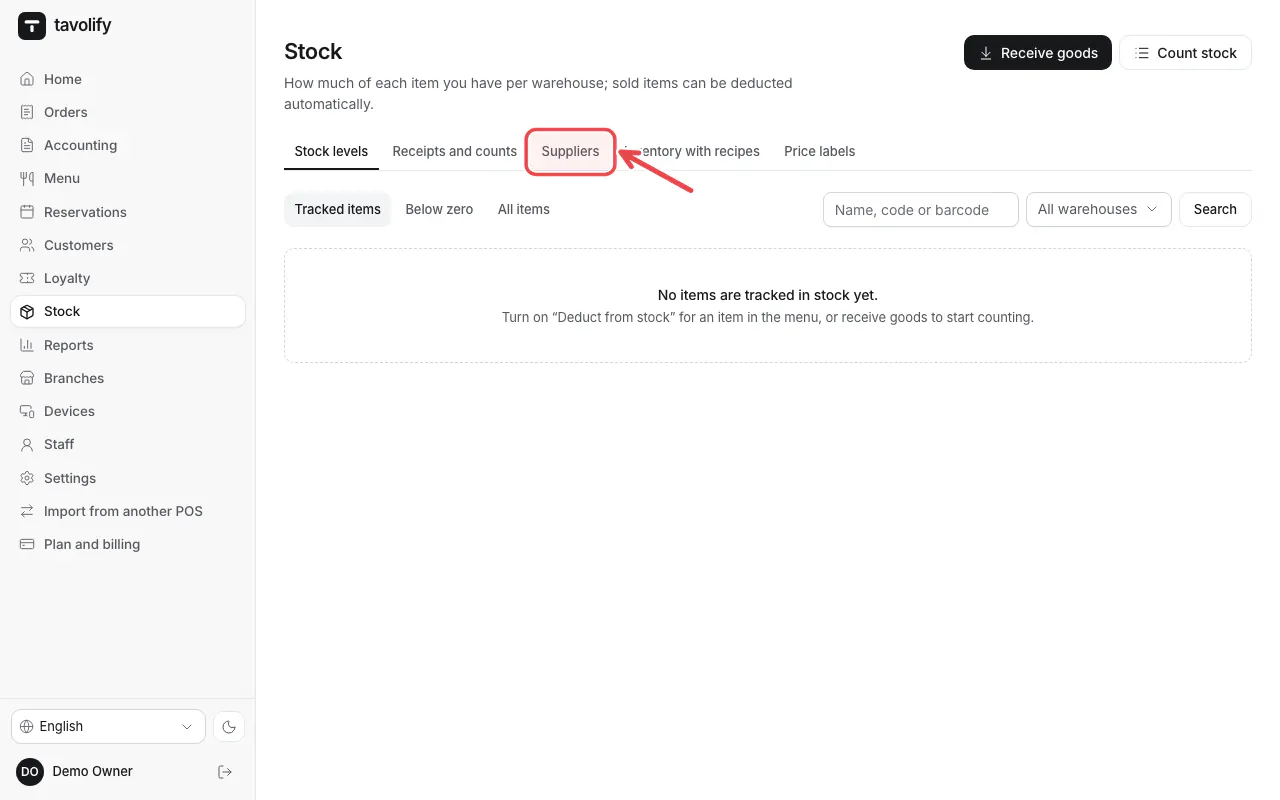
Suppliers keeps your suppliers and their details.
Related articles
- Ingredients, recipes and food cost
- Purchase invoices from KSeF
- Sales reports
Did this answer your question?
Still need help?Our team is happy to answer.
Send us a message