
Set up online table booking
Set up Tavolify reservations: online booking page, times and tables, party size, confirming, cancelling, reminders and deposits.
1 min readUpdated November 13, 2026
Guests book online, you decide the rules.
Steps
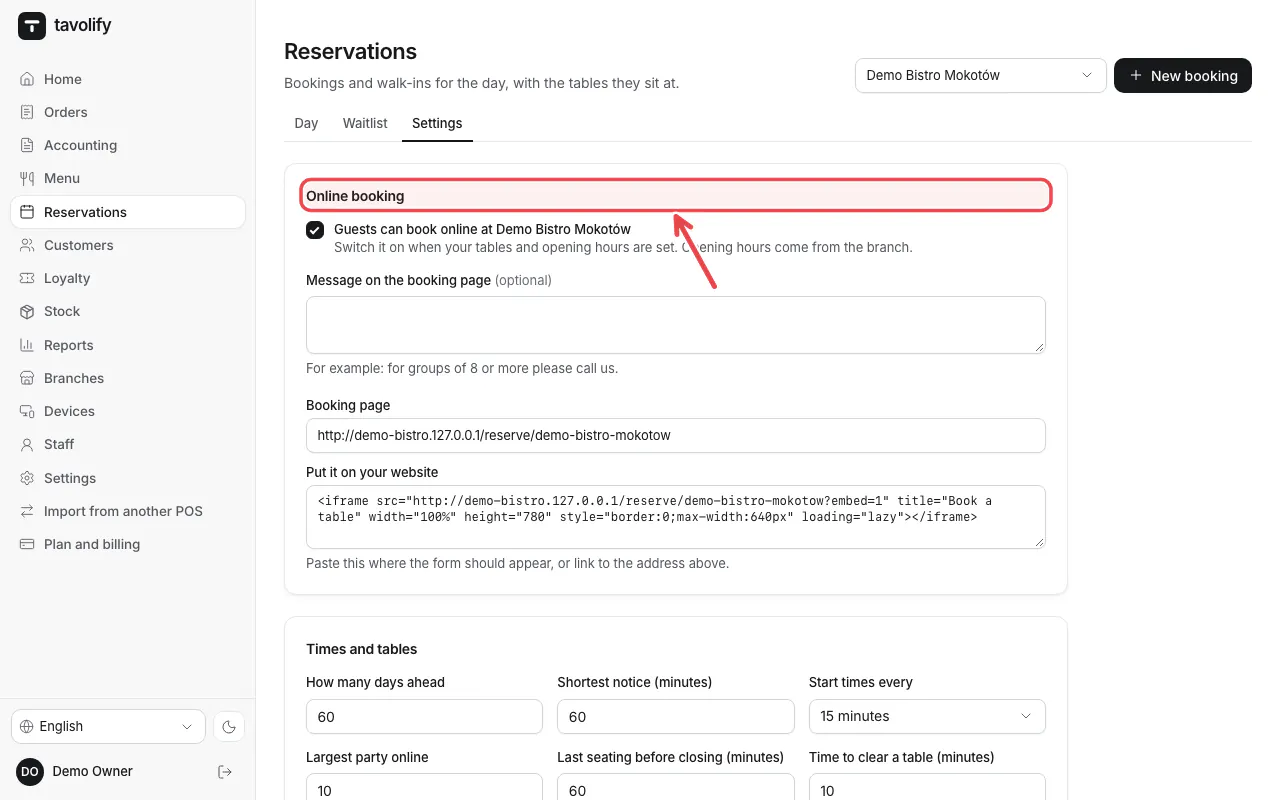
Open Reservations → Settings. Under Online booking write a message for the booking page.
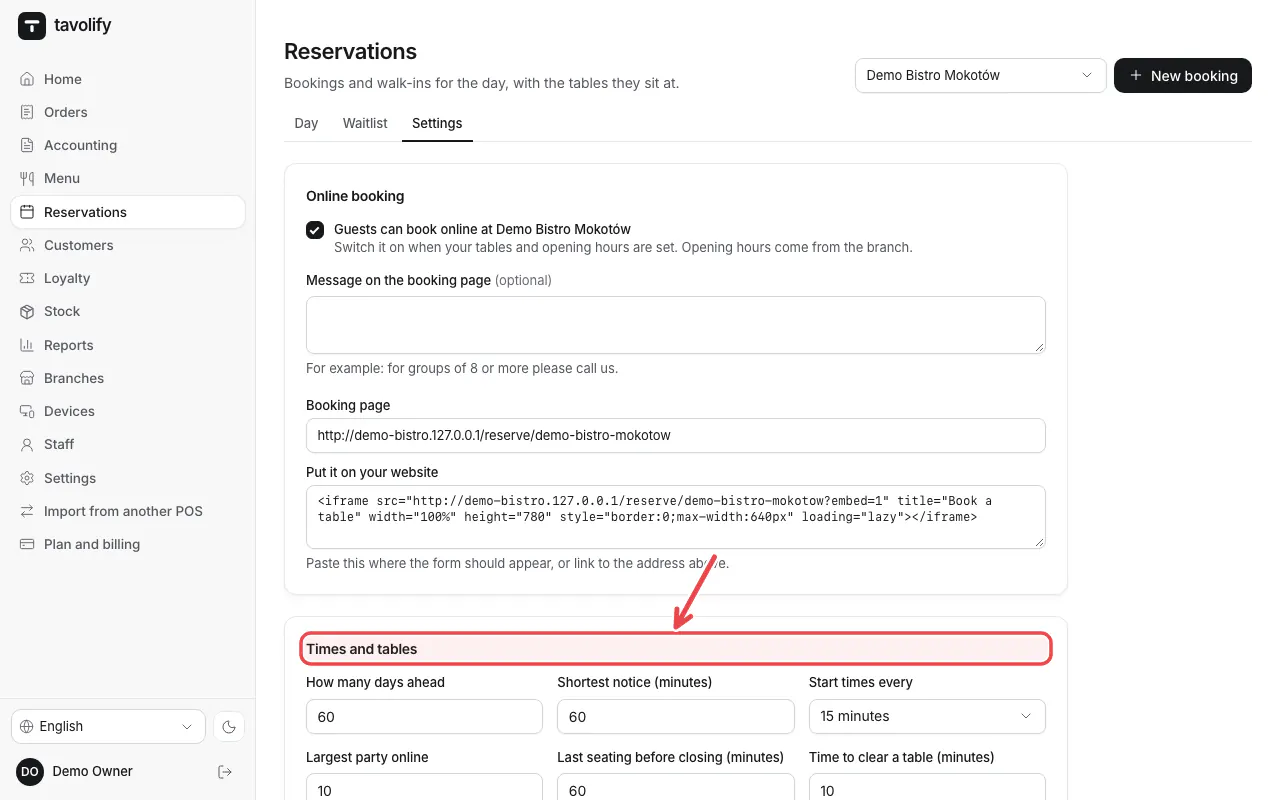
Under Times and tables set how far ahead guests may book and the Largest party online.
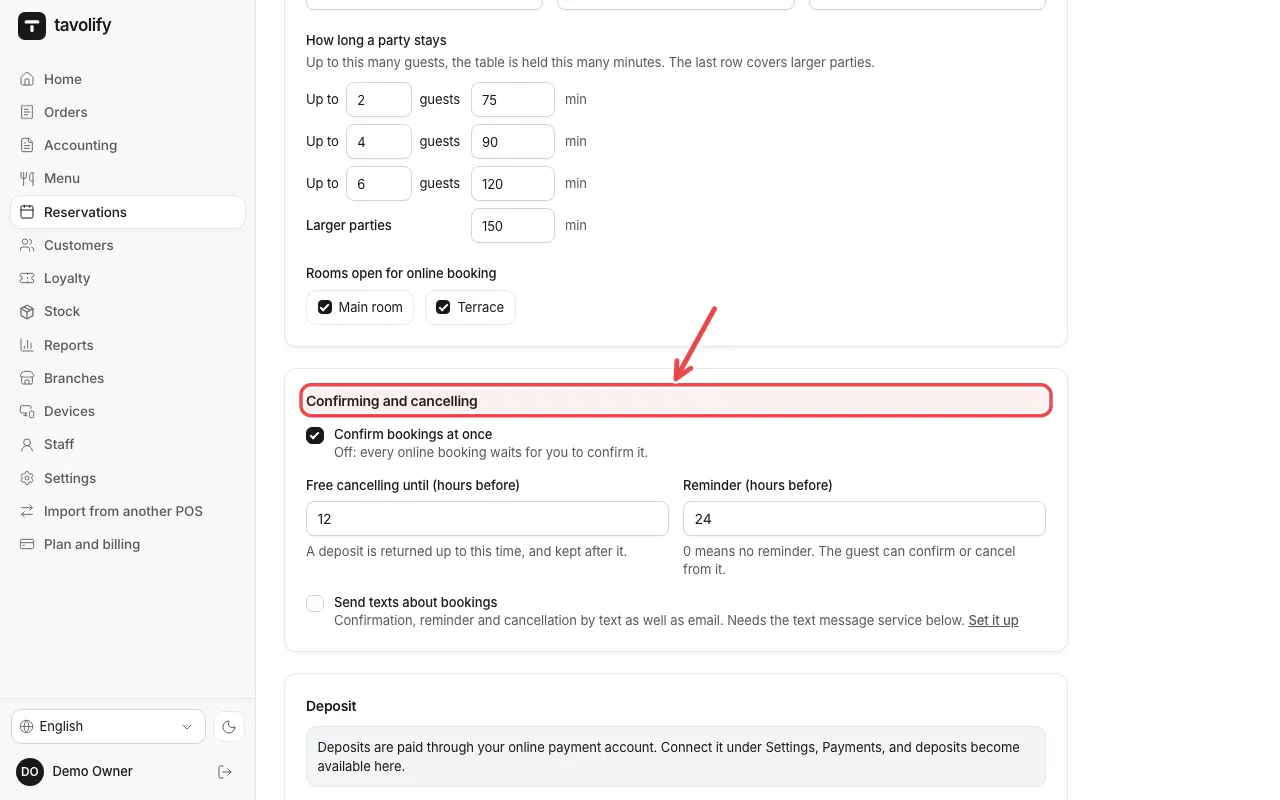
Under Confirming and cancelling decide whether bookings are confirmed at once. Add a deposit if you need one. Tap Save settings.
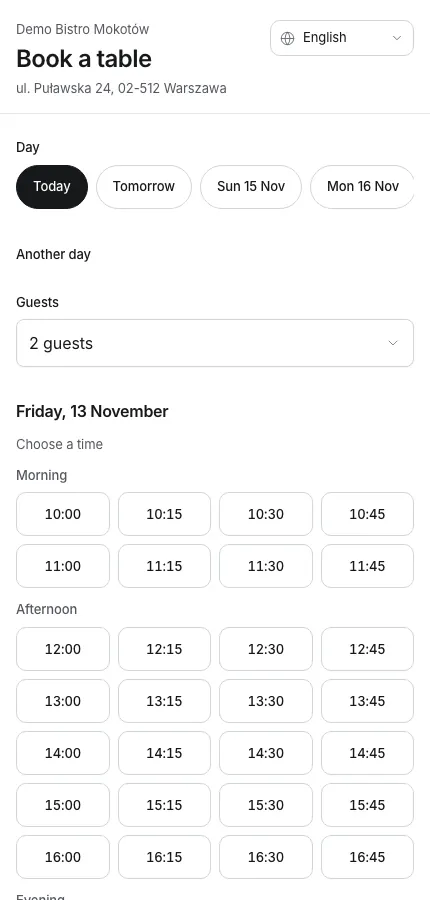
Guests book on your booking page.
Related articles
- Bookings and the waitlist day to day
- Online ordering: pickup and delivery
- Customers and their history
Did this answer your question?
Still need help?Our team is happy to answer.
Send us a message