
Bookings and the waitlist day to day
See today's bookings in Tavolify, add phone bookings with tables and notes, and manage walk-in guests on the waitlist.
1 min readUpdated November 13, 2026
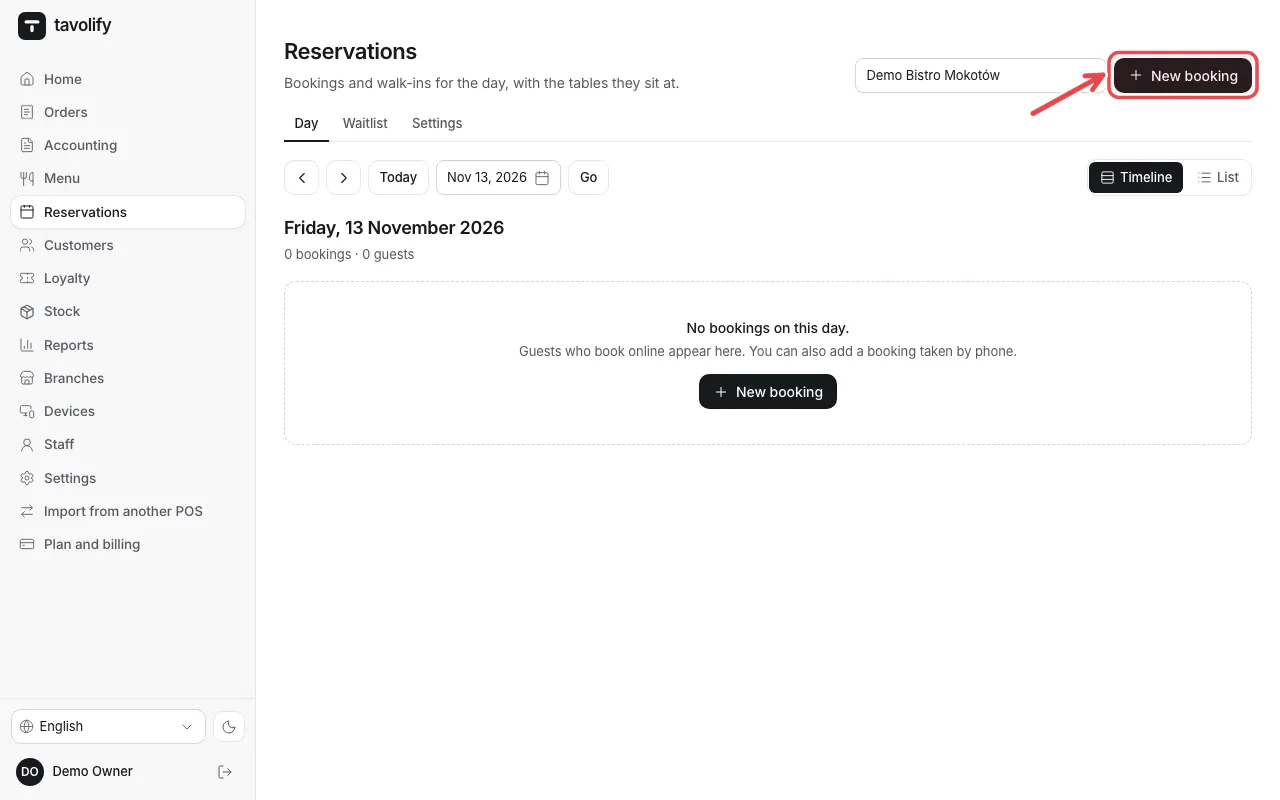
All bookings of the day are on one screen, as a timeline or a list.
Steps
Open Reservations. Switch between Timeline and List. Tap New booking for a phone booking.
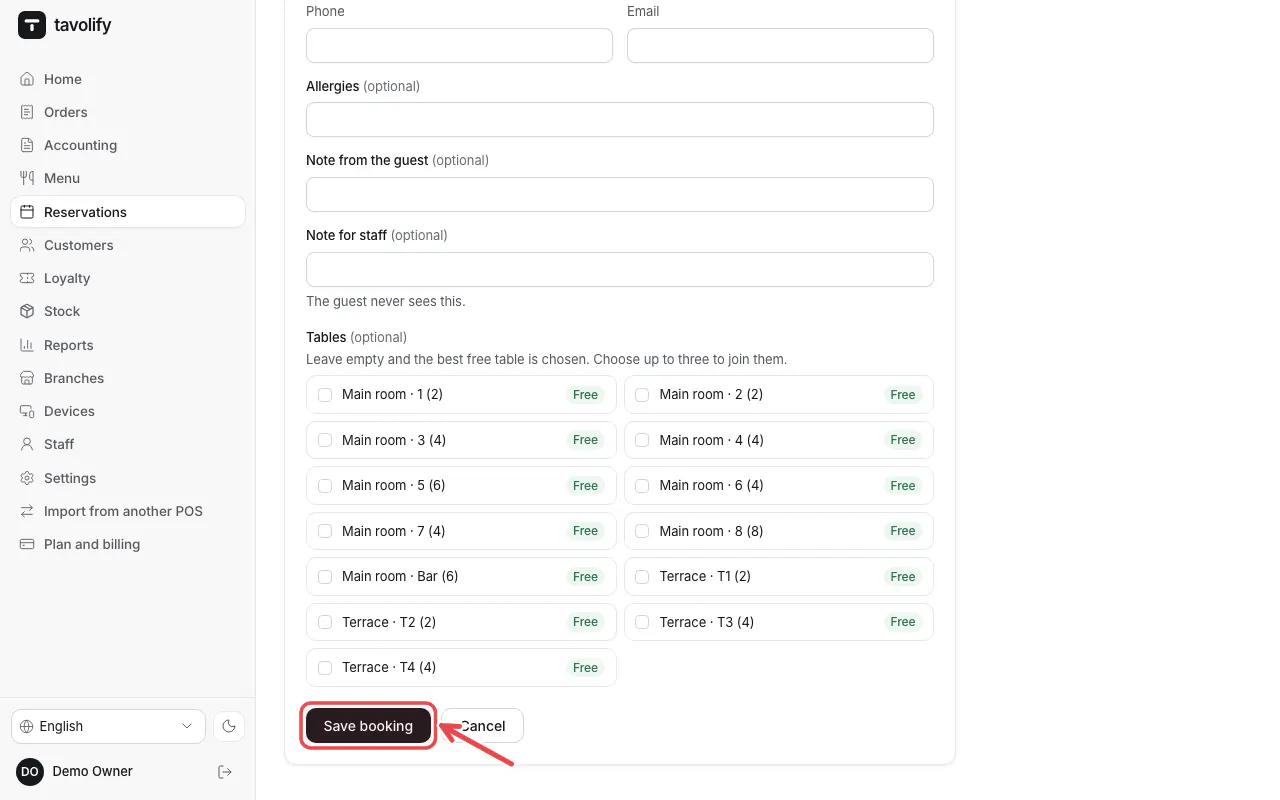
Fill in the day, time, guests and the Guest name, choose tables and tap Save booking.
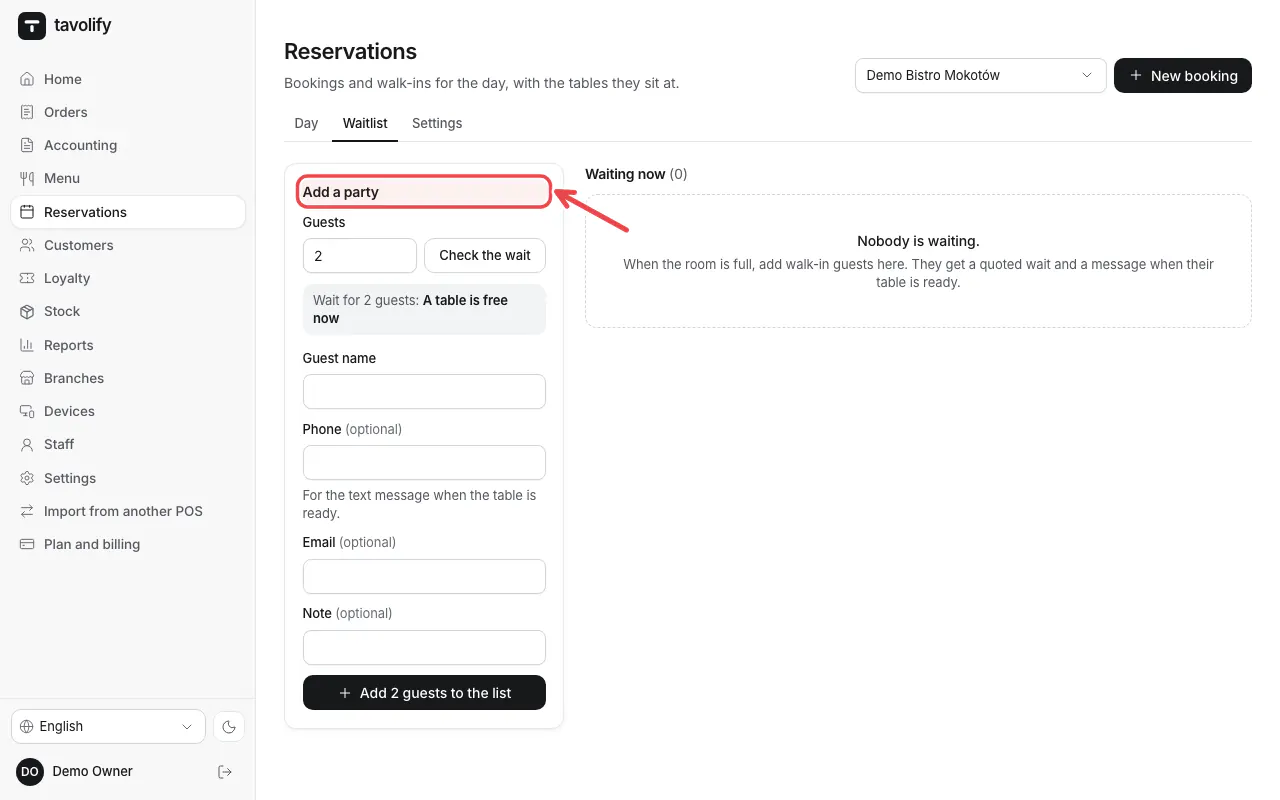
For walk-ins open Waitlist and add the party.
Related articles
- Set up online table booking
- Customers and their history
- Tables and the floor plan
Did this answer your question?
Still need help?Our team is happy to answer.
Send us a message