
Online ordering: pickup and delivery
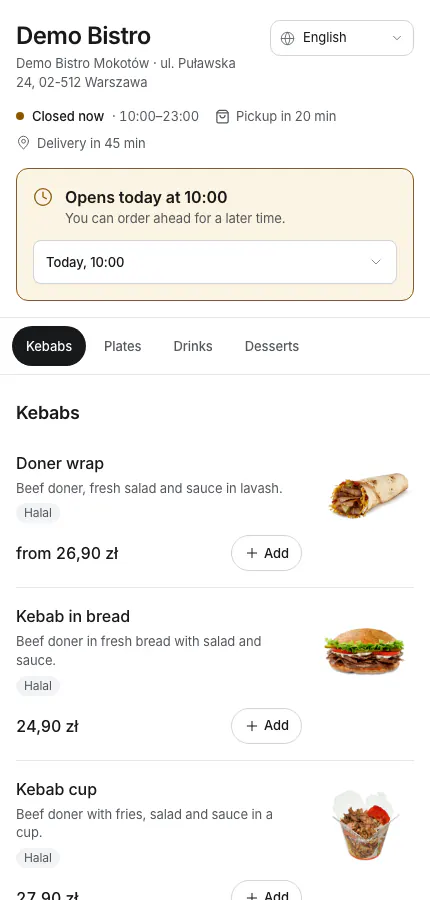
Turn on your own Tavolify ordering page: pickup and delivery, opening hours, delivery zones with fees, and online payment.
1 min readUpdated November 13, 2026
Your ordering page has no commission. Orders go to the POS and the kitchen.
Steps
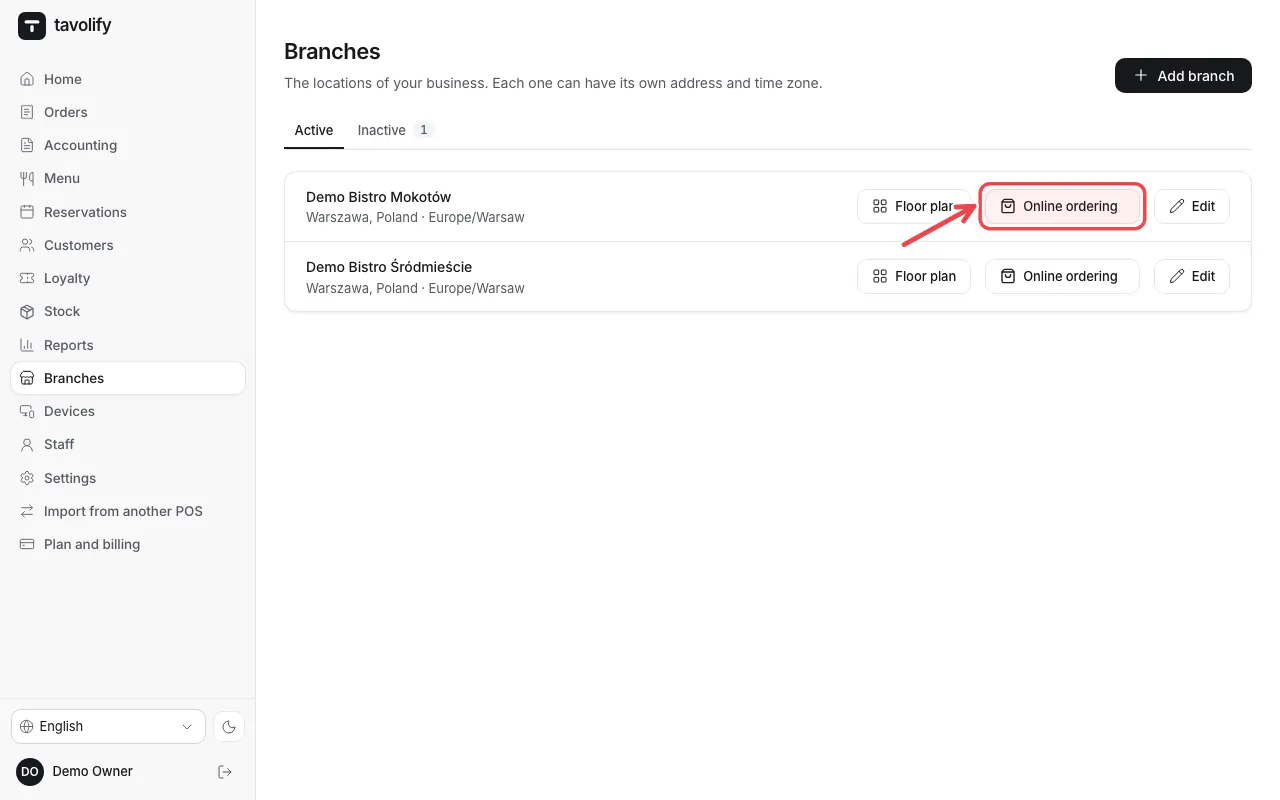
Open Branches and tap online ordering of the branch.
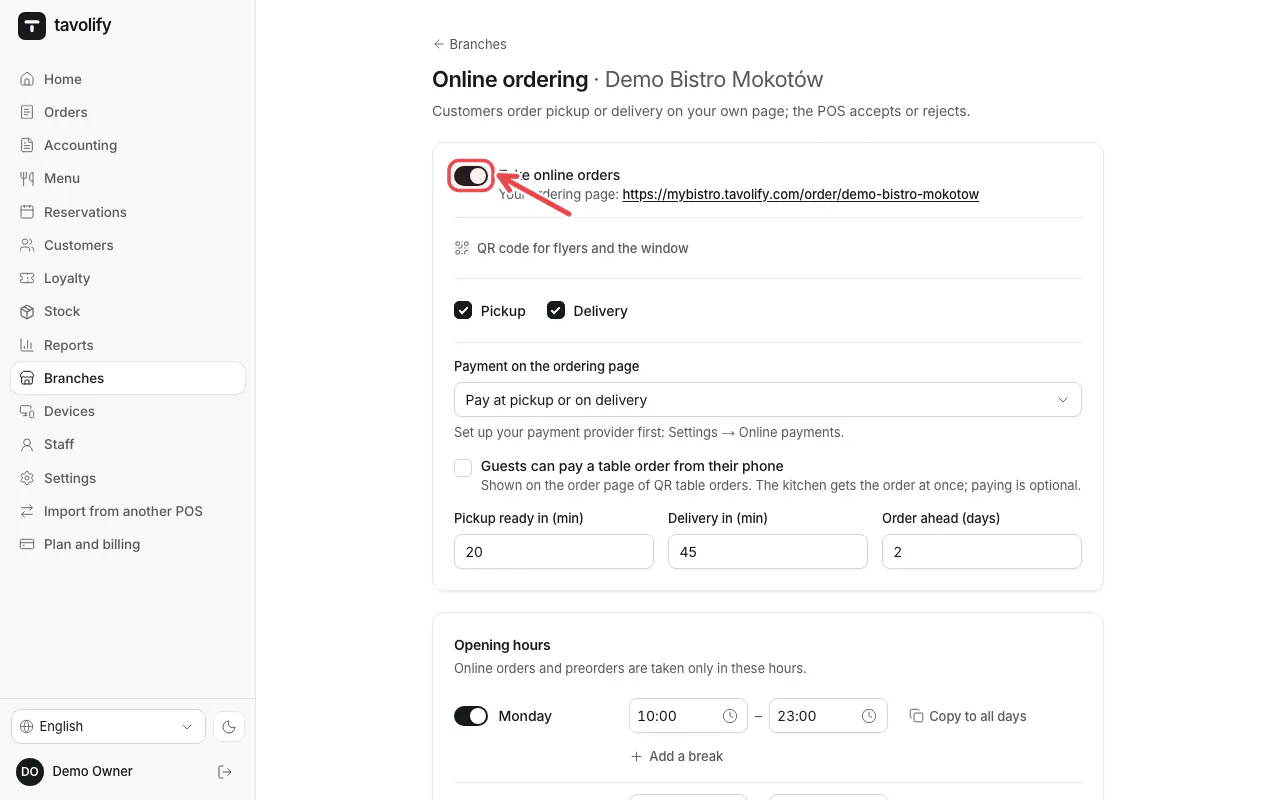
Switch on Take online orders and choose Pickup and Delivery.
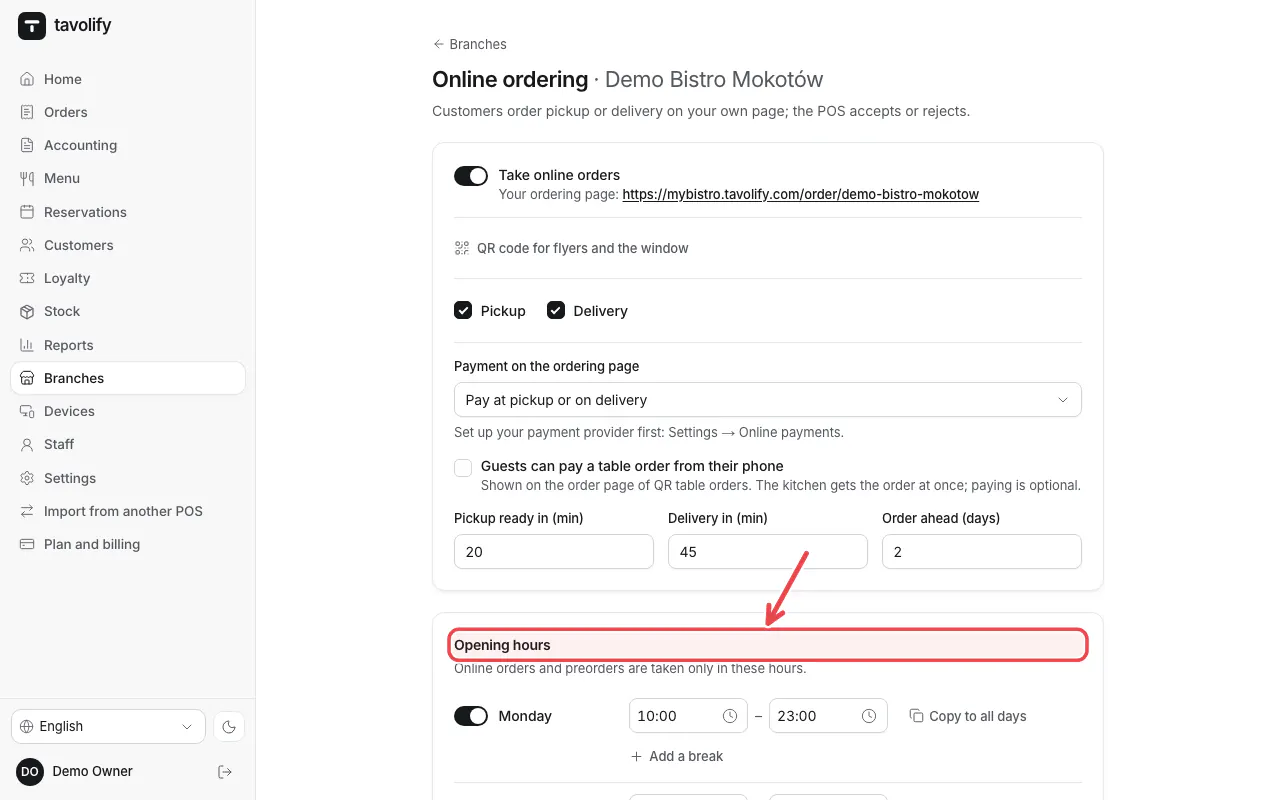
Set the Opening hours for each day.
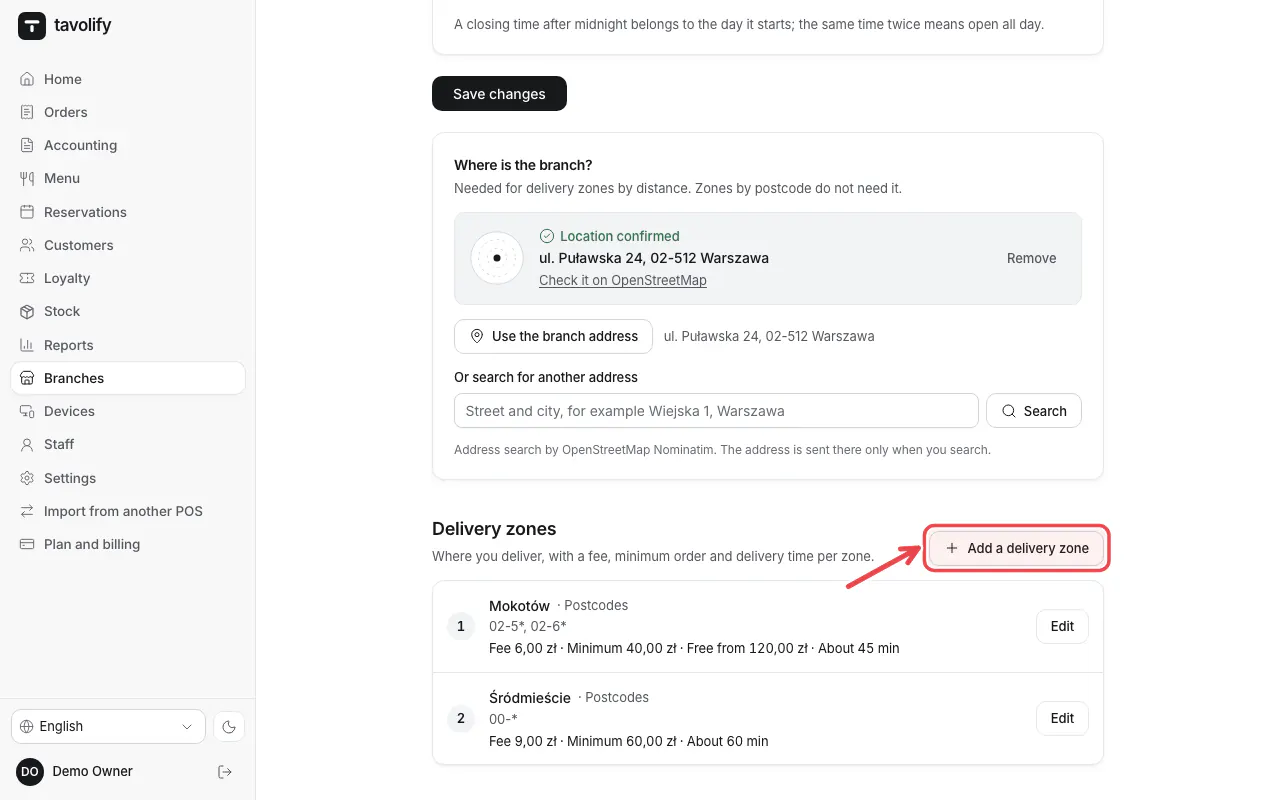
Under Delivery zones tap Add a delivery zone and set the postal codes or area, the fee and the minimum order.
Your ordering page is ready. Share the link on your website and social media.
Related articles
- Take online payments
- QR codes on the tables
- Delivery apps
Did this answer your question?
Still need help?Our team is happy to answer.
Send us a message