
A card terminal for the kiosk
Give a card terminal to a Tavolify kiosk so guests pay by card at the kiosk, and choose how guests pay in the kiosk settings.
1 min readUpdated November 13, 2026
A kiosk can have its own terminal. Then only that kiosk uses it.
Steps
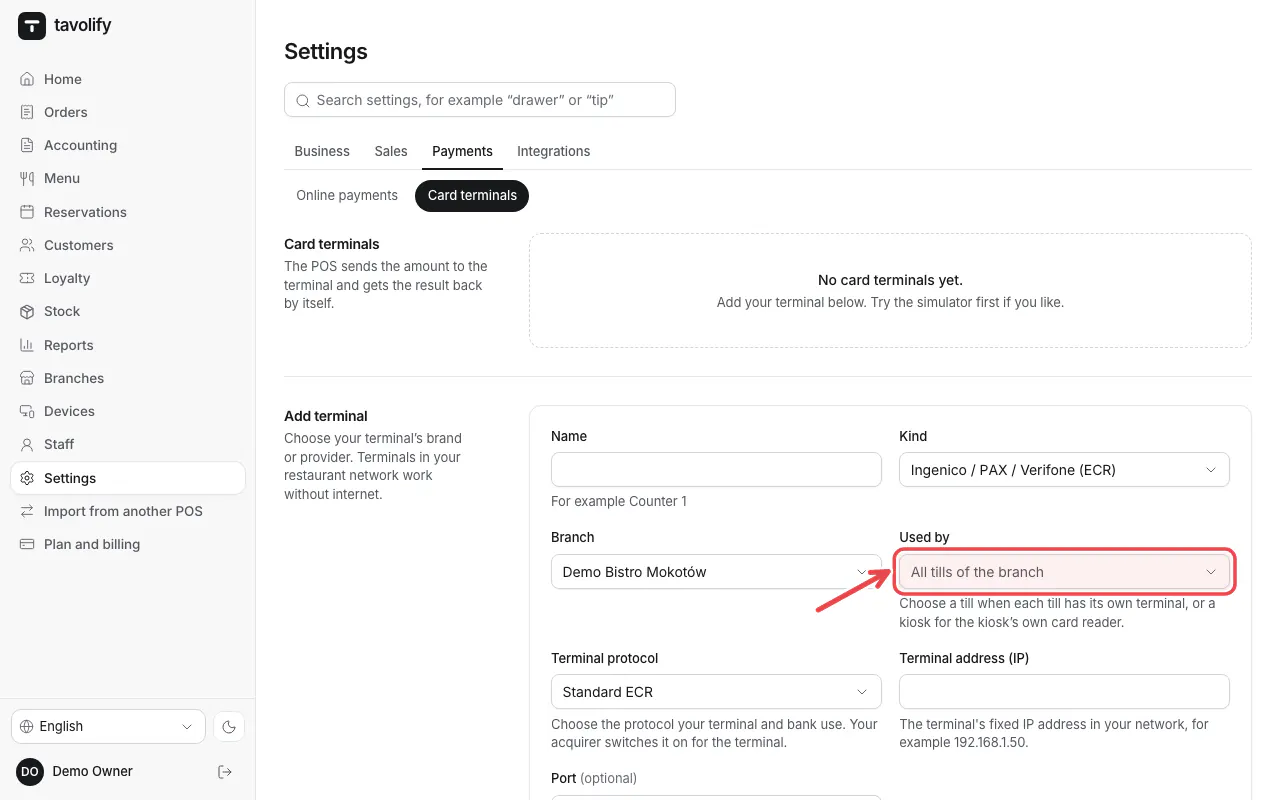
In Settings → Card terminals, under Used by choose the kiosk.
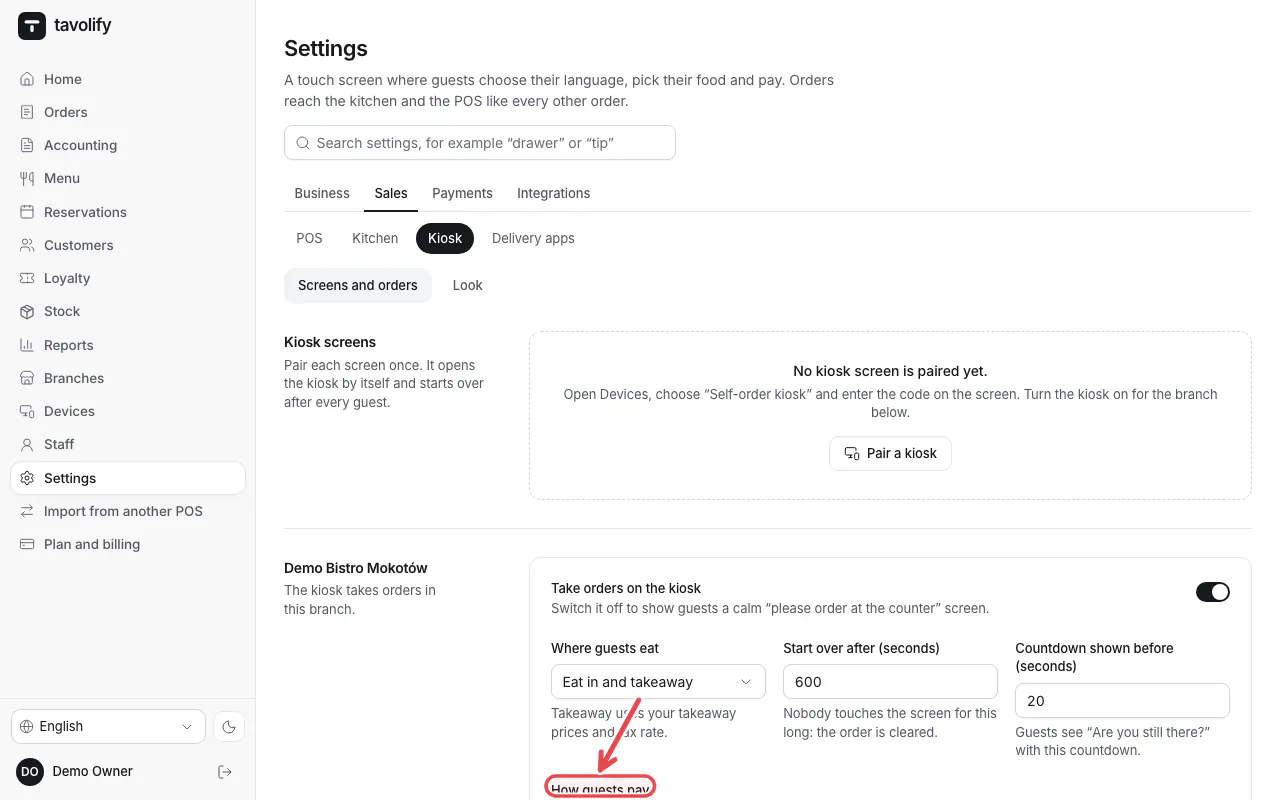
In Settings → Kiosk, under How guests pay switch on paying by card and choose the terminal. Save.
Related articles
- Connect a card terminal (Standard ECR)
- Set up the self-order kiosk
- The card terminal does not answer
Did this answer your question?
Still need help?Our team is happy to answer.
Send us a message