
Order-ready board for guests
Show guests which orders are preparing and ready on a TV with the Tavolify order-ready board, updated from the kitchen display.
1 min readUpdated November 13, 2026
Guests follow their order number on a screen and come when it is ready.
Steps
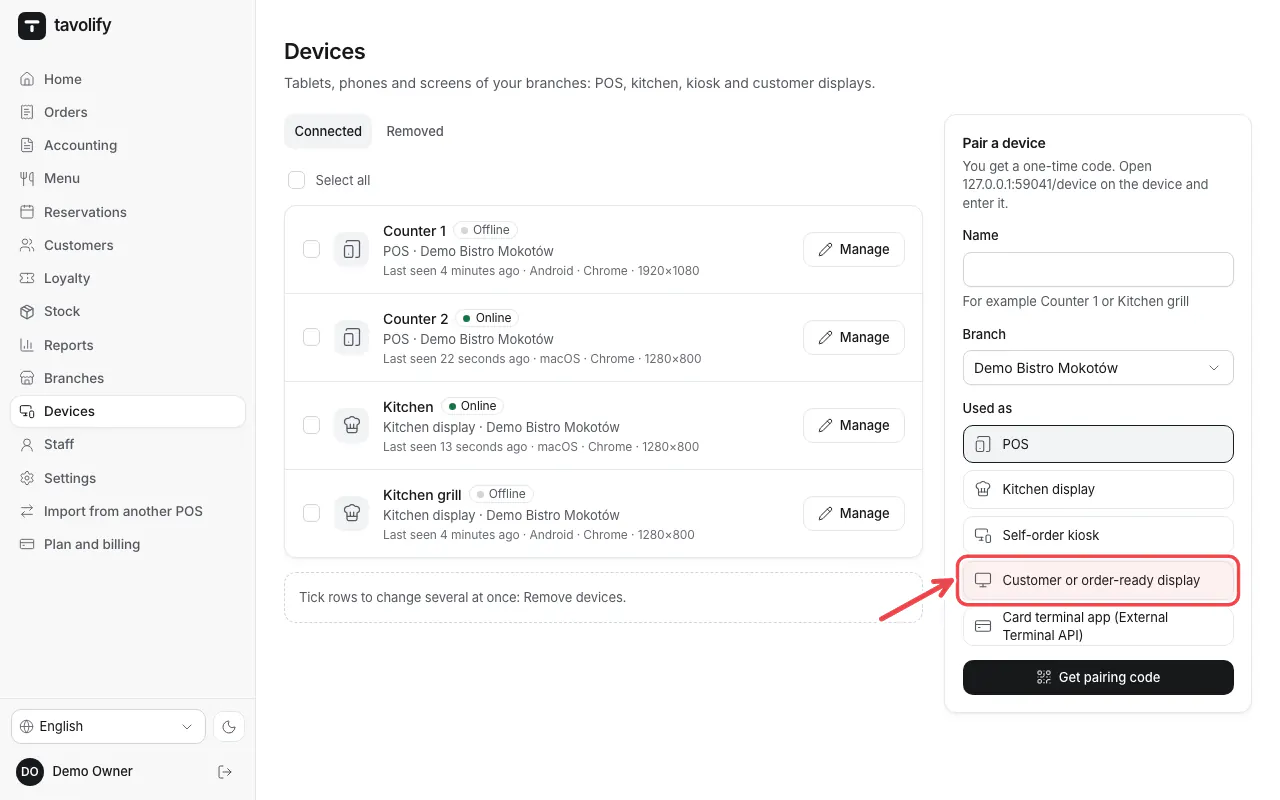
In Devices pair a TV or tablet as Customer or order-ready display.
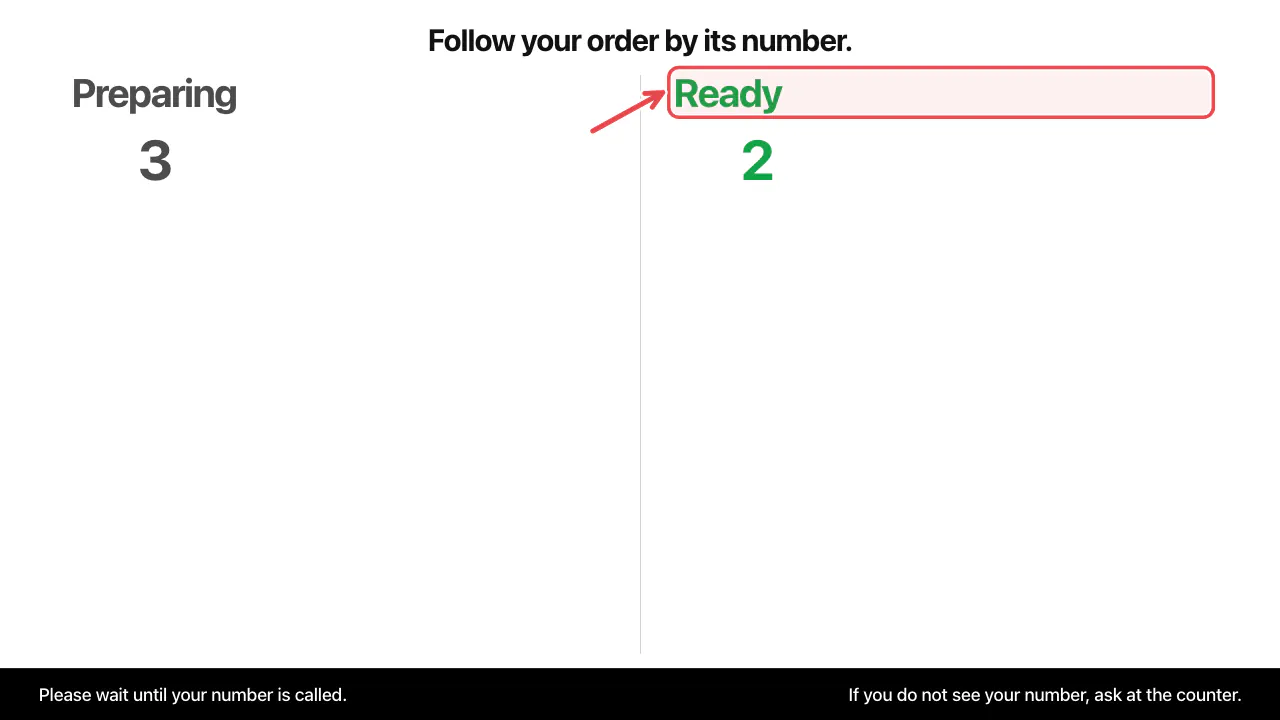
Orders sent to the kitchen appear under preparing.
When the kitchen marks the order Ready, the number moves to the ready column.
The board shows Preparing and Ready. A sound and an optional voice call the number.
Related articles
- Set up the kitchen display
- Set up the self-order kiosk
- Take an order
Did this answer your question?
Still need help?Our team is happy to answer.
Send us a message