
Take online payments
Connect Tpay, Przelewy24, PayU, Paynow, Autopay or imoje in Tavolify for BLIK, card and transfer payments on online and QR orders.
1 min readUpdated November 13, 2026
Guests pay with your own provider account. Tavolify takes no fee.
Steps
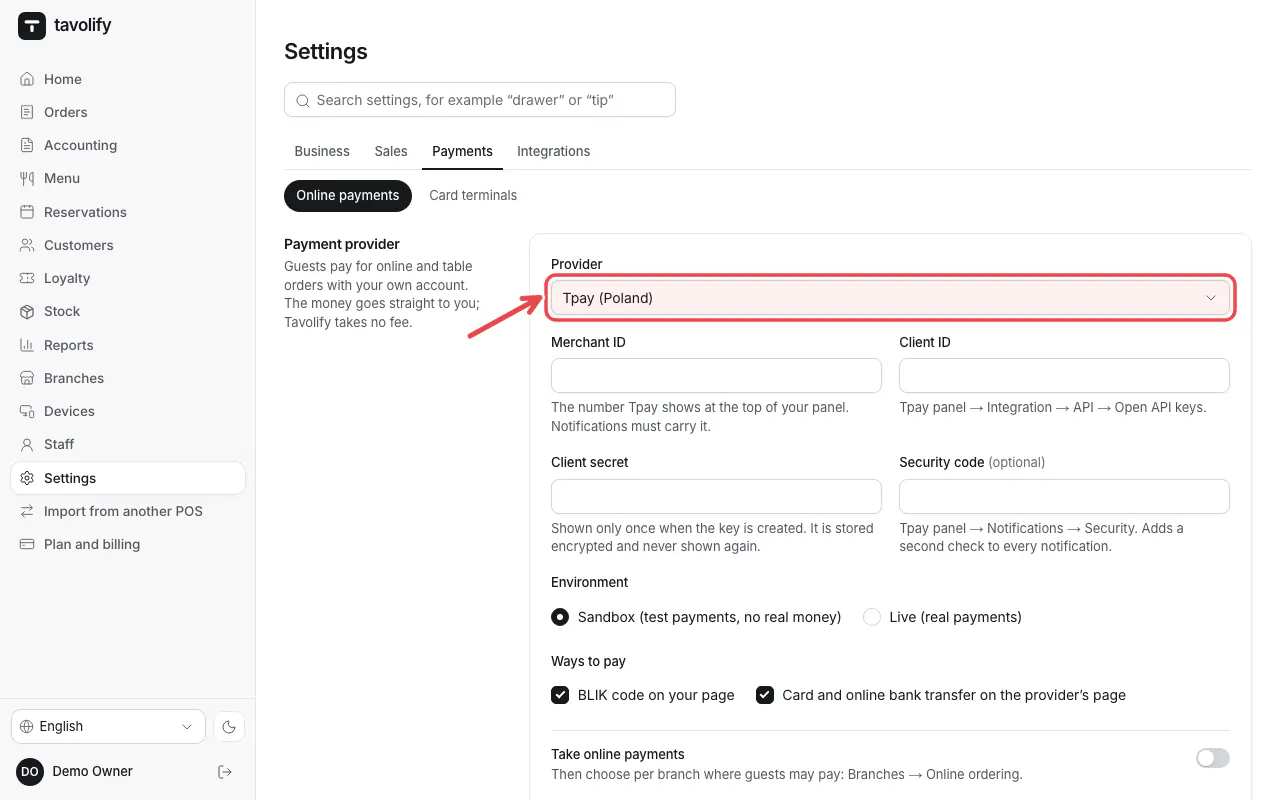
Open Settings → Online payments and choose the Provider. Enter the keys from your provider panel.
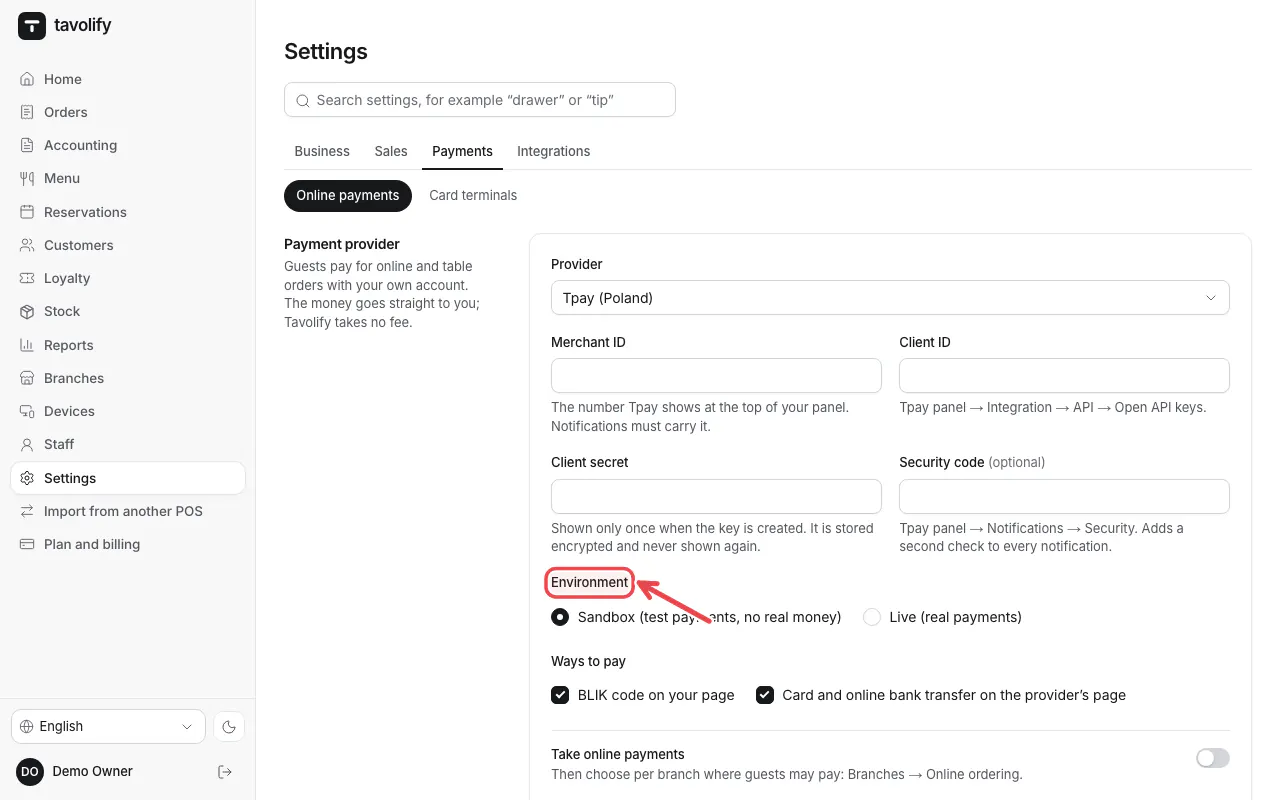
Under Environment start with Sandbox (test payments, no real money). Switch to Live (real payments) after a test payment.
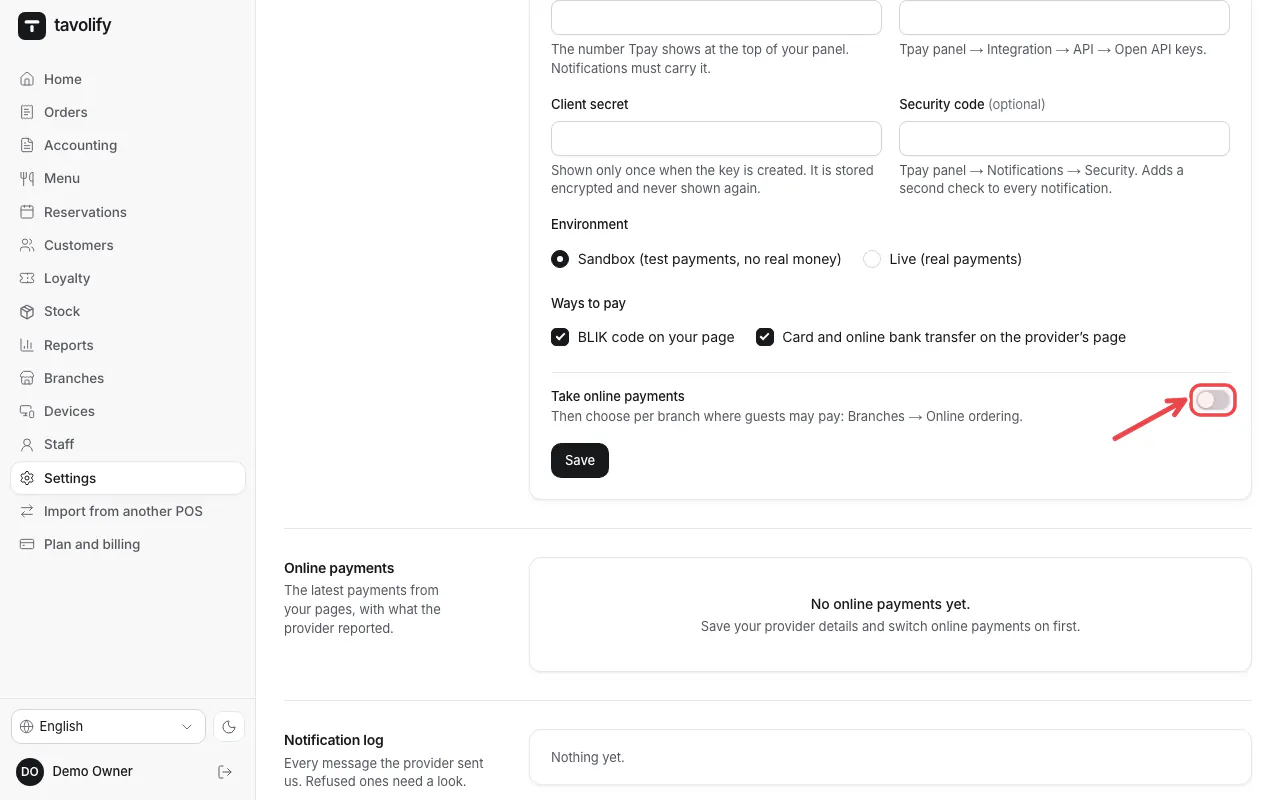
Switch on Take online payments and tap Save.
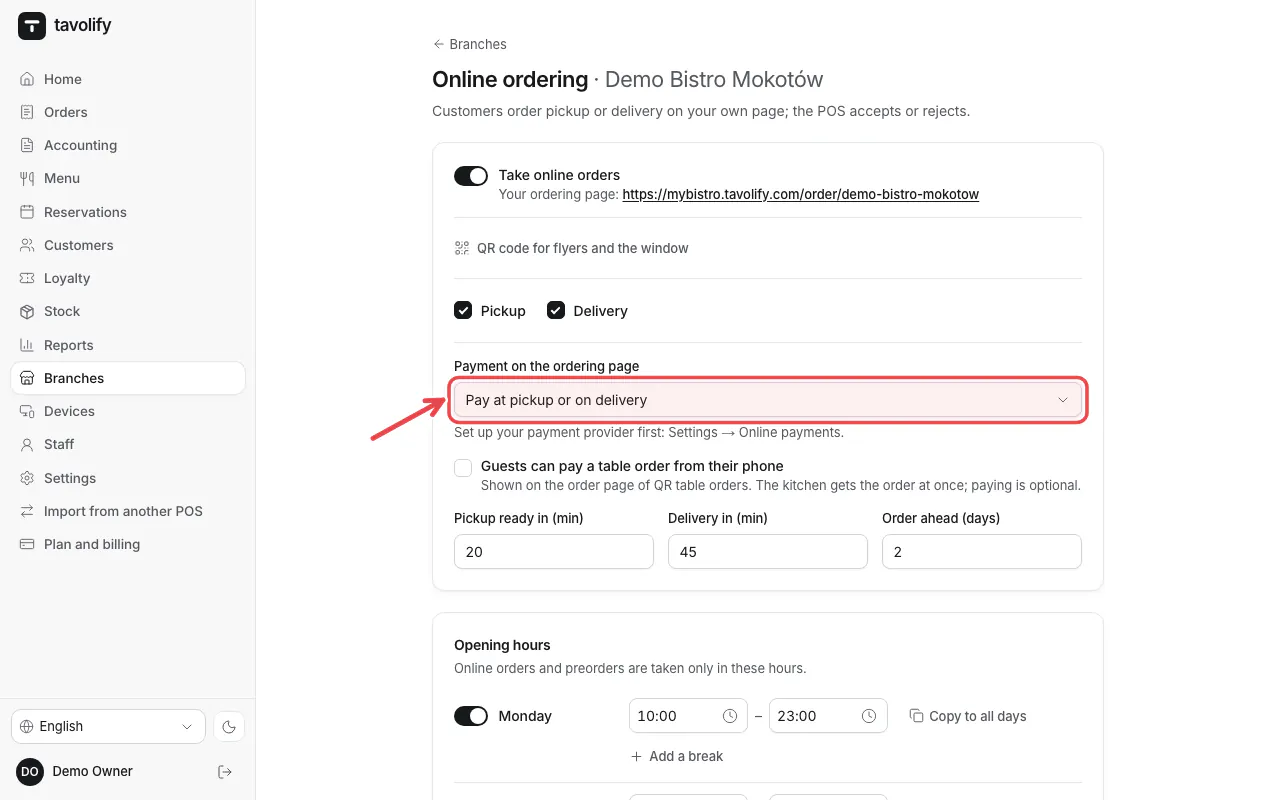
In each branch choose the Payment on the ordering page.
Important: Keys are stored encrypted. Never send them by e-mail or chat.
Related articles
- What each payment provider needs
- Online ordering: pickup and delivery
- QR codes on the tables
Did this answer your question?
Still need help?Our team is happy to answer.
Send us a message