
Delivery apps
Connect delivery apps to Tavolify, set platform commissions to see what you keep, add orders by hand and record app payments.
1 min readUpdated November 13, 2026
Delivery-app orders can come in by themselves through a connection, or be added by hand.
Steps
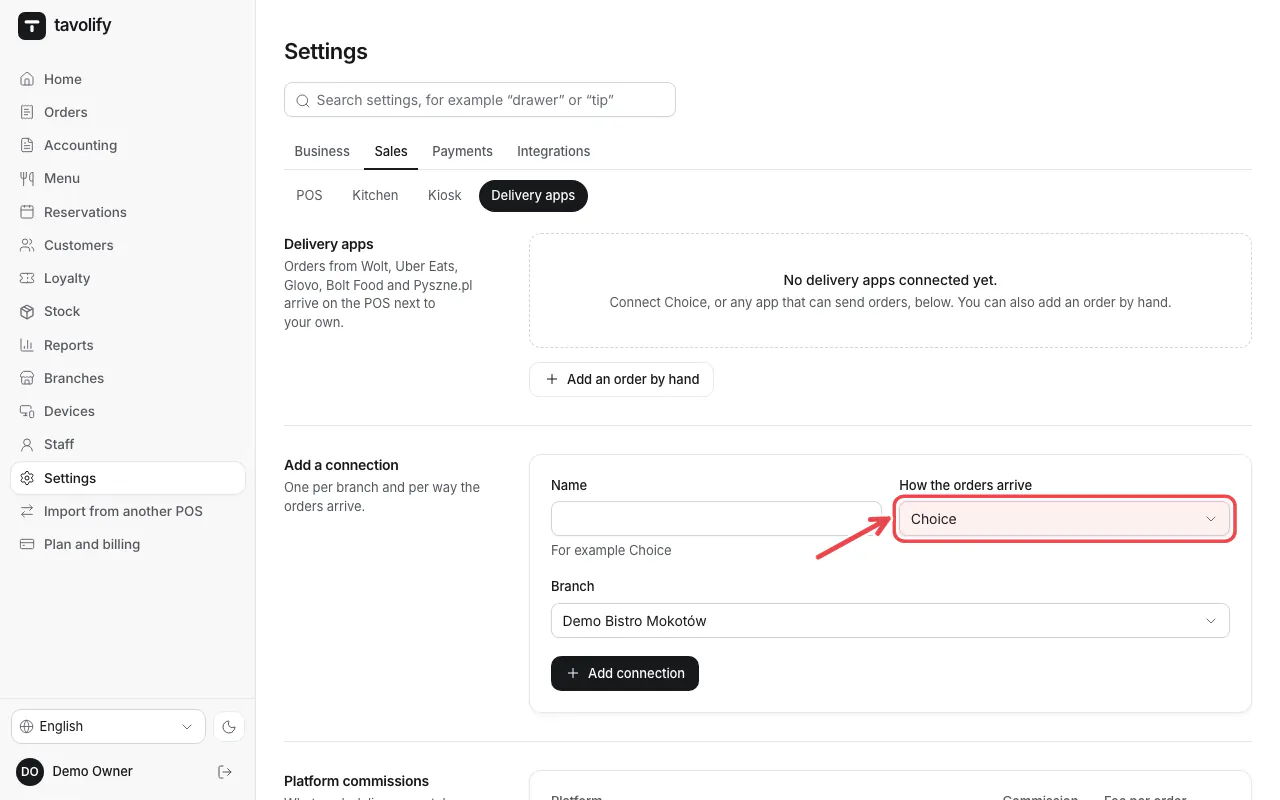
Open Settings → Delivery apps. Choose How the orders arrive and the branch, then tap Add connection.
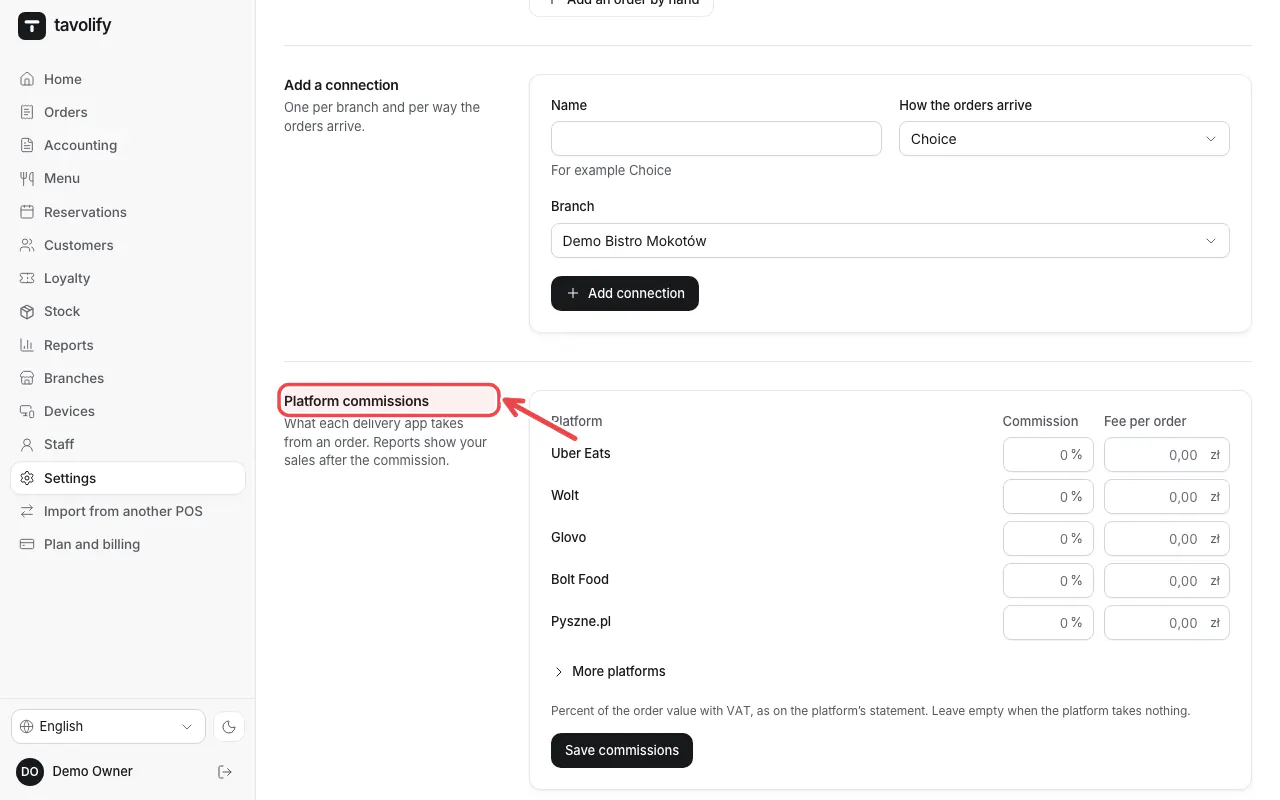
Under Platform commissions enter each app's commission. Reports then show what you keep.
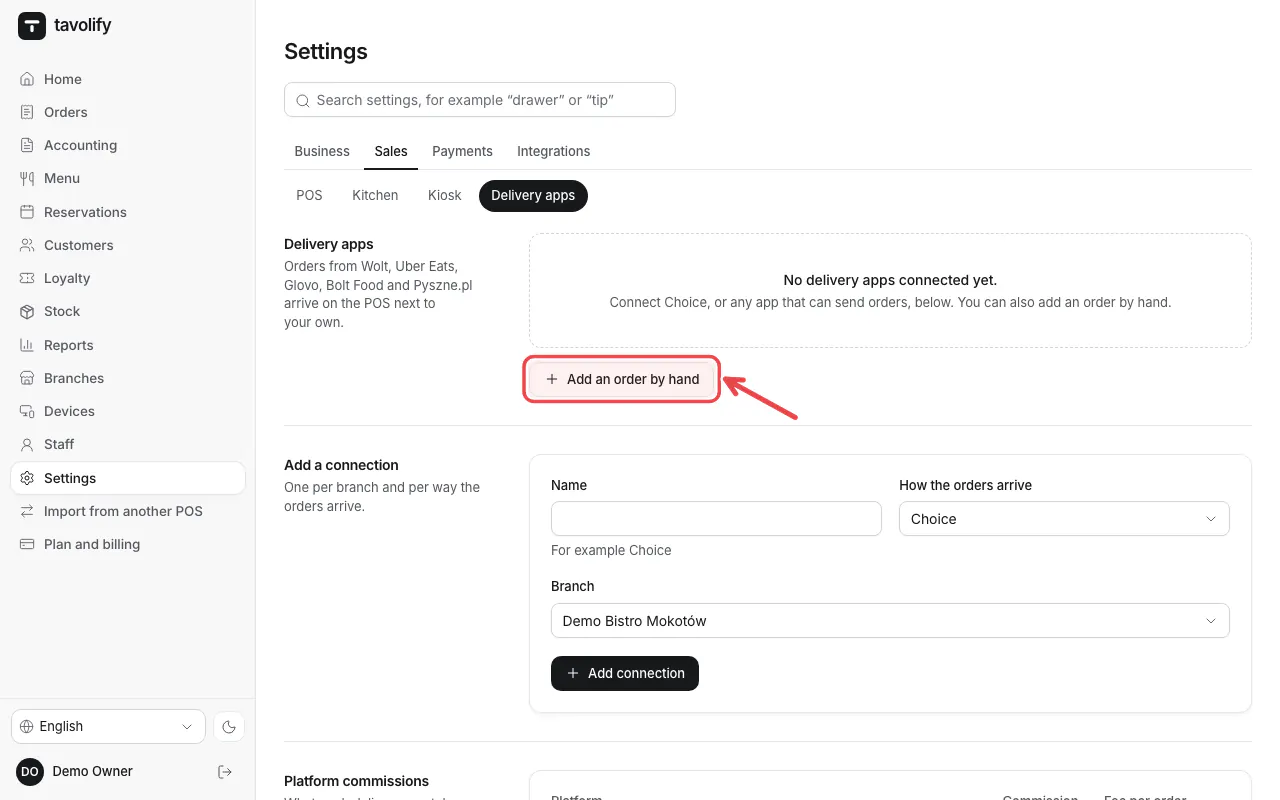
Add an order by hand records an app order without a connection.
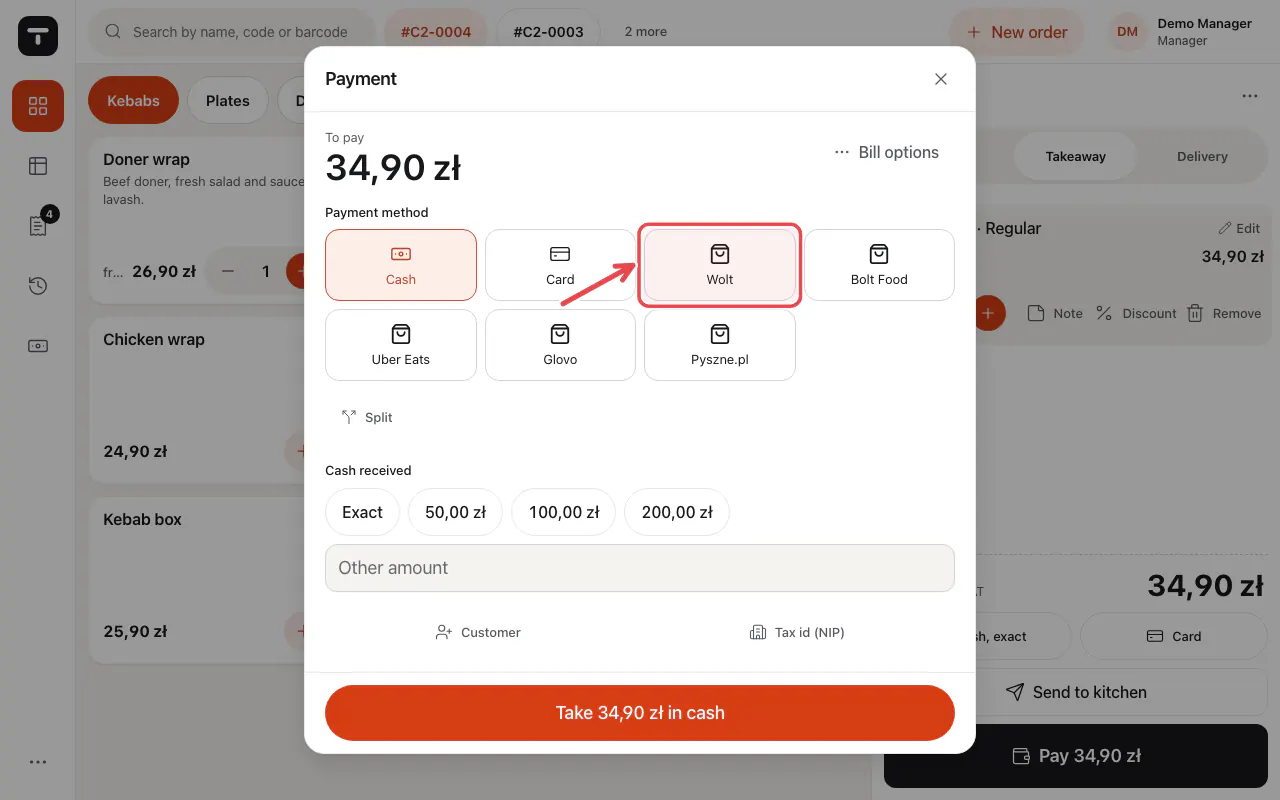
On the POS, takeaway and delivery bills can be paid with the app as the payment method.
Related articles
- Online ordering: pickup and delivery
- Sales reports
- Take payment: cash, card and more
Did this answer your question?
Still need help?Our team is happy to answer.
Send us a message