
API tokens and webhooks
Create a Tavolify REST API token with exact permissions and add webhooks for orders, payments and sold-out items.
1 min readUpdated November 13, 2026
The REST API lets other systems read your menu and orders or create orders. The full developer documentation is at tavolify.com/en/developers.
Steps
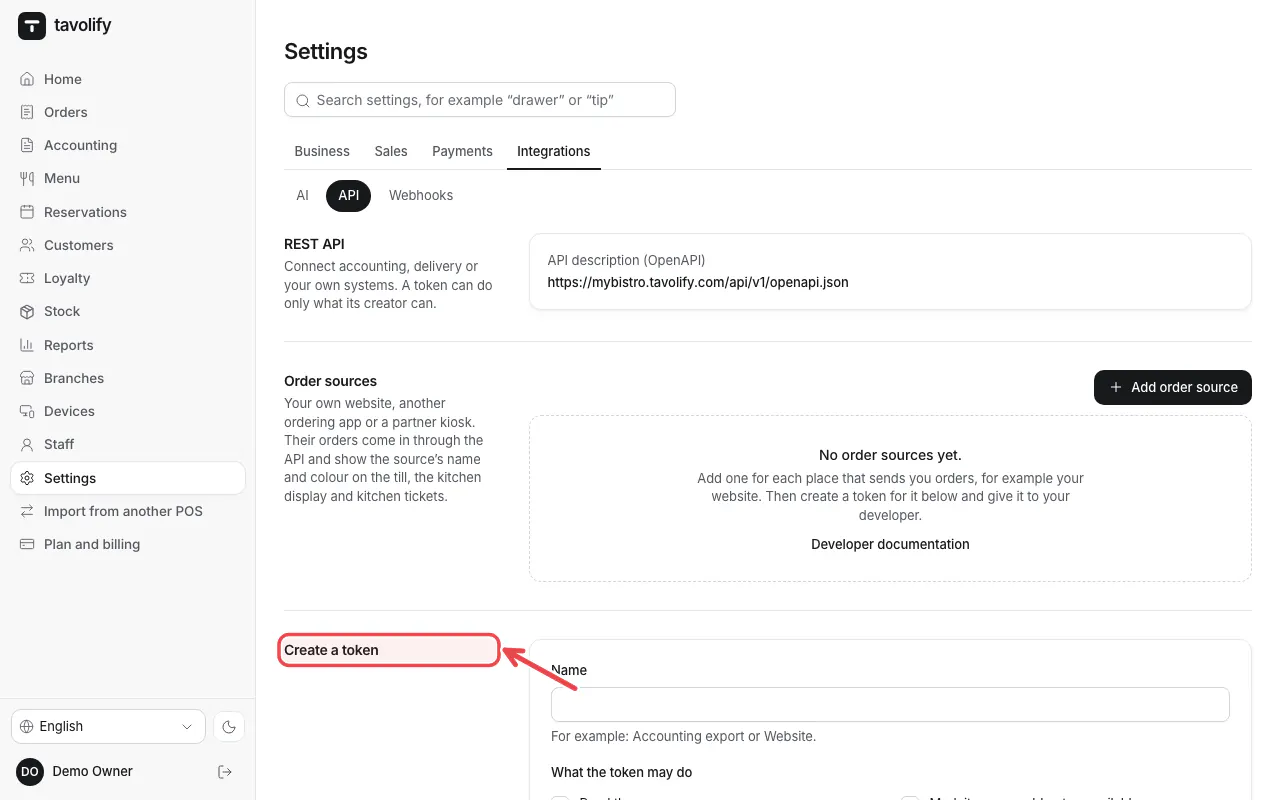
Open Settings → API. Under Create a token type a name.
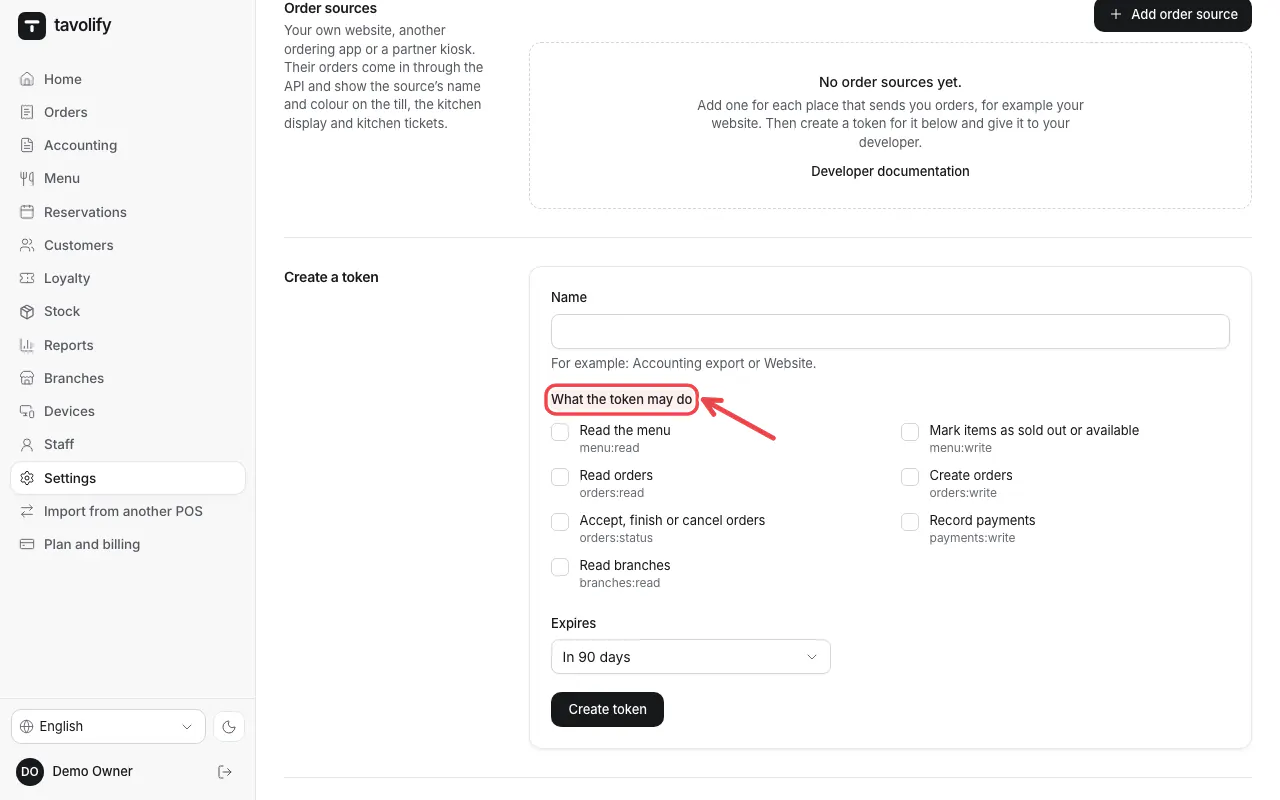
Under What the token may do tick only what is needed, choose when it expires and tap Create token. Copy the token at once.
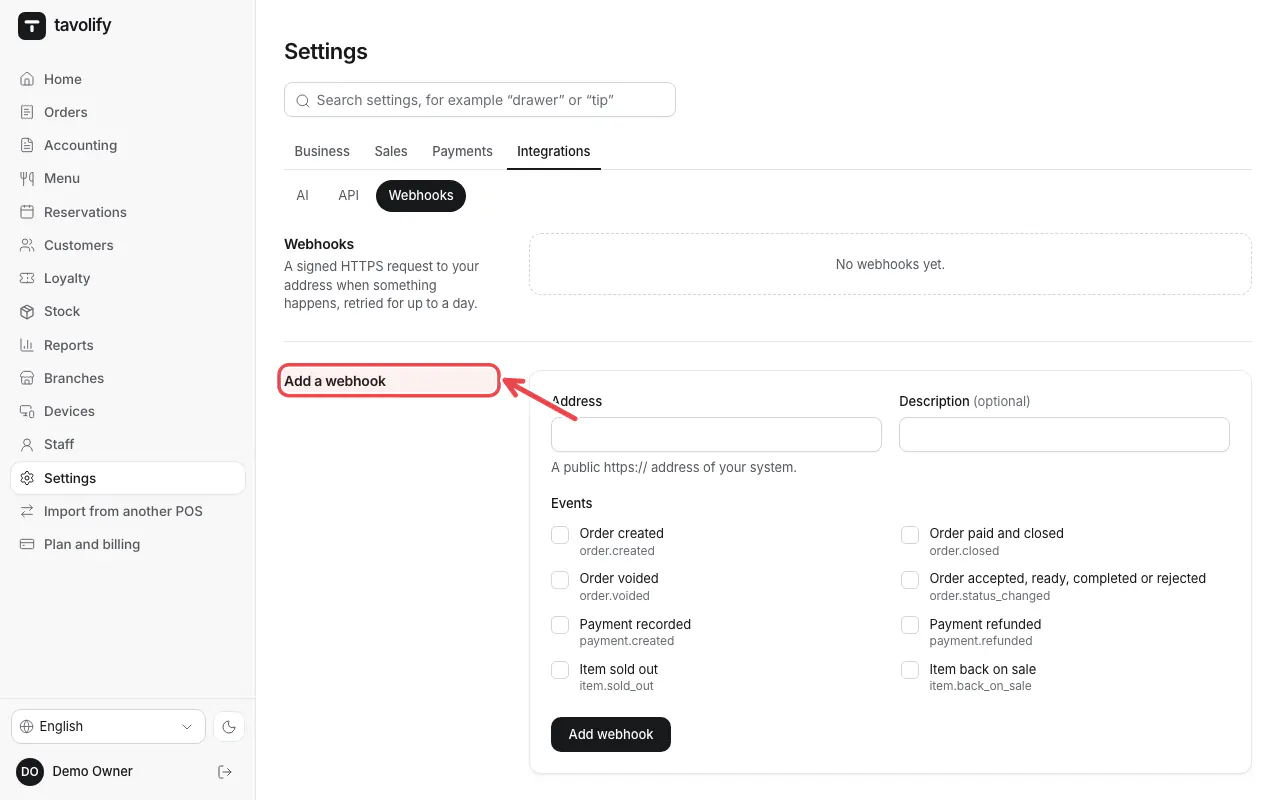
Under Webhooks add an address that gets the events you tick.
Related articles
- Delivery apps
- Move from another POS
- Sales reports
Did this answer your question?
Still need help?Our team is happy to answer.
Send us a message